Mobile spacing
-
My one page site is split into 3 sections – I have 3 anchor points defined by 3 different ids.
The 3 items on the menu link to each of these anchor points.
Because of the set spacing on mobile, the top of each section loads too high up. I would like it lower. I'm trying this:#works { padding-top: 9vw; } #press { padding-top: 9vw; } #contact { padding-top: 9vw; }I imagine it may be too basic. Once again, any advice would be much appreciated, thanks! 🥀
-
Dear Sally
@sallyobrien
To confirm, do you still want the anchor to arrive further up on the page ( therefore content further down page ) Here i have clicked "Press":
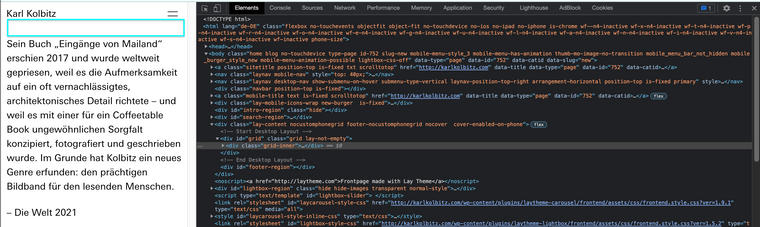
Best wishes Sally 🌝
Richard
-
Hi @Richard, no I would like the anchor to arrive lower.
In theory { padding-top: 9vw; } works as I need it to, but I must find the right selector.
Thanks!
-
Dear Sally
@sallyobrien
You should be able to set the distance within Lay Options > Anchorscroll space top:
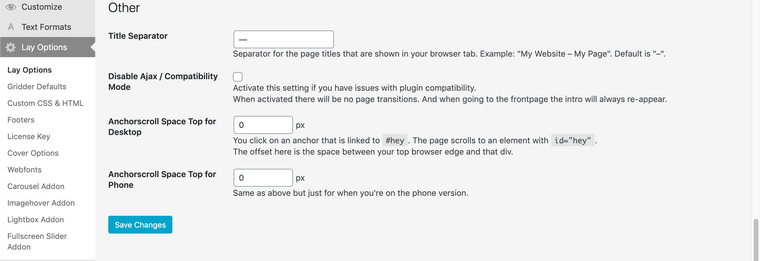
Best wishes
Richard

Hello! It looks like you're interested in this conversation, but you don't have an account yet.
Getting fed up of having to scroll through the same posts each visit? When you register for an account, you'll always come back to exactly where you were before, and choose to be notified of new replies (either via email, or push notification). You'll also be able to save bookmarks and upvote posts to show your appreciation to other community members.
With your input, this post could be even better 💗
Register Login