Tag Order
-
Hey!
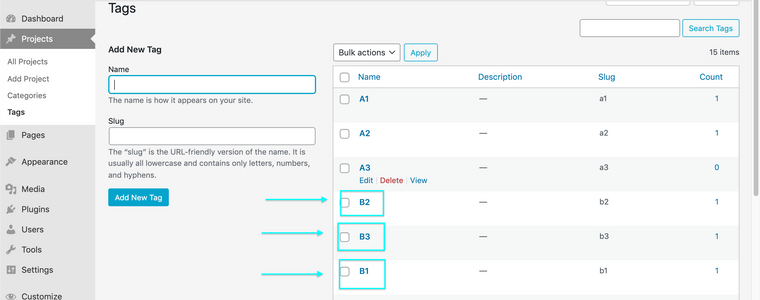
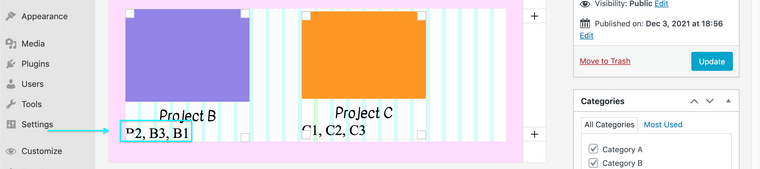
is it somehow possible to change the order of the tags shown underneath a project thumbnail? I looked up the version history of laytheme (see below) and it says it's possible, but I can't figure out how. When I add tags to a project, it would always get ordered alphabetically, no matter in what order I enter them.
The Changelog/Version History of Laytheme says:
3.9.1 - 19 September 2021
When editing Tags you can change their order to change the order of tags underneath Project Thumbnails -
-
-
-
Hello, I re-open this thread because I see tag order don't work for me.
I've got a lot of tags, and when I tried to re-order them (having numbers before words) it works only on certain number values, and not with others, even if in the tags page numbers appears as first.
Here a pic of how I sorted them, but still in this page they appears sometimes in the middle of 3 tags line https://landcho.eu/all-projects/
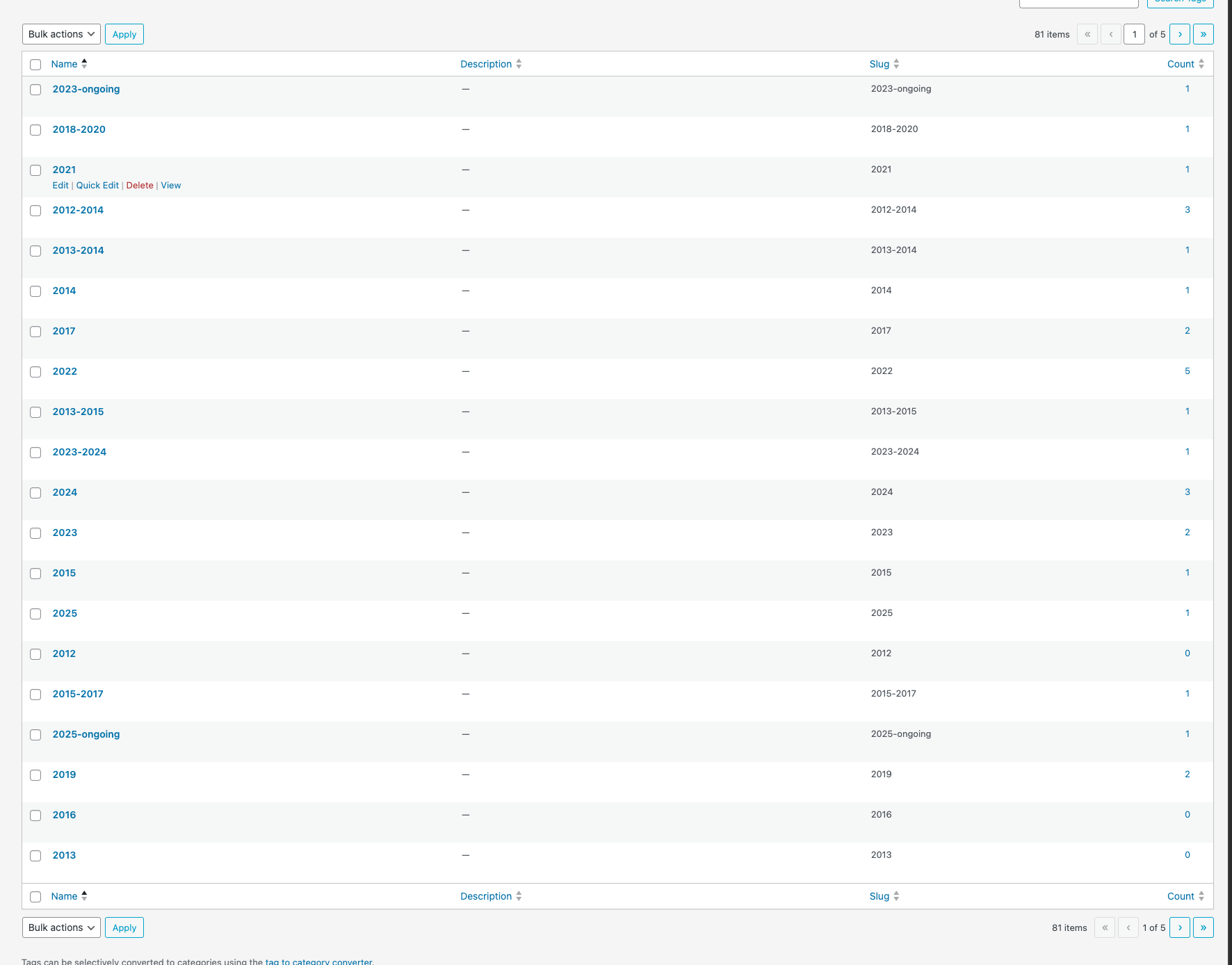
I used this code in custom head content:
<script defer>
if (window.location.pathname.includes("all-projects")) {
document.addEventListener("DOMContentLoaded", function () {
const thumbnails = document.querySelectorAll(".below-image");thumbnails.forEach(function (thumb) { const tags = thumb.querySelectorAll(".thumbnail-tags span"); if (!tags.length) return; const tagArray = Array.from(tags); // Ordina: numerici prima, poi alfabetici tagArray.sort((a, b) => { const aIsNumber = /^\d/.test(a.textContent.trim()); const bIsNumber = /^\d/.test(b.textContent.trim()); if (aIsNumber && !bIsNumber) return -1; if (!aIsNumber && bIsNumber) return 1; return a.textContent.localeCompare(b.textContent); }); const tagContainer = thumb.querySelector(".thumbnail-tags"); if (tagContainer) { tagContainer.innerHTML = ""; tagArray.forEach(tag => tagContainer.appendChild(tag)); } }); });}
</script>but it works only when I refresh the page, not when I arrive there directly.
Any suggestions for how to fix it? @arminunruh maybe?Thanks!
Roberta
-
Can you please send:
- a link to this forum topic
- your website address
- /wp-admin/ username and password
to: info@laytheme.com
seems like u changed the password
i wanna see why this happens this shouldnt happen -
for javascript like that you need to wrap it in
window.laytheme.on("newpageshown", function(){
...
})




Hello! It looks like you're interested in this conversation, but you don't have an account yet.
Getting fed up of having to scroll through the same posts each visit? When you register for an account, you'll always come back to exactly where you were before, and choose to be notified of new replies (either via email, or push notification). You'll also be able to save bookmarks and upvote posts to show your appreciation to other community members.
With your input, this post could be even better 💗
Register Login