Menu Bar reappear at page end
-
-
Dear Annette
@afb
The menu bar will hide when scrolling down and appear when scrolling up or with Mouseover, im sure you have seen these settings within Customize >
However there is no option for "hitting" page bottom & this would need to be custom coded by you, i can set you in the right direction though! 🌝
The Menu bar disappears when the Class
hiddenis added to it. Here you can see the difference in the HTML Code:The Menu is visible:
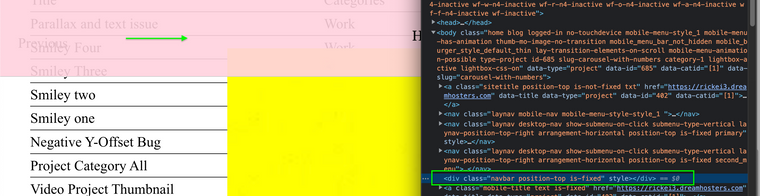
And the menu hidden ( noticed class: hidden is added to the element ):
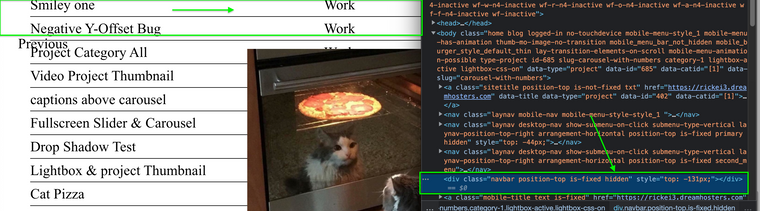
Therefore you would want a piece of code (jquery) saying: "When the user is at the bottom of the page -- ADD the class "Hidden" to the
.navbarelement"https://stackoverflow.com/questions/35657183/add-remove-class-when-close-to-bottom-of-page
Hope this helps Annette & have a wonderful day ⭐️
Richard

Hello! It looks like you're interested in this conversation, but you don't have an account yet.
Getting fed up of having to scroll through the same posts each visit? When you register for an account, you'll always come back to exactly where you were before, and choose to be notified of new replies (either via email, or push notification). You'll also be able to save bookmarks and upvote posts to show your appreciation to other community members.
With your input, this post could be even better 💗
Register Login