Skip to content
  • Recent
  • Tags
  • Popular
  • Users
  • Search
Skins
  • Light
  • Brite
  • Cerulean
  • Cosmo
  • Flatly
  • Journal
  • Litera
  • Lumen
  • Lux
  • Materia
  • Minty
  • Morph
  • Pulse
  • Sandstone
  • Simplex
  • Sketchy
  • Spacelab
  • United
  • Yeti
  • Zephyr
  • Dark
  • Cyborg
  • Darkly
  • Quartz
  • Slate
  • Solar
  • Superhero
  • Vapor

  • Default (No Skin)
  • No Skin
Collapse

Lay Theme Forum

  1. Home
  2. Shop / WooCommerce
  3. Cart (1) label appears twice in Menu
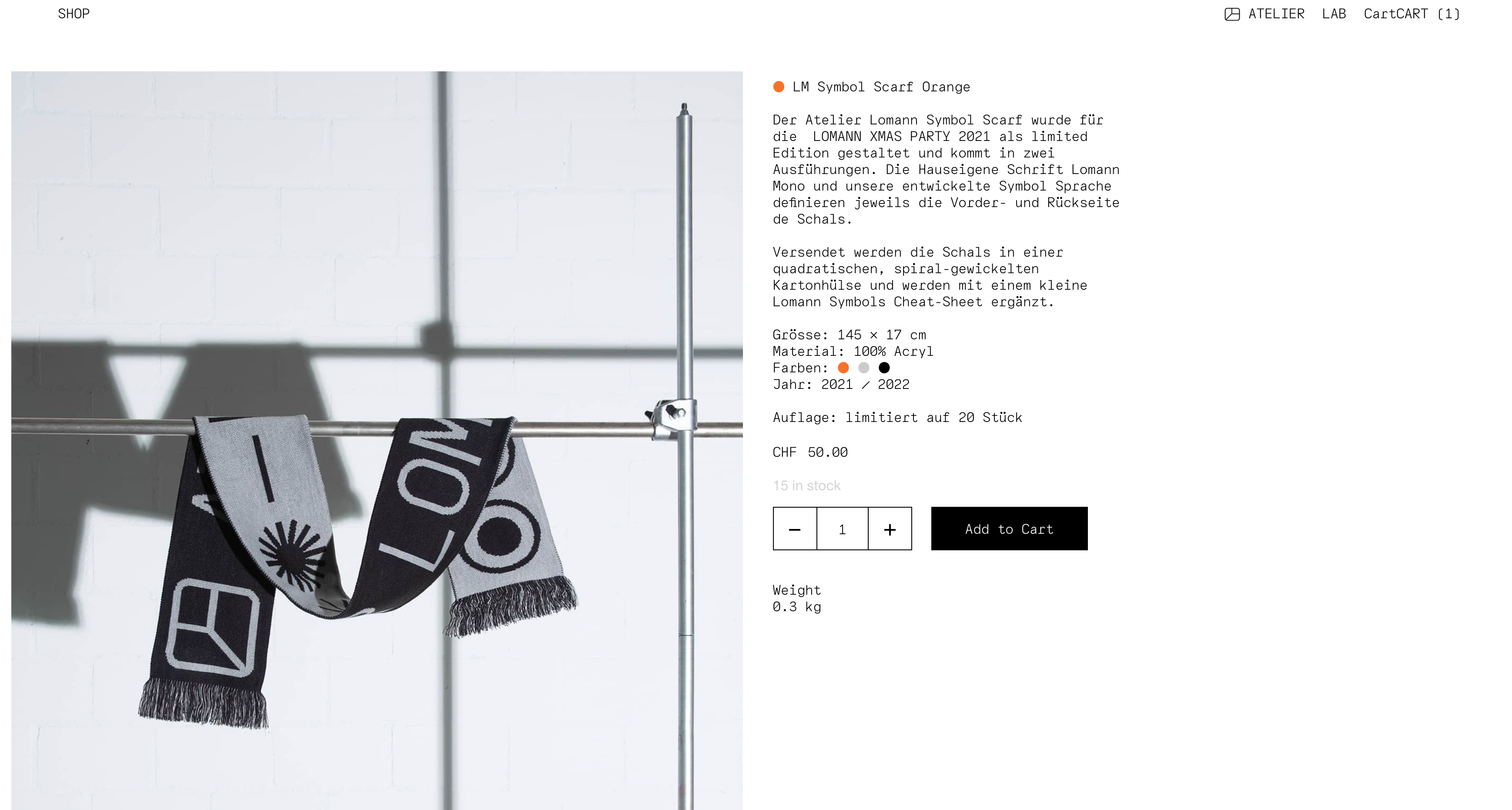
Cart (1) label appears twice in Menu

Scheduled Pinned Locked Moved Shop / WooCommerce
7 Posts 5 Posters 1.1k Views 1 Watching
  • Oldest to Newest
  • Newest to Oldest
  • Most Votes
Reply
  • Reply as topic
Log in to reply
This topic has been deleted. Only users with topic management privileges can see it.
  • J
    J
    Jahn
    wrote on last edited by
    #1

    Hello there!

    After using Laytheme for a while I was very happy about the e-commerce addition. I just set up our first store and there is only one thing which seems weird. In the menu it repeats the word Cart or rather adds it to whatever I set as the label of the menu point. (in this Case I set it to CART).

    See attached screenshot. Let me know, if you need additional information or even the link (eventhough the rest of the shop is not finnished).

    Thanks so much for any help!

    Best,
    Jahn
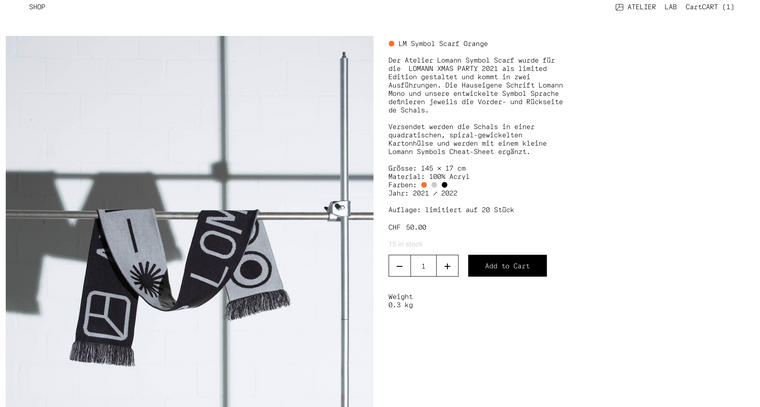
    Screenshot 2022-03-15 at 17.34.28.png

    1 Reply Last reply
    0
    • JaninaJ
      JaninaJ
      Janina
      wrote on last edited by
      #2

      I just wanted to open a thread about the same issue!
      I have my settings set to German so in my menu there appears "WARENKORBWARENKORB". 🙃

      http://ud09-319.ud09.udmedia.de/wp/home/

      1 Reply Last reply
      0
      • RichardR
        RichardR
        Richard
        Global Moderator
        wrote on last edited by
        #3

        Dear @Jahn @Janina best wishes ✨

        This CartCart bug is known about and relates to it being doubled up in > Appearance > menu's.

        If the sidecart is selected for both Desktop and Mobile it will therefore be doubled.

        The Bug is explained further here:

        http://laythemeforum.com/topic/7350/side-cart-menu-doubled/10

        http://laythemeforum.com/topic/6771/flying-sidecart-bug


        Best wishes
        Richard
        1 Reply Last reply
        0
        • J
          J
          Jahn
          wrote on last edited by
          #4

          Hello @Richard

          Thanks for the quick answer and explanation. I was able to solve it by removing the Cart from the mobile menu. Works perfectly because the Cart Icon is displayed on mobile in the nav anyways.

          Best,
          Jahn

          1 Reply Last reply
          0
          • RichardR
            RichardR
            Richard
            Global Moderator
            wrote on last edited by
            #5

            Thanks for coming back and confirming your success @Jahn have an amazing day! ⭐️

            L 1 Reply Last reply
            0
            • RichardR Richard

              Thanks for coming back and confirming your success @Jahn have an amazing day! ⭐️

              L
              L
              lortnok
              wrote on last edited by lortnok
              #6

              @Richard I have a custom mobile menu, so right now the cart icon is only displayed on the desktop site, but I couldn't figure out a way to have it displayed properly on mobile.

              Could you help me? Any tips would be really appreciated.

              56hrs.com

              Bests,
              Mate

              1 Reply Last reply
              0
              • arminunruhA
                arminunruhA
                arminunruh
                Global Moderator
                wrote on last edited by
                #7

                hey man maybe in the customizer make the normal mobile menu show up
                and as mobile menu style choose "desktop style" so it will just be a menupoint "cart"

                you can also change the menu in appearance -> menus

                i think the desktop style mobile menu style doesnt include any icons so it doesnt include the cart icon

                if you want the cart icon just choose another menu style other than desktop menu style.
                then use css to hide things except the cart icon

                1 Reply Last reply
                0

                Hello! It looks like you're interested in this conversation, but you don't have an account yet.

                Getting fed up of having to scroll through the same posts each visit? When you register for an account, you'll always come back to exactly where you were before, and choose to be notified of new replies (either via email, or push notification). You'll also be able to save bookmarks and upvote posts to show your appreciation to other community members.

                With your input, this post could be even better 💗

                Register Login
                Reply
                • Reply as topic
                Log in to reply
                • Oldest to Newest
                • Newest to Oldest
                • Most Votes


                Online Users
                Forgot your key, lost your files, need a previous Lay Theme or Addon version? Go to www.laykeymanager.com
                laytheme.com
                • Login

                • Don't have an account? Register

                • Login or register to search.
                • First post
                  Last post
                0
                • Recent
                • Tags
                • Popular
                • Users
                • Search

