Project INdex > Active TEXT Color
-
-
do you mean for the project thumbnail?
-
and you mean mouseover. right?
-
and you mean mouseover. right?
@arminunruh Hi Armin,
no, I mean the »active« state within the »project index«.
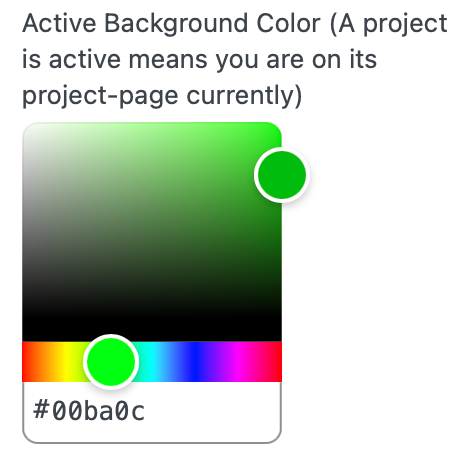
("A project is active means you are on its project-page currently")At the moment there is only an option to change the »Active Background Color«
I would like to change the »Text color« only.
-
css:
.lay-project-index-current-project .lay-projectindex-col{ color: red!important; } -
css:
.lay-project-index-current-project .lay-projectindex-col{ color: red!important; }Perfect! Thanks a lot…
-
Hi there, thanks a lot for the post, that's exactly what I was looking for! It worked out for me great. Once question though, if I reload the page, the active project title in the project index disappears. Any idea what can be the problem?
Here is the link to the draft of my website:
https://lightpink-nightingale-503473.hostingersite.com/0011_bordeaux/
-
-
i see!
looking at it, it seems like the current projectindex element is hidden when you arrive on the page.
can you go to lay options → scroll all the way down.
you will find:
"Hide current Project from Thumbnailgrid & Project Index Elements"make sure to uncheck this:
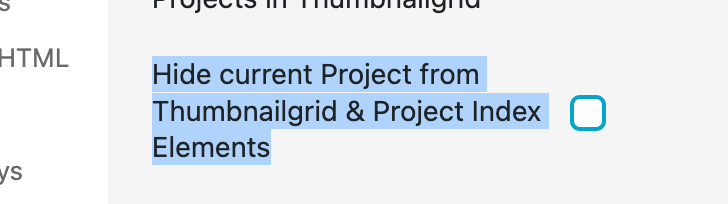
does it work now?
-

Hello! It looks like you're interested in this conversation, but you don't have an account yet.
Getting fed up of having to scroll through the same posts each visit? When you register for an account, you'll always come back to exactly where you were before, and choose to be notified of new replies (either via email, or push notification). You'll also be able to save bookmarks and upvote posts to show your appreciation to other community members.
With your input, this post could be even better 💗
Register Login