converting gridder from px to % without adjusting the whole design manually
-
Hey there,
I would like to change my gridder settings from pixel to percentage, to make my design responsive. How can I do that without destroying my design and without needing to adjust every element manually?
Cheers -
Hey there,
I would like to change my gridder settings from pixel to percentage, to make my design responsive. How can I do that without destroying my design and without needing to adjust every element manually?
Cheers@longstocking1312 hey, if you go to, 'Lay Options' > 'Gridder Defaults' - you should be able to update the master gridder settings there.
-
@longstocking1312 hey, if you go to, 'Lay Options' > 'Gridder Defaults' - you should be able to update the master gridder settings there.
@alasdair17 thanks for your answer, but if I do so and I apply it to my existing design, it doesn't convert the px values 1:1 to the percentage values. It destroys my existing design and I have to go to every page/project and adjust every element manually
-
pixel values cant be converted to percentage values 1:1
-
I've got a question about Gridder and settings.
Gridder looks like layout from books etc. so i want to personalise it.
Horizontal grid is don't work well for me: so i'm watching turorials read the documentation - example - stick to px not % and use "Use Browser Height for Row Height" (i've got a 27' montior with 3360x1890px)
and my text and image is a one big mess:
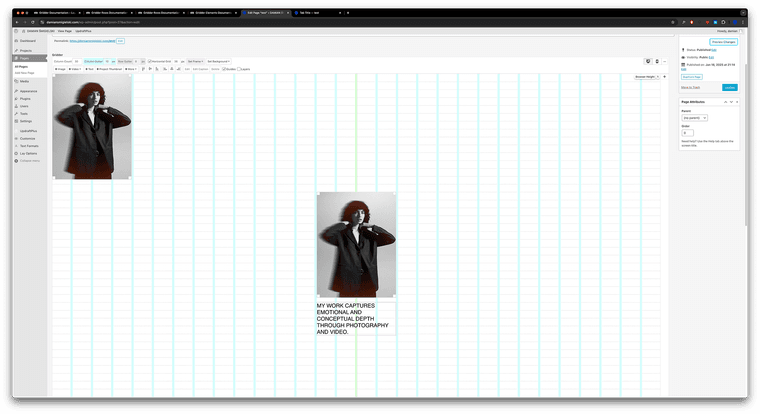
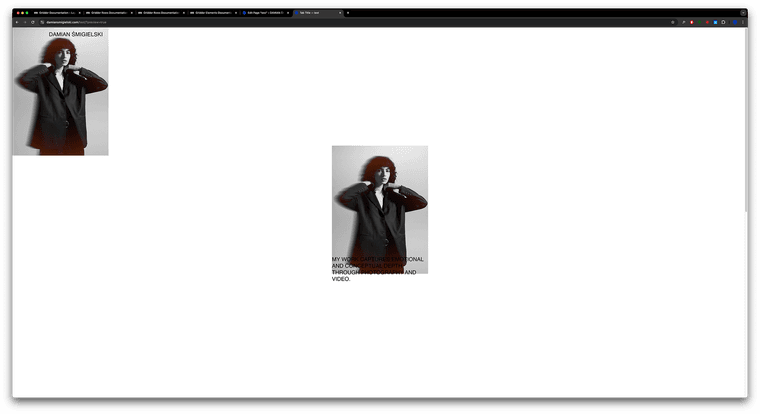
I know I can combine txt and img with +STACK option but still when i;'m adding more photos they are not stick with the grid.Link:
https://damiansmigielski.com/test/There is any tip for my case? i need to add extra css code or something?
Looking foward for some tips, thanks!
D.
-
does it work when you turn off browser height for that row?


Hello! It looks like you're interested in this conversation, but you don't have an account yet.
Getting fed up of having to scroll through the same posts each visit? When you register for an account, you'll always come back to exactly where you were before, and choose to be notified of new replies (either via email, or push notification). You'll also be able to save bookmarks and upvote posts to show your appreciation to other community members.
With your input, this post could be even better 💗
Register Login