Skip to content
  • Recent
  • Tags
  • Popular
  • Users
  • Search
Skins
  • Light
  • Brite
  • Cerulean
  • Cosmo
  • Flatly
  • Journal
  • Litera
  • Lumen
  • Lux
  • Materia
  • Minty
  • Morph
  • Pulse
  • Sandstone
  • Simplex
  • Sketchy
  • Spacelab
  • United
  • Yeti
  • Zephyr
  • Dark
  • Cyborg
  • Darkly
  • Quartz
  • Slate
  • Solar
  • Superhero
  • Vapor

  • Default (No Skin)
  • No Skin
Collapse

Lay Theme Forum

  1. Home
  2. General Discussion
  3. Overlay, am I too stupid?

Overlay, am I too stupid?

Scheduled Pinned Locked Moved General Discussion
12 Posts 4 Posters 1.3k Views 2 Watching
  • Oldest to Newest
  • Newest to Oldest
  • Most Votes
Reply
  • Reply as topic
Log in to reply
This topic has been deleted. Only users with topic management privileges can see it.
  • fabiandraxlF
    fabiandraxlF
    fabiandraxl
    wrote on last edited by
    #1

    hej @arminunruh,

    I am experimenting on a new frontpage and also want to use the relatively new overlay feature.

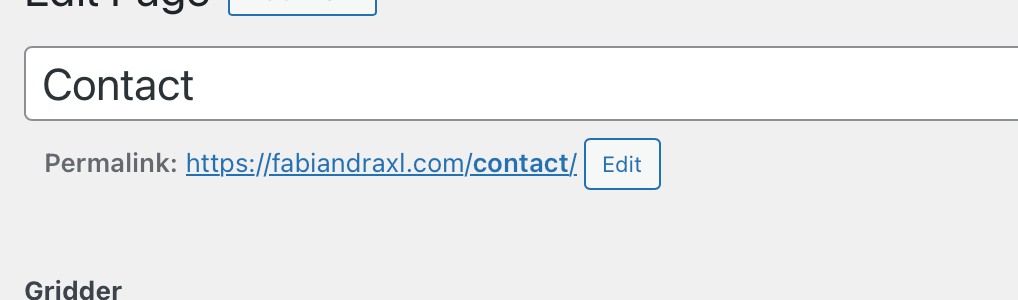
    I have activated the feature and created a test overlay page (https://fabiandraxl.com/contact/) and created a button on my new frontpage [WIP] (https://fabiandraxl.com/frontpage-new/) that should open the overlay.

    Unfortunately this does not work. It just opens normally the page that I created as overlay …

    What am I doing wrong? I tried to disable custom code and plugins, but that didn't help either?

    Thank you.

    A edgrbnzE 2 Replies Last reply
    0
    • fabiandraxlF fabiandraxl

      hej @arminunruh,

      I am experimenting on a new frontpage and also want to use the relatively new overlay feature.

      I have activated the feature and created a test overlay page (https://fabiandraxl.com/contact/) and created a button on my new frontpage [WIP] (https://fabiandraxl.com/frontpage-new/) that should open the overlay.

      Unfortunately this does not work. It just opens normally the page that I created as overlay …

      What am I doing wrong? I tried to disable custom code and plugins, but that didn't help either?

      Thank you.

      A
      A
      alasdair17
      Global Moderator
      wrote on last edited by
      #2

      @fabiandraxl hey Fabian, have you ticked, 'use as overlay' at the right hand side under the blue update button?

      1 Reply Last reply
      1
      • fabiandraxlF fabiandraxl

        hej @arminunruh,

        I am experimenting on a new frontpage and also want to use the relatively new overlay feature.

        I have activated the feature and created a test overlay page (https://fabiandraxl.com/contact/) and created a button on my new frontpage [WIP] (https://fabiandraxl.com/frontpage-new/) that should open the overlay.

        Unfortunately this does not work. It just opens normally the page that I created as overlay …

        What am I doing wrong? I tried to disable custom code and plugins, but that didn't help either?

        Thank you.

        edgrbnzE
        edgrbnzE
        edgrbnz
        wrote on last edited by edgrbnz
        #3

        @fabiandraxl Just to make sure: did you activate the overlay feature in Lay Options?
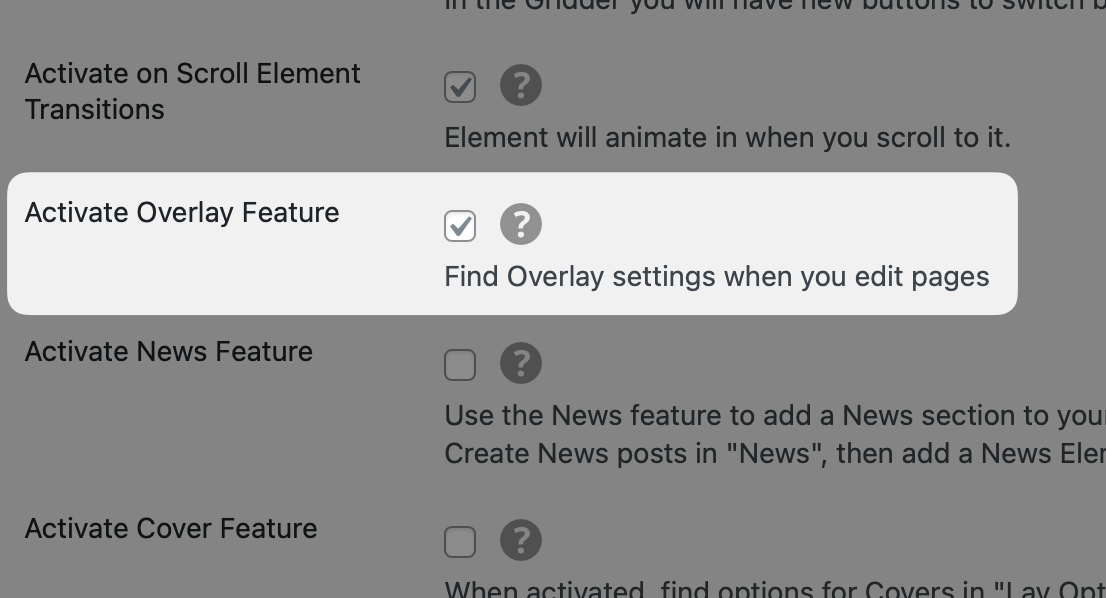
        CleanShot 2023-09-29 at 10.35.30.png

        And also activated the option for the page you’d like to use as the overlay? (in the sidebar to the right, while editing the page)
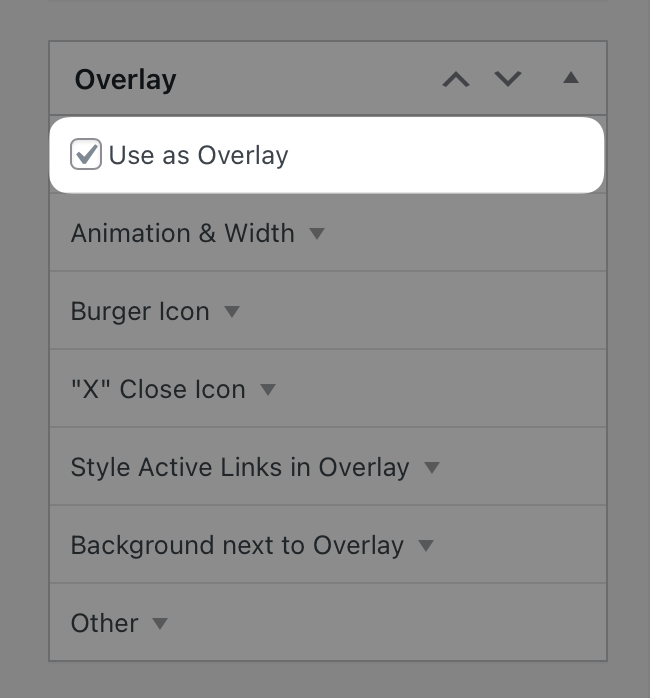
        CleanShot 2023-09-29 at 10.38.25.png

        ✦ ✦ ✦

        fabiandraxlF 2 Replies Last reply
        1
        • edgrbnzE edgrbnz

          @fabiandraxl Just to make sure: did you activate the overlay feature in Lay Options?

          CleanShot 2023-09-29 at 10.35.30.png

          And also activated the option for the page you’d like to use as the overlay? (in the sidebar to the right, while editing the page)

          CleanShot 2023-09-29 at 10.38.25.png

          fabiandraxlF
          fabiandraxlF
          fabiandraxl
          wrote on last edited by
          #4

          @edgrbnz Thank you, both set!

          1 Reply Last reply
          0
          • edgrbnzE edgrbnz

            @fabiandraxl Just to make sure: did you activate the overlay feature in Lay Options?

            CleanShot 2023-09-29 at 10.35.30.png

            And also activated the option for the page you’d like to use as the overlay? (in the sidebar to the right, while editing the page)

            CleanShot 2023-09-29 at 10.38.25.png

            fabiandraxlF
            fabiandraxlF
            fabiandraxl
            wrote on last edited by
            #5

            @edgrbnz

            Does it need to be called overlay?

            Bildschirmfoto 2023-09-29 um 10.48.22.png

            Like fabiandraxl.com/overlay ?

            A 1 Reply Last reply
            0
            • fabiandraxlF fabiandraxl

              @edgrbnz

              Does it need to be called overlay?

              Bildschirmfoto 2023-09-29 um 10.48.22.png

              Like fabiandraxl.com/overlay ?

              A
              A
              alasdair17
              Global Moderator
              wrote on last edited by
              #6

              @fabiandraxl nah, it doesn't need to be called 'overlay'. Hmm, strange how it isn't working seeing as you have both options ticked. Have you tried making another one to see if the issue persists?

              fabiandraxlF 1 Reply Last reply
              0
              • A alasdair17

                @fabiandraxl nah, it doesn't need to be called 'overlay'. Hmm, strange how it isn't working seeing as you have both options ticked. Have you tried making another one to see if the issue persists?

                fabiandraxlF
                fabiandraxlF
                fabiandraxl
                wrote on last edited by
                #7

                @alasdair17
                Hej,

                thank you for your response. Tested it on an other lay-page (same Digital Ocean Droplet and Setup) of mine ... there it works like a charm.

                Really Strange ... @arminunruh any ideas? :P

                A 1 Reply Last reply
                0
                • fabiandraxlF fabiandraxl

                  @alasdair17
                  Hej,

                  thank you for your response. Tested it on an other lay-page (same Digital Ocean Droplet and Setup) of mine ... there it works like a charm.

                  Really Strange ... @arminunruh any ideas? :P

                  A
                  A
                  alasdair17
                  Global Moderator
                  wrote on last edited by
                  #8

                  @fabiandraxl nice glad it's working some what! hmm perhaps something to do with the overlay button being on the cover? although i tried it earlier on a cover on my site and it works.

                  1 Reply Last reply
                  0
                  • arminunruhA
                    arminunruhA
                    arminunruh
                    Global Moderator
                    wrote on last edited by
                    #9

                    hey!

                    your overlay button doesn't contain the data attributes

                    if i link a text and then click on a link,
                    and then make it a button like you did

                    i get this markup:

                    <p><a class="laybutton1 laybutton" href="http://localhost:10020/tngrid234/" data-id="2398" data-title="tngrid" data-catid="[1]" data-type="project">hello!</a></p>

                    however you have:

                    <a class="laybutton2 laybutton" href="https://fabiandraxl.com/contact">Open Overlay</a>

                    fabiandraxlF 1 Reply Last reply
                    0
                    • arminunruhA arminunruh

                      hey!

                      your overlay button doesn't contain the data attributes

                      if i link a text and then click on a link,
                      and then make it a button like you did

                      i get this markup:

                      <p><a class="laybutton1 laybutton" href="http://localhost:10020/tngrid234/" data-id="2398" data-title="tngrid" data-catid="[1]" data-type="project">hello!</a></p>

                      however you have:

                      <a class="laybutton2 laybutton" href="https://fabiandraxl.com/contact">Open Overlay</a>

                      fabiandraxlF
                      fabiandraxlF
                      fabiandraxl
                      wrote on last edited by
                      #10

                      @arminunruh

                      Hej Armin,

                      Thanks for getting into this.

                      I have recreated the button and looked at the code ... when creating a new one, the Data-IDs etc. mentioned were generated ... but I have created several others in the past and the IDs etc. where not generated there either?

                      Does it mean i have to redo all my buttons?

                      The new one works now:
                      https://fabiandraxl.com/frontpage-new/

                      Thanks,
                      Fabi

                      1 Reply Last reply
                      0
                      • arminunruhA
                        arminunruhA
                        arminunruh
                        Global Moderator
                        wrote on last edited by
                        #11

                        just test your buttons

                        usually when you click on the page/project when linking
                        it will create the correct data- attributes
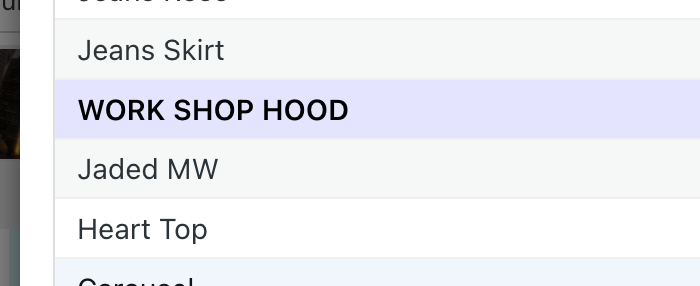
                        Screenshot 2023-10-03 at 16.44.22.png

                        but i think if you just enter the url by hand it doesn't

                        fabiandraxlF 1 Reply Last reply
                        0
                        • arminunruhA arminunruh

                          just test your buttons

                          usually when you click on the page/project when linking
                          it will create the correct data- attributes

                          Screenshot 2023-10-03 at 16.44.22.png

                          but i think if you just enter the url by hand it doesn't

                          fabiandraxlF
                          fabiandraxlF
                          fabiandraxl
                          wrote on last edited by
                          #12

                          @arminunruh

                          Mhm, yes it seems that I always have to add the site via the backend ...

                          Thank you.

                          1 Reply Last reply
                          0

                          Hello! It looks like you're interested in this conversation, but you don't have an account yet.

                          Getting fed up of having to scroll through the same posts each visit? When you register for an account, you'll always come back to exactly where you were before, and choose to be notified of new replies (either via email, or push notification). You'll also be able to save bookmarks and upvote posts to show your appreciation to other community members.

                          With your input, this post could be even better 💗

                          Register Login
                          Reply
                          • Reply as topic
                          Log in to reply
                          • Oldest to Newest
                          • Newest to Oldest
                          • Most Votes


                          Online Users
                          I
                          itsbadjujuju
                          Forgot your key, lost your files, need a previous Lay Theme or Addon version? Go to www.laykeymanager.com
                          laytheme.com
                          • Login

                          • Don't have an account? Register

                          • Login or register to search.
                          • First post
                            Last post
                          0
                          • Recent
                          • Tags
                          • Popular
                          • Users
                          • Search