Thanks a lot, Amin. It works flawlessly. I understand that you have a lot going on, so I really appreciate your help!
A
alexandre
@alexandre
Posts
-
help with mobile menu styling needed -
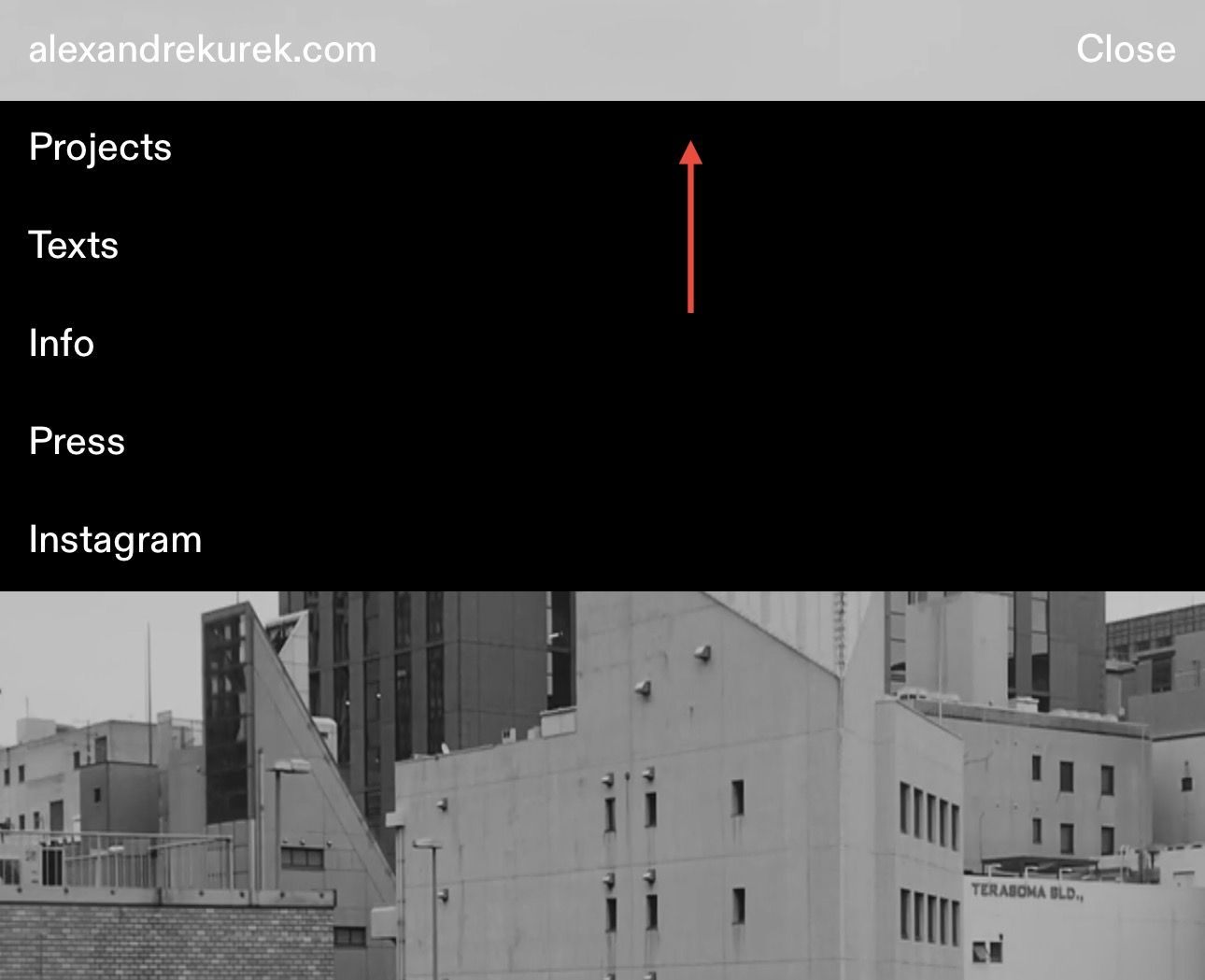
help with mobile menu styling neededHow can I fill the space between the open mobile menu and where the menu bar is with black? I‘m using a transparent menu bar with mobile menu style 1 and lowered the position of the open menu using this code (which doesn’t work properly):
@media (max-width: 768px) {
.mobile-nav-wrap {
background-color: black !important;
}
.laynav.mobile-nav.mobile-menu-style-style_1.active {
top: 36px !important;
background-color: black !important;
}
}Essentially what I want is the black space to reach up and fill the site title and menu button space only when the mobile menu is open. Any ideas really appreciated!
-
How do i make Images inserted via Shortcode responsive?Well, it seemed very complicated on the surface 😅
Thanks so much! It works fine and is exactly what I was looking for.
-
How do i make Images inserted via Shortcode responsive?Here's some context:
- I'm running Lay Theme version: 7.0.9 and Wordpress 6.5.2
- I'm using the Plugin Advanced Ads to insert image ads via shortcode.
- Image dimensions can be set inside Advanced Ads but only in pixels, this means they are not responsive and stay the same dimensions when resizing the browser window
- I can set the container class and id of each image via the plugin
Is there a way to insert images via shortcode and make them responsive, no matter the actual image dimensions? It used to work a couple of updates ago.
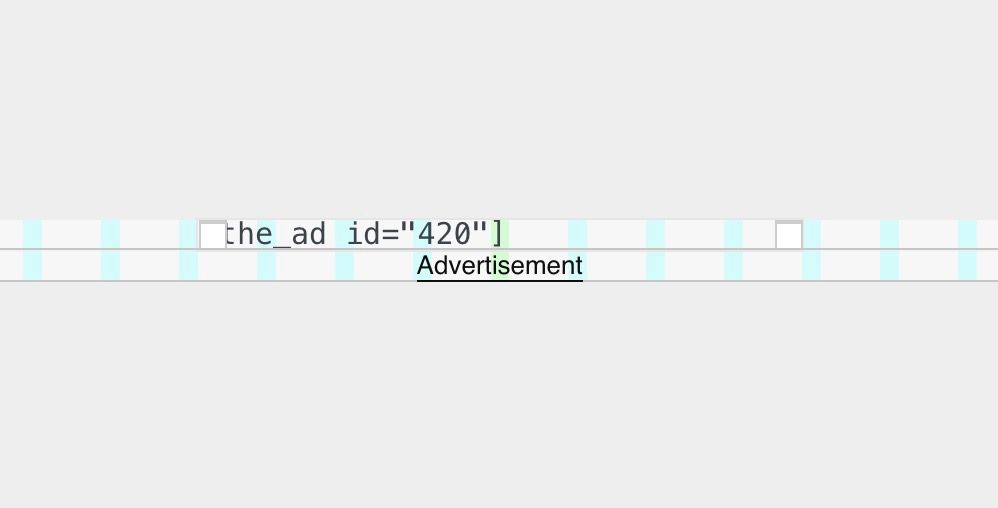
If I insert the shortcode into the gridder (like above), I want the image to have the same width as set in the gridder, and for it to be responsive (like below). Is that possible?
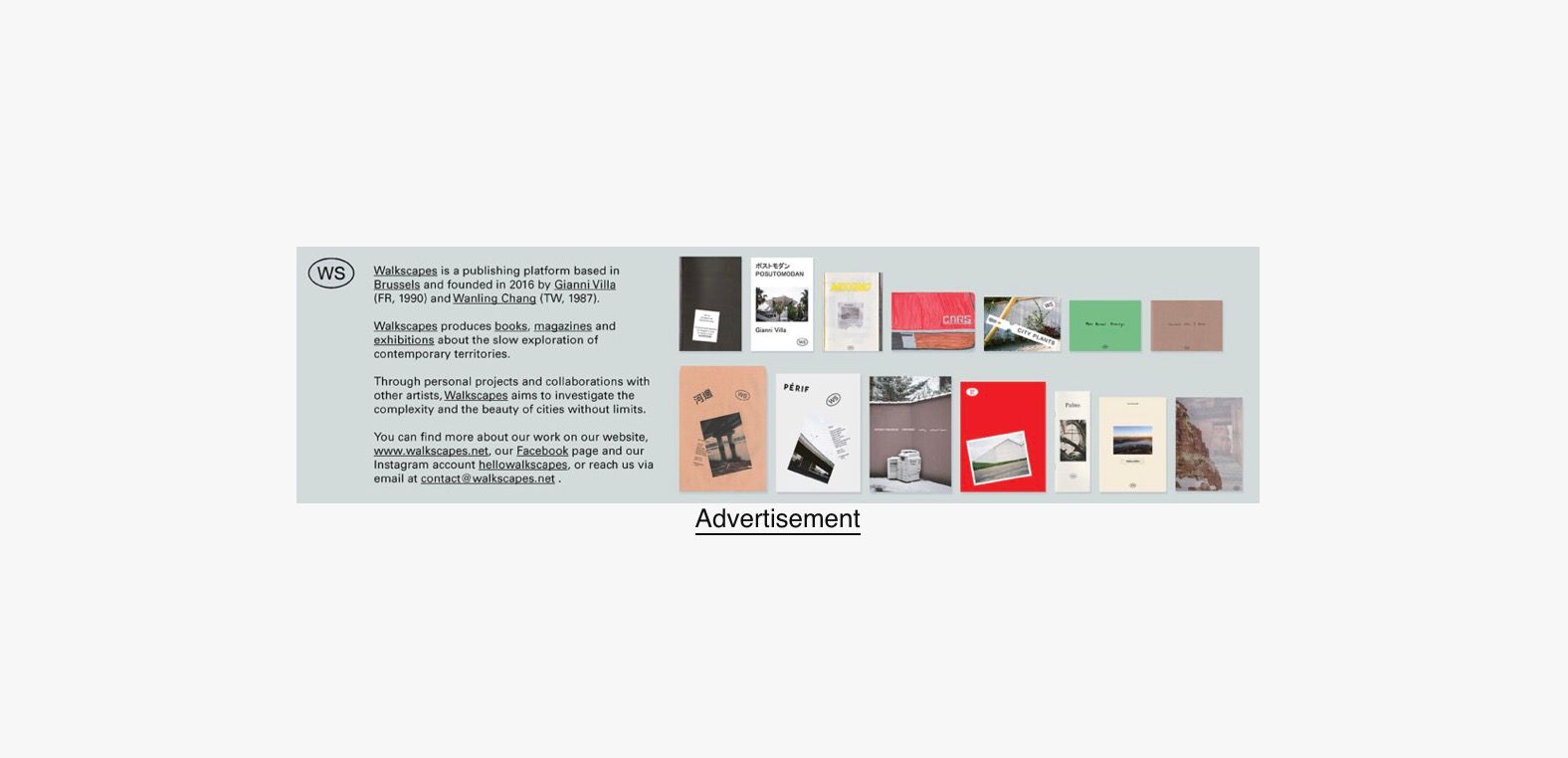
Unfortunately it looks like this when I enter the shortcode (see below). No matter the size I set in the gridder, the image is shown in its original dimensions and stays unresponsive.
I have only minimal knowledge about HTML/CSS or class / id, and such. Any help is much appreciated!
-
site broken after updateNevermind. I deactivated "Content Filter". Now it works. But I can't delete the entry here. Sorry!
-
help: critical error on website after tweaking font size@arminunruh I've just sent you the log in credentials. Unfortunately the Wordpress recovery mode log in link is only active for 24 hours. After that you'd need a new one. Thanks so much in advance for your time and help with this! It's much appreciated.
-
help: critical error on website after tweaking font size@arminunruh Thank you for providing the files. Updating didn't fix the issue tho. I also tried updaten Wordpress but that didn't work as well.
The error still persists with following Error Code. I'm not sure if it's the same…
WordPress version 6.3.1
Active theme: Lay Theme (version 6.1.6)
Current plugin: (version )
PHP version 8.0.30Error Details
An error of type E_ERROR was caused in line 225 of the file /mnt/web307/d3/29/58646529/htdocs/WordPress_SecureMode_02/wp-content/themes/lay/formatsmanager/formatsmanager.php. Error message: Uncaught TypeError: array_unshift(): Argument #1 ($array) must be of type array, null given in /mnt/web307/d3/29/58646529/htdocs/WordPress_SecureMode_02/wp-content/themes/lay/formatsmanager/formatsmanager.php:225
Stack trace:
#0 /mnt/web307/d3/29/58646529/htdocs/WordPress_SecureMode_02/wp-content/themes/lay/formatsmanager/formatsmanager.php(225): array_unshift()
#1 /mnt/web307/d3/29/58646529/htdocs/WordPress_SecureMode_02/wp-content/themes/lay/formatsmanager/formatsmanager.php(196): FormatsManager::maybeAddRequiredFormats()
#2 /mnt/web307/d3/29/58646529/htdocs/WordPress_SecureMode_02/wp-content/themes/lay/formatsmanager/formatsmanager.php(52): FormatsManager::getDefaultFormatsJson()
#3 /mnt/web307/d3/29/58646529/htdocs/WordPress_SecureMode_02/wp-content/themes/lay/formatsmanager/formatsmanager.php(840): FormatsManager::init()
#4 /mnt/web307/d3/29/58646529/htdocs/WordPress_SecureMode_02/wp-content/themes/lay/functions.php(27): require('...')
#5 /mnt/web307/d3/29/58646529/htdocs/WordPress_SecureMode_02/wp-settings.php(600): include('...')
#6 /mnt/web307/d3/29/58646529/htdocs/WordPress_SecureMode_02/wp-config.php(77): require_once('...')
#7 /mnt/web307/d3/29/58646529/htdocs/WordPress_SecureMode_02/wp-load.php(50): require_once('...')
#8 /mnt/web307/d3/29/58646529/htdocs/WordPress_SecureMode_02/wp-admin/admin.php(34): require_once('...')
#9 /mnt/web307/d3/29/58646529/htdocs/WordPress_SecureMode_02/wp-admin/themes.php(10): require_once('...')
#10 {main}
thrown -
help: critical error on website after tweaking font size@arminunruh Thanks a lot for the quick reply and the very quick update! So, unfortunately I can not update Lay Theme from within WordPress recovery mode. Would you mind sending me the theme files (v. 6.1.5) via email? I'll update everything manually via ftp (this wouldn't cause any issues, right?) This email is also the one I registered Lay Theme with.
Thanks a lot for your help!
-
help: critical error on website after tweaking font size@alexandre *update: after clearing the cache to see if the problem persists, the front end is not visible anymore..
-
help: critical error on website after tweaking font sizeHey there,
I've encountered a "critical error" on my website (allcitiesarebeautiful.com) after tweaking font sizes. The front end of the website is still intact and reachable but I can only log in to Wordpress using the recovery mode. When doing so, it says "One or more themes failed to load properly." Lay Theme is being reported as "broken" and if I try to resume the theme it remains paused because it is triggering a fatal error.
WP provided me with an error code:
WordPress version 6.3.1
Active theme: Lay Theme (version 6.1.4)
Current plugin: (version )
PHP version 8.0.30Error Details
An error of type E_ERROR was caused in line 231 of the file /mnt/web307/d3/29/58646529/htdocs/WordPress_SecureMode_02/wp-content/themes/lay/formatsmanager/formatsmanager.php. Error message: Uncaught TypeError: count(): Argument #1 ($value) must be of type Countable|array, null given in /mnt/web307/d3/29/58646529/htdocs/WordPress_SecureMode_02/wp-content/themes/lay/formatsmanager/formatsmanager.php:231
Stack trace:
#0 /mnt/web307/d3/29/58646529/htdocs/WordPress_SecureMode_02/wp-content/themes/lay/formatsmanager/formatsmanager.php(224): FormatsManager::format_of_name_in_array()
#1 /mnt/web307/d3/29/58646529/htdocs/WordPress_SecureMode_02/wp-content/themes/lay/formatsmanager/formatsmanager.php(196): FormatsManager::maybeAddRequiredFormats()
#2 /mnt/web307/d3/29/58646529/htdocs/WordPress_SecureMode_02/wp-content/themes/lay/formatsmanager/formatsmanager.php(52): FormatsManager::getDefaultFormatsJson()
#3 /mnt/web307/d3/29/58646529/htdocs/WordPress_SecureMode_02/wp-content/themes/lay/formatsmanager/formatsmanager.php(838): FormatsManager::init()
#4 /mnt/web307/d3/29/58646529/htdocs/WordPress_SecureMode_02/wp-content/themes/lay/functions.php(27): require('...')
#5 /mnt/web307/d3/29/58646529/htdocs/WordPress_SecureMode_02/wp-settings.php(600): include('...')
#6 /mnt/web307/d3/29/58646529/htdocs/WordPress_SecureMode_02/wp-config.php(77): require_once('...')
#7 /mnt/web307/d3/29/58646529/htdocs/WordPress_SecureMode_02/wp-load.php(50): require_once('...')
#8 /mnt/web307/d3/29/58646529/htdocs/WordPress_SecureMode_02/wp-admin/admin.php(34): require_once('...')
#9 /mnt/web307/d3/29/58646529/htdocs/WordPress_SecureMode_02/wp-admin/index.php(10): require_once('...')
#10 {main}
thrownThanks for any help in advance!
Cheers
-
Left site-gutter cut off after update +++ Site not 100vh on Mobile / undefined white bar on bottom after Updatehey. several other have the same issue as reported here already.
http://laythemeforum.com/topic/7615/4-1-6-frame-bug-displaced-elements-after-update -
4.1.6 "frame bug" — displaced elements after update -
4.1.6 "frame bug" — displaced elements after update@chrsgrbr yeah same here. try to work around and figured this had nothing to do with me :D
-
4.1.6 "frame bug" — displaced elements after updatehey there.
after i updated to 4.1.6 (05.02.2022) i noticed an issue wie the (in my case) left frame as shown in the images.
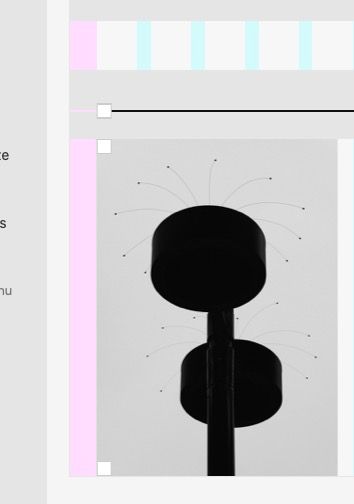 — here's 2% frame (left)
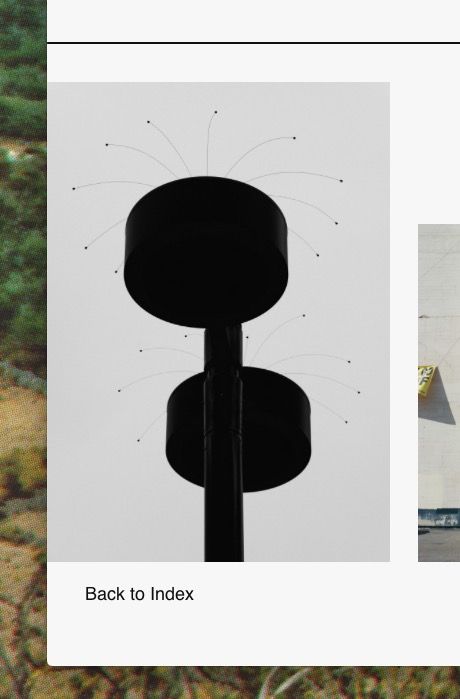 — here the elements reach the website's border despite the 2% frame setting
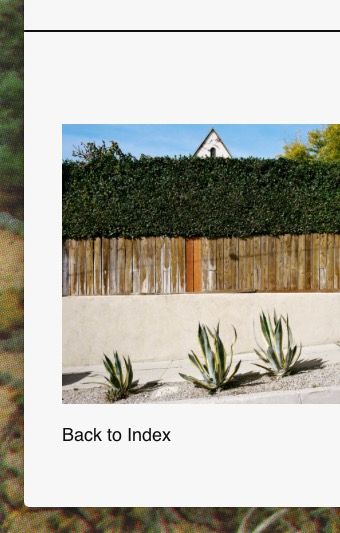 — this is the same element on a different page: here only the line is displaced, the project thumbnail element is correctly placed
this is not only happening with the project thumbnail element but with regular text or site titles as well. interestingly it doesn't happen all the time as you can see in the screenshots and doesn't effect only specific elements. it happens randomly.
i was able to recreate this bug on a clean-install of lay theme without any custom css tho..
the site is life: https://allcitiesarebeautiful.com/ci-demi-istanbul/ — scroll down to the end
-
#allcitiesarebeautiful — new websitehey there,
thanx so much for your work on lay theme! this was exactly what i was looking for :)
here's what i have been building with it: allcitiesarebeautiful.com
cheers,
Alexandre -
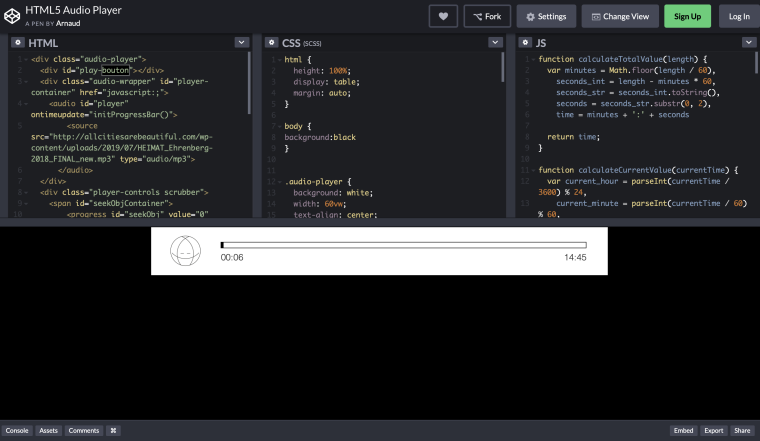
*help* how to implement HMTL5 Audio Player?Hey guys,
Through your Forum I've found this HTML5 audio player (see screenshot) i want to use inside one of my "Projects" posts. Where do I insert the three different codes? To my understanding it is HTML, CSS and Java.
Once implemented, will it then be placable inside a individual post?
Thanx a lot for your help!
Alexandre