it didn't work then, now it does!
E
eduardocaballero
@eduardocaballero
Posts
-
no save changes button in webfonts settings -
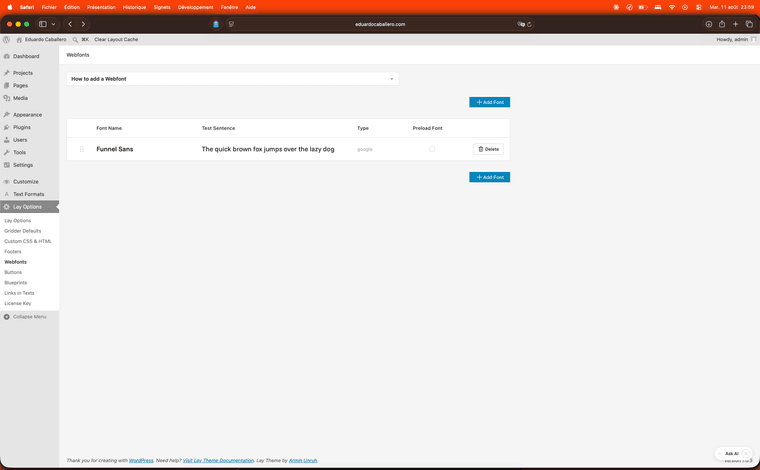
no save changes button in webfonts settingsI can't save webfonts in my new website cause a save changes button won't show up either before or after adding a webfont, no matter the method. I'm on safari, latest wordpress and lay theme versions.
-
category has a white section I didn't addfixed it! thank you!
-
category has a white section I didn't addmy website https://asistenciaartistica.com/ has a category for photography https://asistenciaartistica.com/category/work/fotografia/ that displays a white section I didn't add myself. It only shows up on the online website - I already checked disabling custom HTML, the category gridder doesn’t display that white section, and header is set to 0%, I tried inspecting but I don't find what is causing the problem. It doesn't happen on any other page, project or category, do you have any idea what this might be? Thank you!
-
project thumbnail grid glitching between languagesok thank you!!
-
project thumbnail grid glitching between languagesdone! thank you
-
project thumbnail grid glitching between languageshi! my website is set up in both English and Spanish, and in the "work" category in each language I set up a project thumbnail grid. the problem is it has always glitched on the secondary language which I set up as English, right now it's showing only the projects in Spanish when I go on my website, even when I'm navigating the English version of the website. whenever I go edit the category in English to fix it, the gridder shows the language and the matching projects correctly, but not on the live website.
here's my website: http://eduardocaballero.com
-
Custom Logo Animation on Scroll – Can’t Get JavaScript Working (403 Errors)also I see you added my other website to the featured list, eduardocaballero.com, glad you liked it. love lay theme thanks for the work!
-
Custom Logo Animation on Scroll – Can’t Get JavaScript Working (403 Errors)ok thanks so much!
-
Custom Logo Animation on Scroll – Can’t Get JavaScript Working (403 Errors)I was getting the 403 error in the custom css+html section after adding javascript. now I did what you suggested and it works! only thing is every time I reach the bottom the animation goes back to what it is at the top and it glitches, what could be causing this?
-
Custom Logo Animation on Scroll – Can’t Get JavaScript Working (403 Errors)thanks! yes this is the website: https://asistenciaartistica.com
-
Custom Logo Animation on Scroll – Can’t Get JavaScript Working (403 Errors)Hello! i’m trying to create a simple animation for my logo where it starts large and centered at the top of the screen, then as the user scrolls down, the logo shrinks and moves to the top-left corner (like a "sticky header" effect, but animated). Here's what I have so far:
custom html:
<div class="logo-wrapper">
  <img src="https://asistenciaartistica.com/wp-content/uploads/2025/04/custom-logo.svg" alt="Logo" class="logo-svg">
</div>
<div class="scroll-spacer"></div>
CSS (added in Lay Options → Custom CSS):
.logo-wrapper {
  position: fixed;
  top: 0;
  left: 50%;
  transform: translateX(-50%) scale(1);
  transform-origin: top left;
  transition: transform 0.3s ease;
  z-index: 9999;
}

body.scrolled .logo-wrapper {
  transform: translateX(0) scale(0.3);
  left: 20px;
  top: 20px;
}

.scroll-spacer {
  height: 150vh;
}
I tried adding this JavaScript (wrapped properly in <script> tags inside Lay Options → Custom HTML & CSS → Custom head content), but I keep getting 403 errors:
window.laytheme.on("newpageshown", function(){
  jQuery(window).on("scroll", function() {
    if (jQuery(window).scrollTop() > 50) {
      jQuery("body").addClass("scrolled");
    } else {
      jQuery("body").removeClass("scrolled");
    }
  });
});
Is there a correct way to implement this in Lay Theme? Or is there a better place to insert this JS to avoid the 403 error?Thanks in advance for any help!
-
project index won't show last projectlay options thing worked! thank you
-
project index won't show last projectHi! I found that upon going to my website homepage for the first time project index won't show the last published project. However it will appear once you navigate to another project or page, or go back to homepage from another project/page.
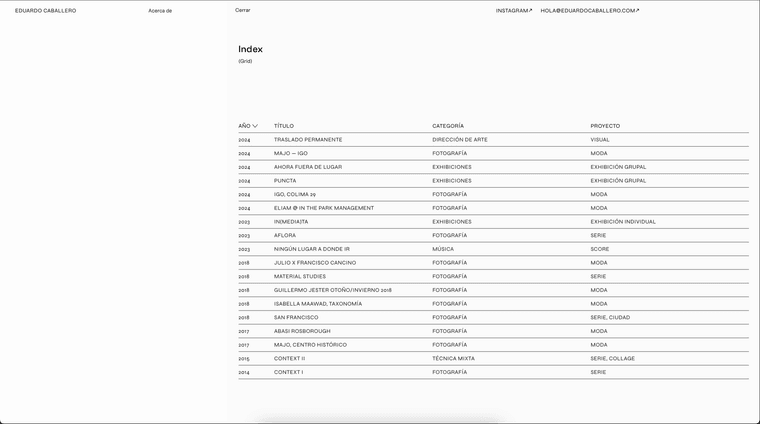
this is project index at the homepage. 'poemaa' project is missing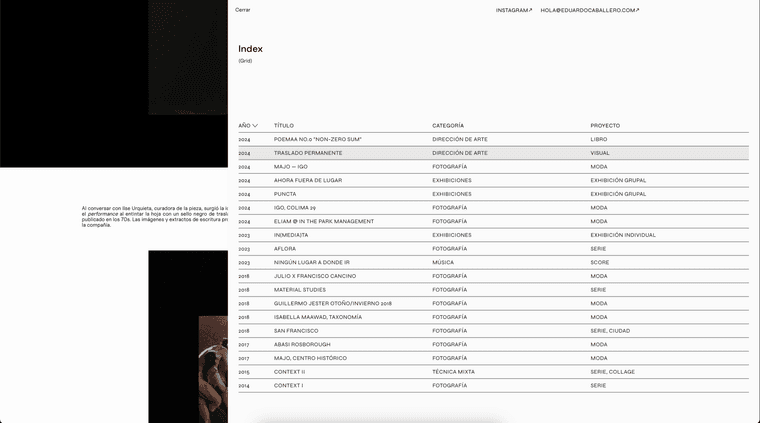
this is project index at another project page, 'poemaa' shows up now at the top.I added another project and published it just to test the index and what happened was poemaa (which then stopped being the last published project) always showed up while the new last published project had the same issue. Is there a way I can fix this or is it just a bug?
here's the website: https://eduardocaballero.com
thanks!