@arminunruh works instantly like a charm. merci!
F
FANER
@FANER
Posts
-
Form (created with forminator) is not showing up. -
Search "X" close icon is always visible even though Search is disabledhi @Morgan , i had the same issue on one of my pages (not on all).
fixed it with custom css
.close-search {
    display: none;
}
i guess it will be fixed in one of the next updates …
-
Form (created with forminator) is not showing up.oh, thats awesome! thanks a lot
-
Form (created with forminator) is not showing up.@arminunruh how can i do this exclusivly for forminator – i habe no clue?!
-
Form (created with forminator) is not showing up.hej @arminunruh thanks for your response. but i need the smart loading for html ans shortcode elements for some check out form from thrivecart (we fixed this before).
any other idea?
-
Form (created with forminator) is not showing up.@arminunruh do you have any idea?
-
Form (created with forminator) is not showing up.Hej People,
I created a form for a clients website.
As in the documentation suggested I used the plugin Forminator.In the past I used Happy Forms but it seems not to work anymore on Laytheme. (If I submit the form it just shows JSON Code and the information is not send.)
When I embed the form via Shortcode it just doesn’t show up. If I am logged in, I’ll get a link “Formular bearbeiten” (Edit Form) – if I am in private mode / logged off nothing shows up. It seams not to load at all.
here an example page: https://robertherrmanncoaching.com/mln6vy7m/
I can find the form in the inspector and the element shows
display: none;in html source code it shows
data-forminator-render="0"Ajax is aktivated, i tried to deactivate it (and in the form as well) – didn’t help. Caches are cleaned, tried to Enable Content Filter. Deactivated and switched cookie banners.
I enabled Smart Loading for HTML and Shortcode Elements, as I need this for some check out form.
Has anybody an idea / any suggestions?
please help. -
rounded corner for project thumbnails when mouseoverfor images try
img { border-radius: 5px;} -
Possible to copy paste a layout from a page to an other ?yes, i use it on several pages.
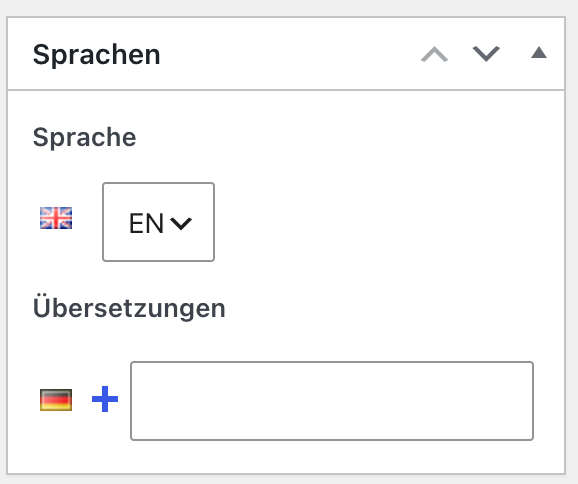
you just create the pages, finalise them and instead of clicking the + you type in the page title in the field (usually after you typed in the first letters the page title pops up)
-
Possible to copy paste a layout from a page to an other ?you can duplicate the page, switch languages, translate it and connect it afterwards – thats how I do it.
-
Possible to copy paste a layout from a page to an other ?Hej,
how about duplicating the Page?
-
embedded ThriveCart checkout form not loading on mobile versionHi @arminunruh, sorry for the late response. Thank you for the update – everything works fine now.
perfect! -
embedded ThriveCart checkout form not loading on mobile versionHej @arminunruh ,
thanks for the response. Option 1 workes technically, as i tested it before. sadly this won’t work for the client, as he needs a custom phone version.
page without mobile layoutThe desktop layout of the planned page is to complex for the mobile version and the mobile version to boring for desktop.
Option 2 would show no form in desktop, or do I misunderstood? It is crucial, to have the form in both layouts.
-
embedded ThriveCart checkout form not loading on mobile version -
embedded ThriveCart checkout form not loading on mobile versionhej @samfrancis, thanks for your answer.
of course I embedet the code also in the mobile layout, it is just not showing up.Gridder Desktop

Gridder Mobile

-
embedded ThriveCart checkout form not loading on mobile versionI want to embed a checkout form on a client’s website. On the desktop version, it works perfectly using the provided code. It also works in mobile mode as long as I don’t create a separate mobile version of the site.
However, once I create a dedicated mobile version—which is necessary since most users visit the site on mobile—the form no longer loads (or is not displayed).
Where is my mistake in thinking?
Here is the embed code provided by ThriveCart:
<div data-thrivecart-account="robertherrmanncoaching" data-thrivecart-tpl="v2" data-thrivecart-product="1" class="thrivecart-embeddable" data-thrivecart-embeddable="tc-robertherrmanncoaching-1-4BE8KG"></div><script async src="//tinder.thrivecart.com/embed/v1/thrivecart.js" id="tc-robertherrmanncoaching-1-4BE8KG"></script>Here is the link to a page with the embedded form.
May anybody helps?
-
Can not activate layout cachehej, thanks for the response – it must be polylang then.
in future i might switch to qTranslate-XT but now keep using WP Fastest Cache (or do you see any issues? -
Can not activate layout cacheI can not activate layout cache. the checkbox is gray and not clickable.
any idea?