yess exactly
i'm hoping this way i can disable the "never show resized versions of your images" option
yess exactly
i'm hoping this way i can disable the "never show resized versions of your images" option
yes after i deactivated the plugin it works properly… thank you very much! will check with the plugin-ppl then… unless u have another workaround (?) thanks again!
lazyload is already enabled
thanks for the feedback!
lazy loading is activated
but never schow… is enabled because otherwise the zoom function on the website doesnt work
see also my other thread:
https://laythemeforum.com/topic/11391/no-resized-image-for-certain-class
hey sorry again,
so i'm working at the moment on this website https://valeriospada.com and it loads extremely slow
when opening the browser's console it shows that any page (for example https://valeriospada.com/firenze-iii/ , which shows only one image) makes more than 200 requests, mostly hidden images, and downloads more than 450MB of resources. This is valid also for pages without any images, as for example the Contact page. On some pages it downloads more than 1GB of resources.
any idea what is wrong here?
thank you for any help!!
hey lay team,
id like for a zoom-function that all imgs with .zoooom class are displayed in the original size and not resized
i used this snippet:
add_filter('wp_get_attachment_image_src', function($image, $attachment_id, $size, $icon) {
if (isset($GLOBALS['zooom_force_full_image']) && $GLOBALS['zooom_force_full_image'] === true) {
$full = wp_get_attachment_image_src($attachment_id, 'full');
return $full ?: $image;
}
return $image;
}, 10, 4);
add_filter('wp_get_attachment_image_attributes', function($attr, $attachment, $size) {
if (isset($attr['class']) && strpos($attr['class'], 'zooom') !== false) {
$GLOBALS['zooom_force_full_image'] = true;
} else {
$GLOBALS['zooom_force_full_image'] = false;
}
return $attr;
}, 10, 3);
--
and it works fine on desktop - but not on mobile
do you have an idea what i could do about it?
thank you!
hi,
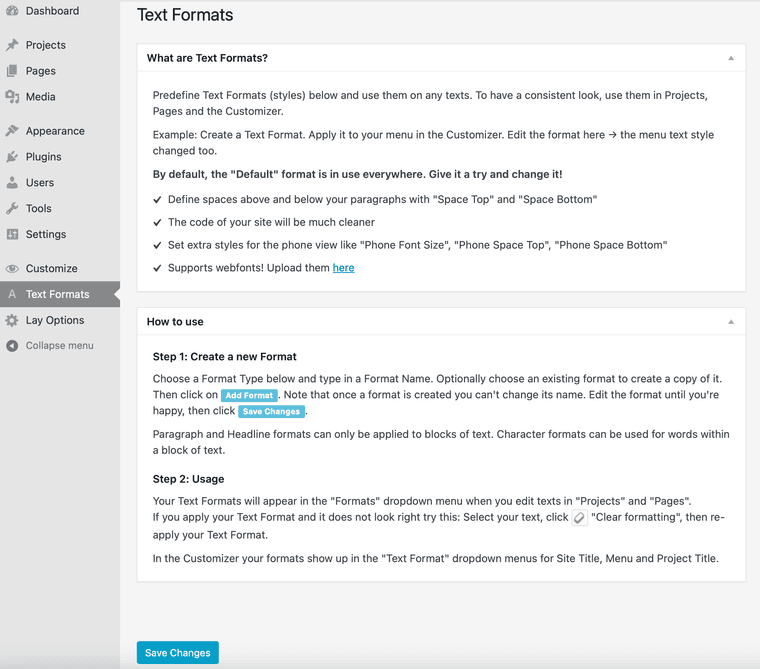
for some reason i cant add any text formats - the dialog windows underneath the info boxes are simply missing:

wp and laytheme are updated
any idea what i can do?
x
daaaaaamn… got it now… ! thx!!
hi,
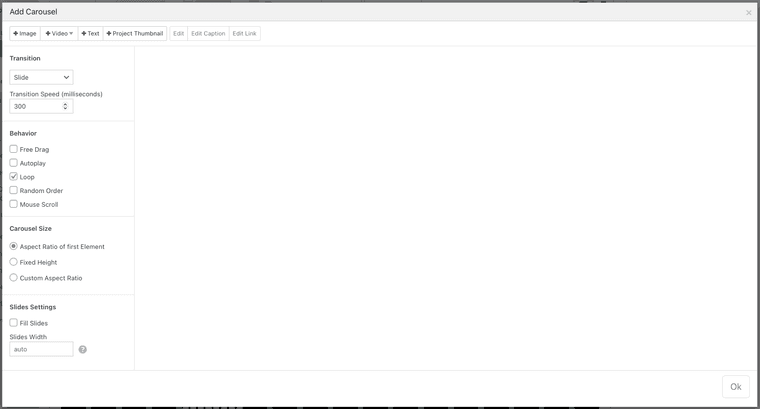
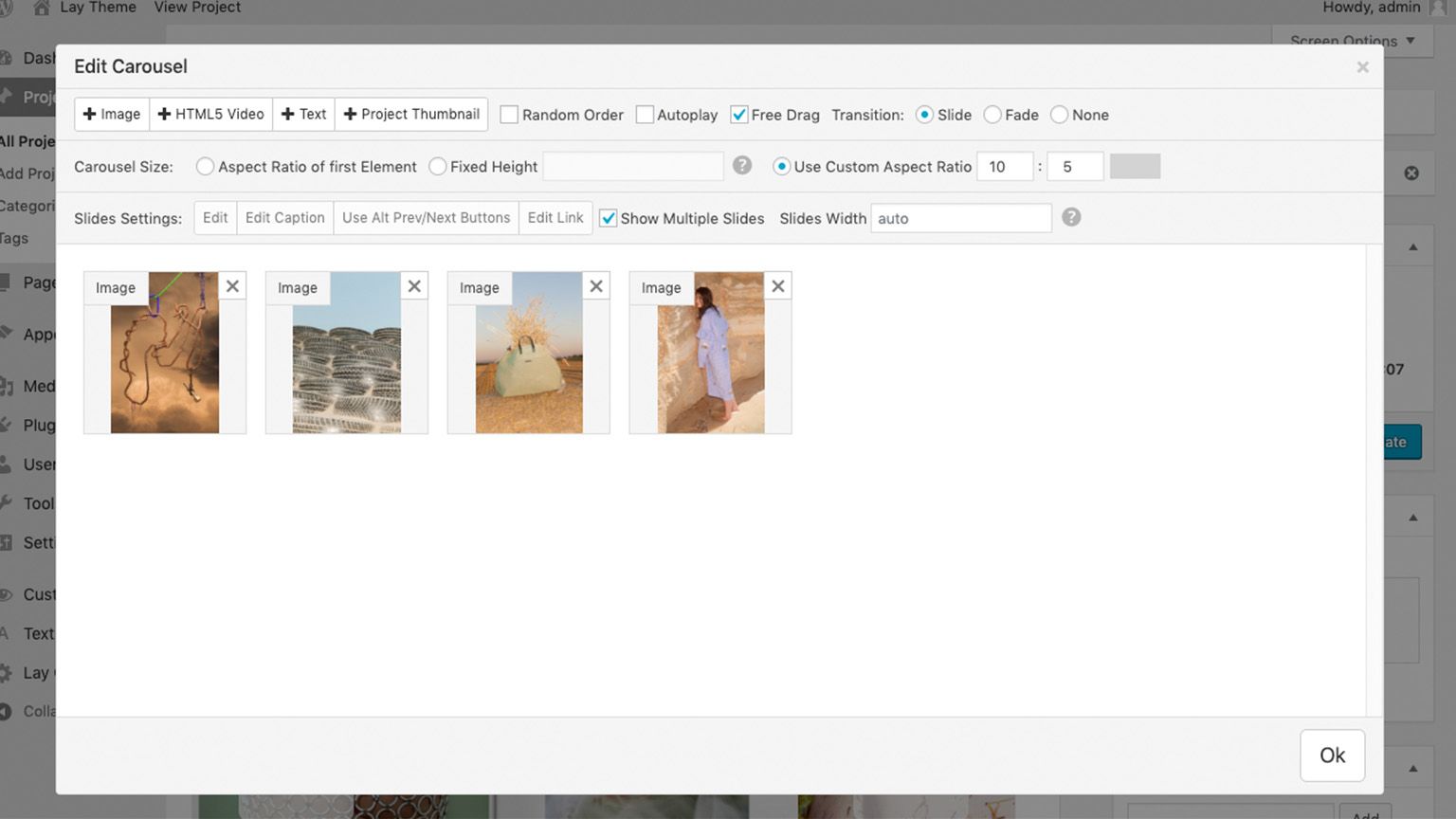
when im adding a carousel the modal seems to be outdated with less options:

when it should look like this right?

just updated the theme and addon to the latest version but this didnt change anything
thank you for your help!
x
hm yeah i tried that before but then you would need to click two times to change to another work or another point
will try something different then i think - thanks!
hello hello,
i have a similar problem i think
im currently working on this website:
if you open one of the works-pages (which work as an overlay) and then want to open one of the other menu points (eg VITA) the overlay stays and you cant read the vita texts properly
so is there a way to make links trigger to close overlays?
thanks + best!
hi everyone,
is it possible to link to the category page when clicking on the category in the project index?
…i think i saw it a lot of times and might be easy to do… ?
at the moment the whole line links to the project
thx + best, K
@arminunruh said in Custom Text as Burger icon // custom position:
As for positioning I find "space around" a weird setting. I might want to position it 150 px from the right side of my screen or in the middle and not with an equally distributed space around. And it would be nice to also have bottom left and right options
ah yea i understandi think you can just use a link in a menu to open the overlay from there, and then you have more settings in the customizer to position that menu
i have the same issue: changing the values in the customizer doesnt change the position of the burger
is there maybe a css solution to change the space only on the right?
@alasdair17 no no exactly i was looking for a close up thingy - so thanks again works fine here!
@chris-vuko had the same issue. maybe try to add "zoooom" only in the class (and keep the id empty)
@arminunruh true / will do! thx
@alasdair17 you think it's possible to have the zoomed image as fullscreen?
@alasdair17 excellent thank you so much! x
hi everyone,
i'm wondering if its possible to implement the option of a detailed zoom into a picture and to move through an image by dragging within laytheme – ideally without any kind of navigation bar? would be cool to find someone helping me with this
x
@arminunruh hi armin, thx i tried this and it works well for me! but when i close the overlay-page the video keeps running and you can still hear the sound of the video. is it possible that closing the overlay-page triggers pausing the video?
@arminunruh THANK YOU XX