Ok, weird...
I scrolled through the bugs topics to see if other people experienced it as well.
Removing the password protected plugin worked to fix this problem!
Ok, weird...
I scrolled through the bugs topics to see if other people experienced it as well.
Removing the password protected plugin worked to fix this problem!
I finally had the time to go back on this issue again.
The web host had reinstalled WordPress and I reinstalled my older back-up.
Here I got the website functioning again but apart from my chrome/ logged-in browser, I can't make it render the website.
I saw another post where there were problems since the latest updates, though after installing 2.5.9 the problem is still there.
I keep getting a 401 unauthorized error.
On other pages where I have the older version of lay-theme running, there is nothing wrong and they get rendered.
What to do about this?
Hey Marius,
I have contacted my hosting company and asked if they could see a problem.
They mentioned to me that everything is working fine on their side.
They advised me to either reinstall my website or contact you guys.
It all happened after the latest update so it must be that something went wrong there...
Best,
Marinus
Hey Guys,
Recently I have had problems where my website does not load on any browser anymore. I tried to update my Wordpress and checked if it is running on the latest version (2.5.6). ))But both are updated.
Before the latest update it was working but after the update it is not functioning anymore...
After my Wordpress was updated the website was showing on my current browser (chrome) but not on any other. And when opening the website in incognito it is not functioning anymore.
What can I do about this?
It's about www.buroprovo.com
Thanks!
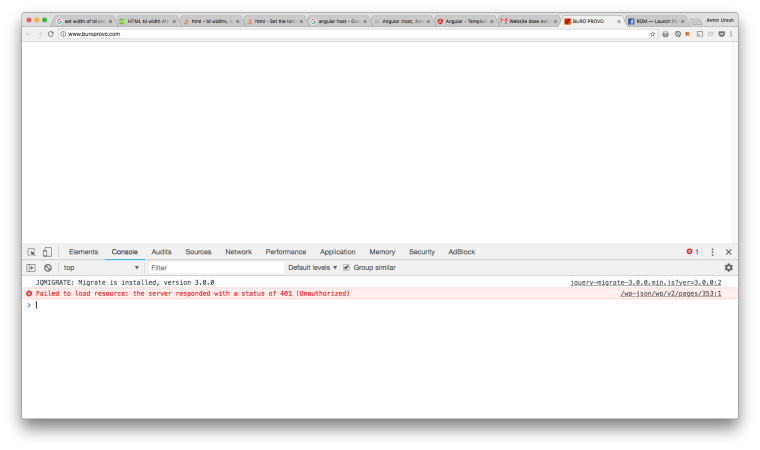
Fixed it,
.carousel-full {
    height: 100vh;
}

.carousel-full .lay-carousel-wrap {
    height: 100vh !important;
}

.carousel-full img.h100 {
    object-fit: cover;
    height: 100vh !important;
    width: 100%;
}
@lve said in Carousel full screen:
I think it works right now, but it works on all my carousel slideshows! Not only the one I assigned the code to. That's strange, could you tell me how to solve this?
I'm having this exact same problem, when I put the class in front of it the css doesn't trigger this function anymore.
Though I only want the object-fit and height/width 100vh/vw to be triggered on the .carousel-full class
Hey!
I'm trying to implement this piece of code that i wrote into laytheme;
https://codepen.io/Mariinus/pen/MmMGXx
Pasting it into Laytheme (with the <script> in custom html) doesn't make it function.
I've tried to add this to it, but neither did that work out.
window.laytheme.on("newpage", function(layoutObj, type, obj){
});
Do you guys have any suggestions on how to implement this?
Currently it's not online yet and on a personal server...
So this means you can't help me for know(?)
Hey Armin,
After updating to the latest Lay-theme i can't target a certain page anymore with using the .slug-[name] as a selector.
Only when a refresh (apple+R) is done elements that should be hidden are hidden.
Checking the code, the body-class doesn't change with switching from page to page anymore. Only the data-id is...
Is there a way to make use of it again?
Is there maybe a way to work around it?
Hey Armin,
Is it possible to create an offscreen canvas/ sidebar?
Something that would work like this;
https://wordpress.org/plugins/off-canvas-sidebars/
Or is it maybe possible to implement this plugin in the website?
I would like to accomplish that the placing of the text is like the image in the first post.
here the text is centre aligned and the place from the left text to left the side is the same as the right text to the right. Also when it is scaled down/ the browser made less wide.
I noticed with this custom CSS it doesn't work...
Yeah inbetween the menu titles/ buttons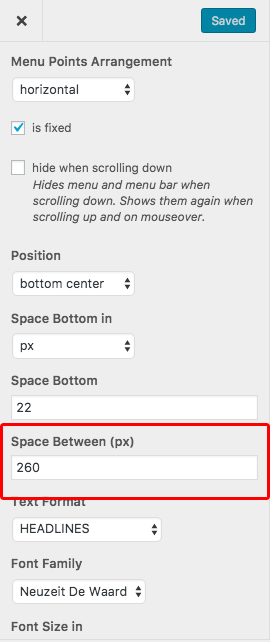
I think that could really work!
Is there a way to have the space in between the title in % instead of px?
(Sorry for asking so many questions...)
Hey, thanks for the tips... though it's not completely working out for me.
Is it possible to give text blocks a background?
So I don't have the problem of text overlaying the images as shown as in the example but the advantage of showing the page in browser height?
(Maybe with CSS or a different solution?)
Hey,
I'm trying in Custom CSS & HTML to give thumbnails either have a fixed height or a minimum/ max height...
I set the gridder row into browser height. But now when i want to put thumbnails there, i would like to have them covering a certain percentage of the browser height. This to provide them to be shown under the titles.
Or is there a way to give a row a background color (white)?
Right now i've tried to do it with "max-height: 87vh;" but unfortunately this doesn't work.
Thanks in advance!
(images for illustration)
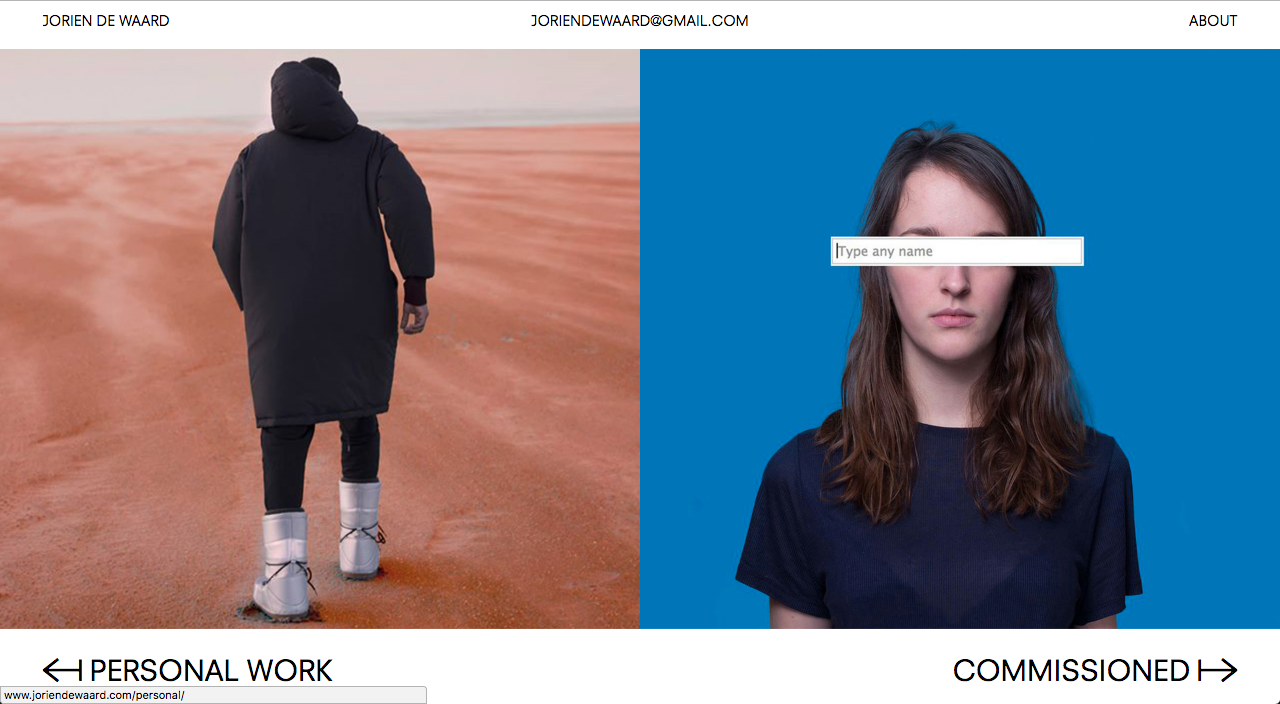
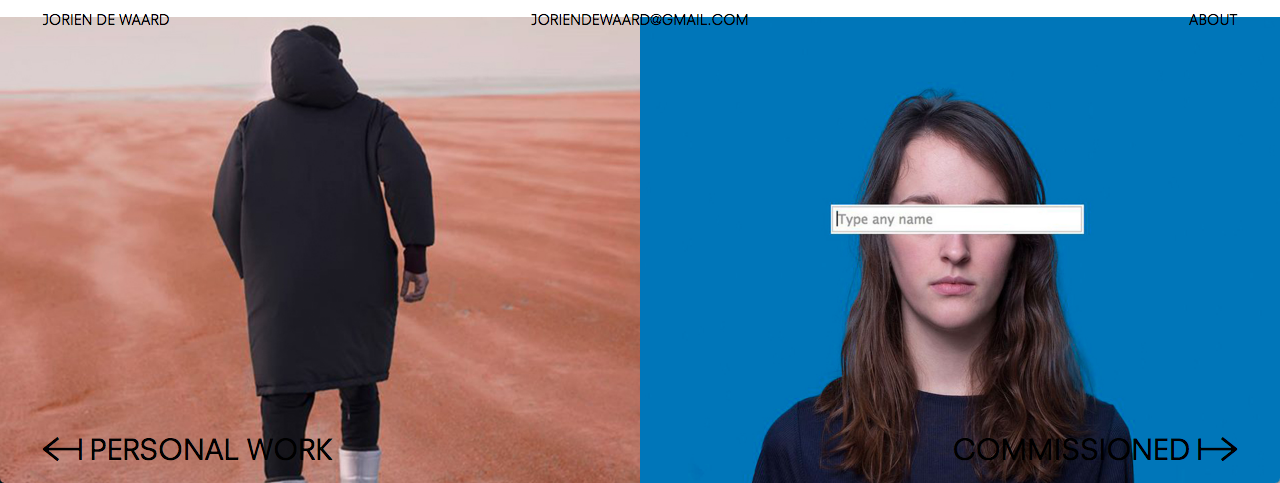
Hey Armin,
Is it possible to make custom page transitions in LAY?
Like for instance the pages would slide down to up or left to right (+ vice versa) as a page transition instead of the fade in fade out?
Thanks in advance!