okay great idea, thank you 💫
M
marynasakowska
@marynasakowska
Posts
-
pixel gap between photos in element grid -
pixel gap between photos in element gridHello,
There's a weird 1 pixel gap between photos in element grid, despite 0% row and column.
For example look here here: https://martaszypulska.pl/wolne-ciala/
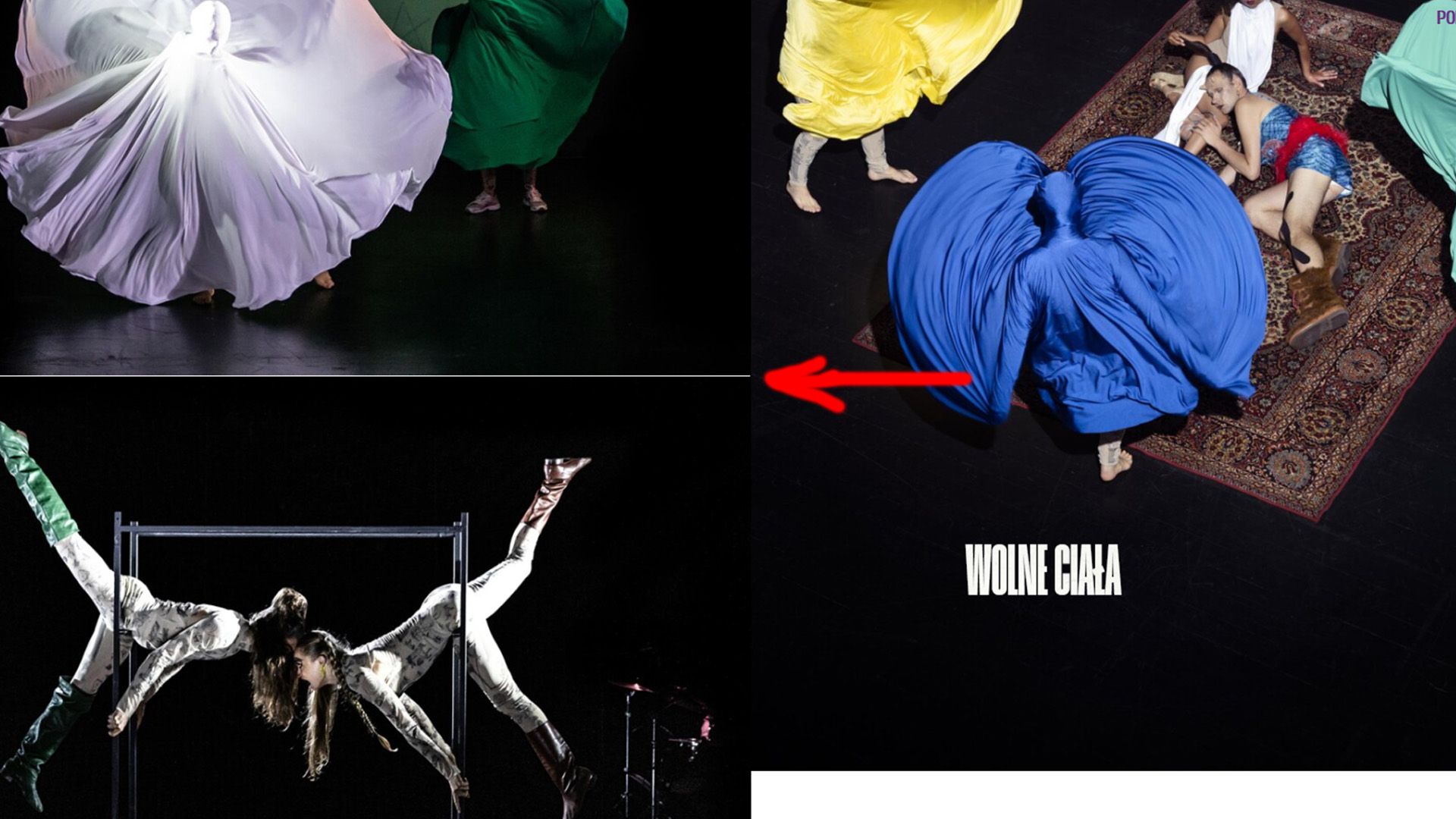
How to get rid of this? It shows in Chrome & Mozilla, also on my phone (Android), and also when I turn off all the custom code. -
php undefined array key / qt-translateXhi, i have installed qt-translateX, done language menu and now see such a warning: "warning: undefined array key 111 in /home/platne/serwer182873/public_html/autoinstalator/serwer182873.lh.pl/wordpress12991/wp-includes/nav-menu-template.php on line 211".
of course I have disabled all plug-ins (apart from qt-translateX) and custom code
what to do? greetings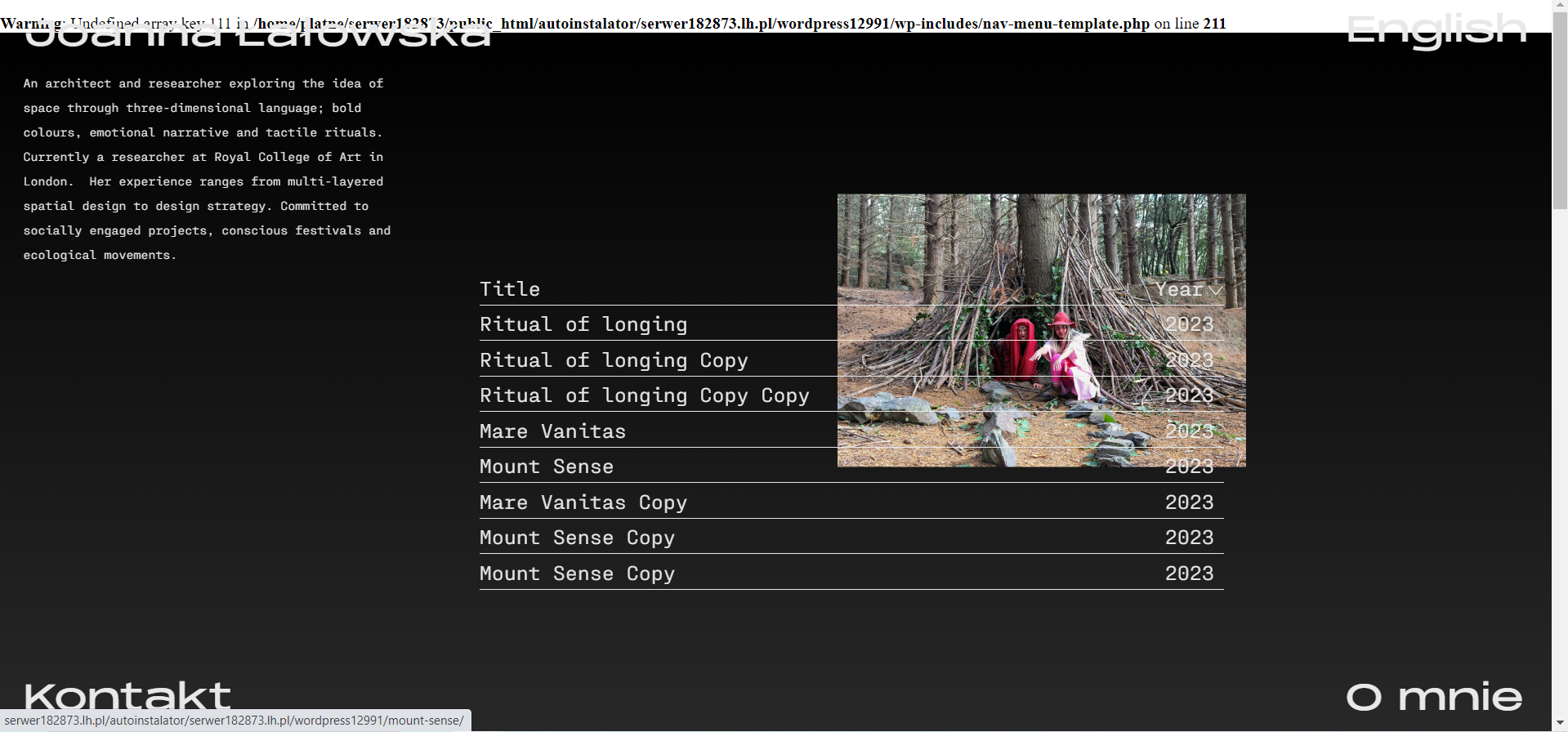
-
Carousel editorok ok @arminunruh you are right. I was 100% sure thought that I have updated both the lay theme and the addon, but actually I haven't updated the lay theme... sorry to bother you. thank you, greetings
-
Carousel editorhello
after last update my carousel editor looks like this:
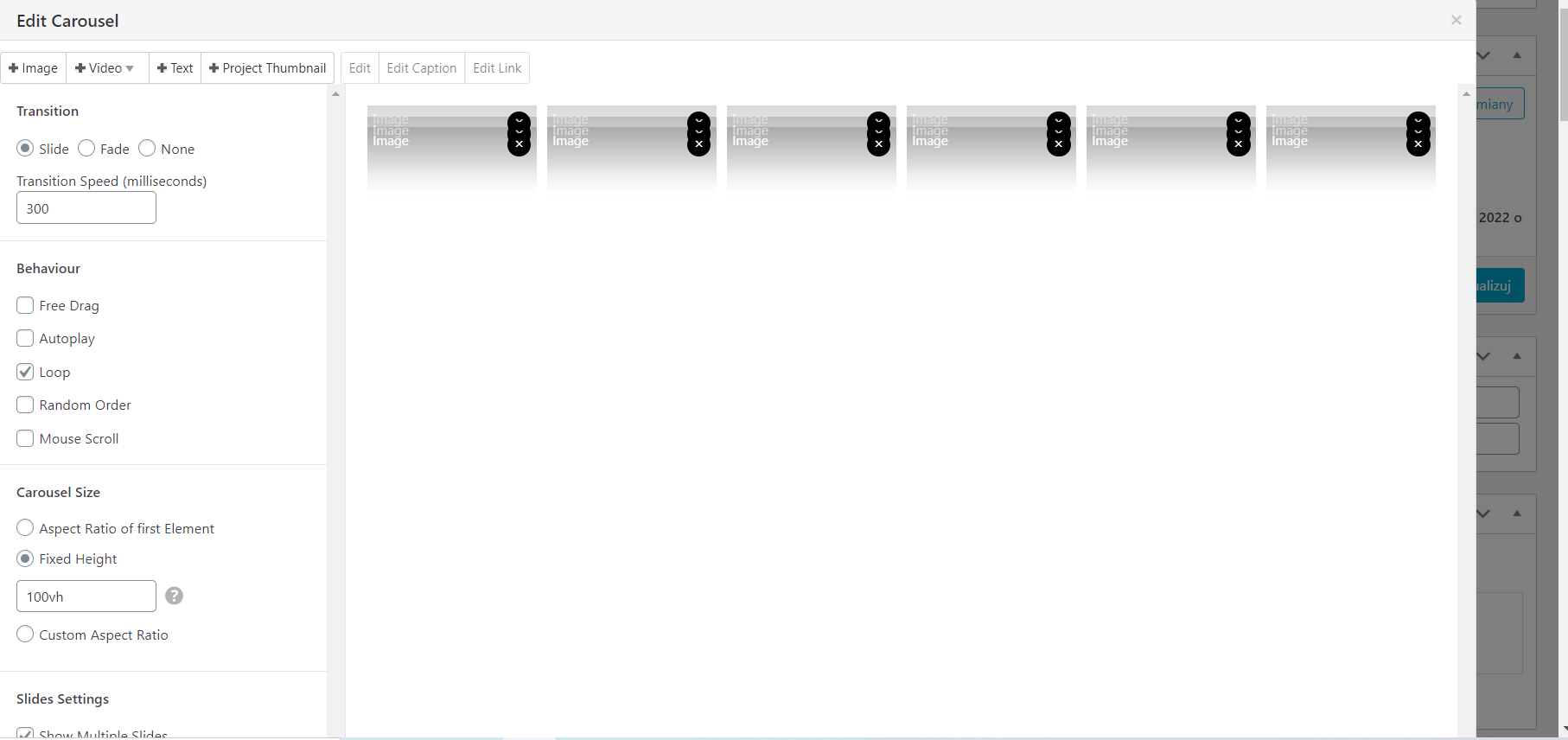
;(
I cannot add anything as well because I cannot scroll down to click "update". Looks like a huge bug ;(
-
POLYLANG / thumbnail grid displayed in both languages at once@Richard okay, I have deactivated WP MENU ICONS for a while, it's still the same. So that's not a thing
-
POLYLANG / thumbnail grid displayed in both languages at onceDear @Richard
Apart from these two, I have only WP MENU ICONS on to make this instagram icon in the menu. Although it has been on since the very beginning of the webiste and i haven't got such problems with other thumbnail grids of other categories of projects. You can see PROJECTS -> choose any year, PL or ENG version, everything works fine. Only this SCULPTURE/RZEZBY category which is new, made after some updates of the wordpress, laytheme, plugins etc doesn't work properly with this language filtering -
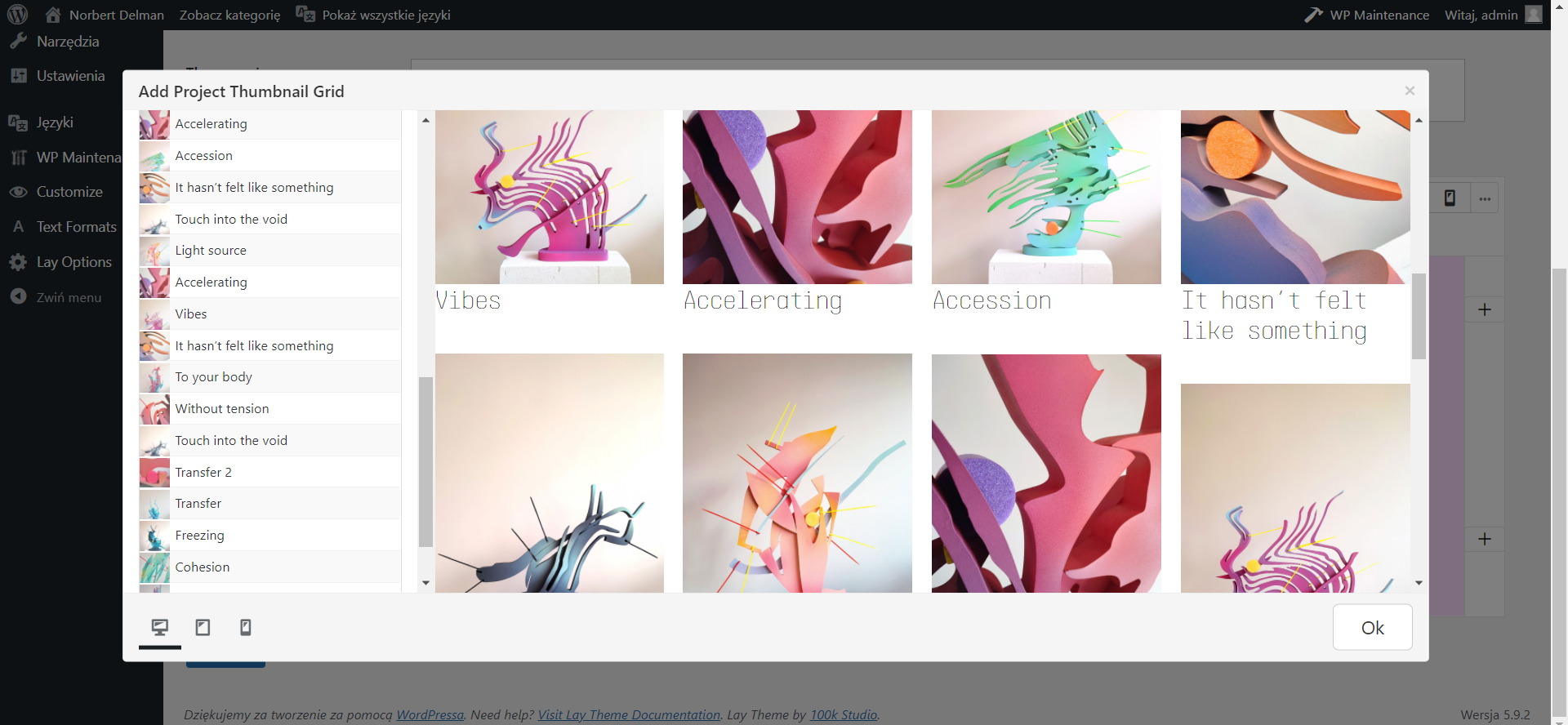
POLYLANG / thumbnail grid displayed in both languages at onceWhen I want to make this thumnail grid in Polish language version, everything is doubled
it looks like this:
-
POLYLANG / thumbnail grid displayed in both languages at onceHello everyone
I have noticed such a nasty bug on my site http://norbertdelman.com/
As you see on the homepage, the thumbnail grid is displayed in both languages, so everything is duplicated, no matter which language you choose from the menu (don't depend on titles; they have to be only in English; but notice that every project is doubled as you scroll down). I literally tried everything but still I find everything doubled on the homepage.
Let's check how it looks in my kokpit, every project has two versions, each of which is assigned to the one of two laguages (PL, ENG)
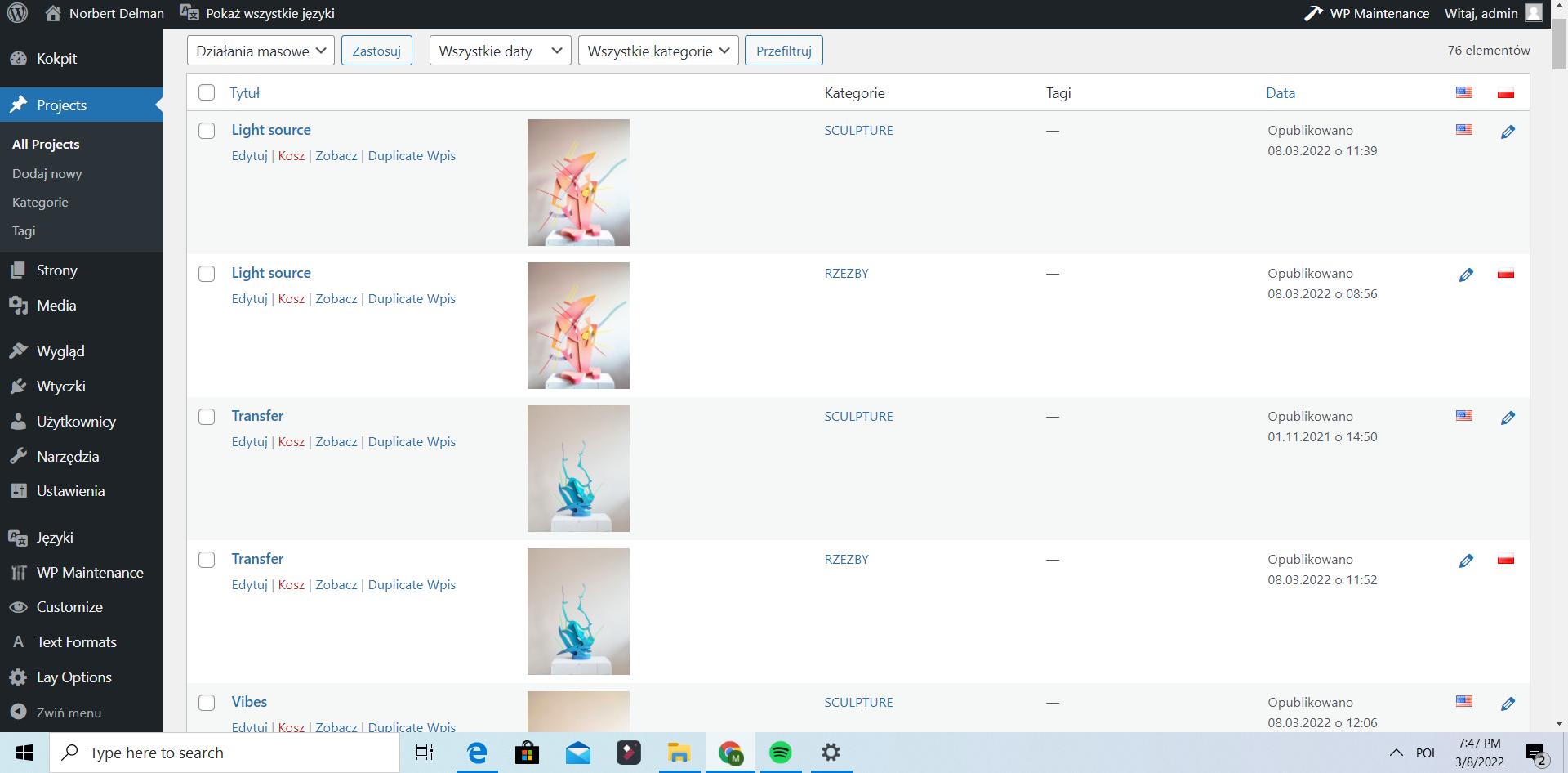
It looks like the language filter is not working properly with the thumbnail grid of this category
I have everything up to date and 'disabled AJAX' checked.
Please help me! -
Multilanguage problem with home page (Polylang)@ArneRobot can I have the solution as well?
-
Problem with scaling the menu barHello
I have such a problem: when I change the scale to lower than 100%, everything shrinks except for the menu bar. It makes a problem because then the carousel gallery is hiding under the bar and photos are not entirely displayed .
Adress bartoszzaskorski.pl
site is under the maintenance mode so i will send you the pass if you want to take a look
ps. I have deactivated all the custom CSS and plugi-ins, problem remains. As well everything is up to date. -
Thumbnails of projects don't displayI have noticed that thumbnails of projects don't display only when the project title is set to be on the image center. When it's above or below the image, thumbnail displays. Could you help me to fix that?
-
Thumbnails of projects don't display@mariusjopen Thank you for yor reply. Everything is up to date, I have deactivated plugins and custom code. Problem remains
-
Thumbnails of projects don't displayHello @arminunruh @mariusjopen
I have a problem: thumbnails of projects don't display on my website.
Here is the website: bartoszzaskorski.pl
If you go to "projects" or "curator projects" you don't see nothing at all and there should be the composition of thumbnails displaying. -
Drop-down menu doesn't cover the rest of the menu (one of the post category)Hello @arminunruh and @mariusjopen,
now I think that problem could be solved if, after mouse clicking/mouse hovering on the particular category, the bottom rest of the menu will slide down (not like now, that the submenu/dropdown menu is covering the bottom rest of the meny). Is it possible to change this code somehow? -
Drop-down menu doesn't cover the rest of the menu (one of the post category)Hi,
I have few questions about the drop-down menu.
The main problem is:- The drop-down menu doesn't cover the rest of the menu (one line):

The problem occurs only with one of the post category below, because the drop-down menu perfectly covers the rest of links to the normal pages, projects:
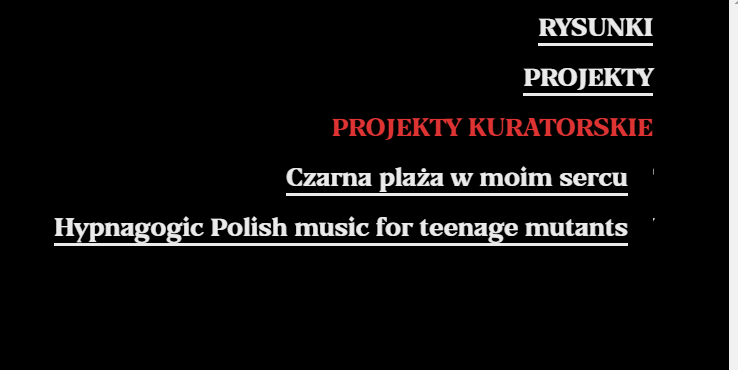
Second question: how can I make the font size in the drop-down menu different (smaller) than in the rest of the menu (main menu)? I have seen such post on this forum, but there was no sufficient answer to that problem.
Third question: how can I determine the width of the drop-down menu (if I want the text to wrap, because it's too long)? I was trying with the width property but don't know where to put it.
I use this custom code;
nav.primary .sub-menu{
    display: none;
    position: absolute;
    right: -5px;
    top: 20px;
    background-color: black;
    padding: 20px;
    border: 1px black;

}

nav.primary .sub-menu li{
    display: block;
}

.menu-item:hover .sub-menu{
    display: block;
}

.menu-item-has-children{
    position: relative;
}
Thank you for your help in advance!
- The drop-down menu doesn't cover the rest of the menu (one line):