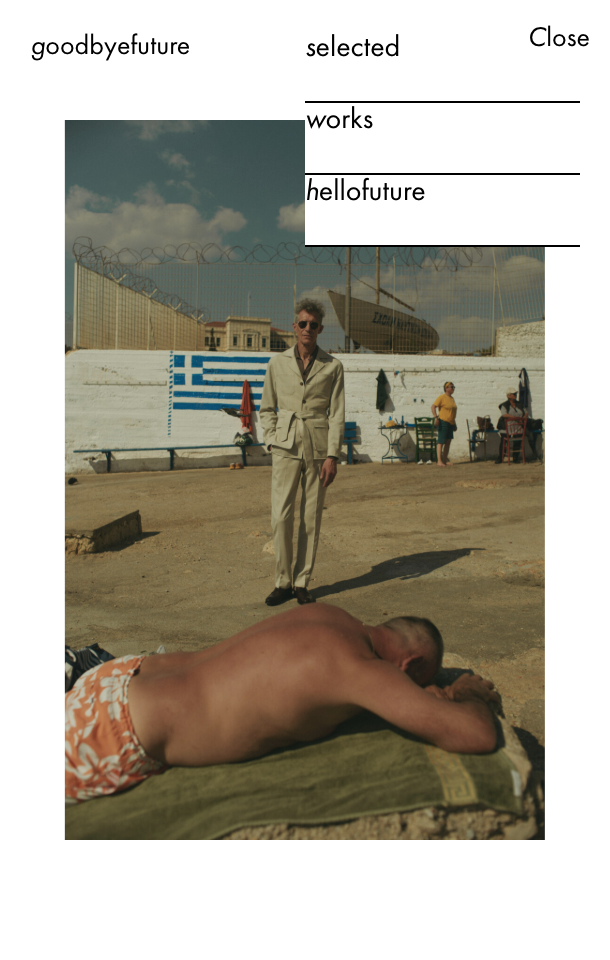
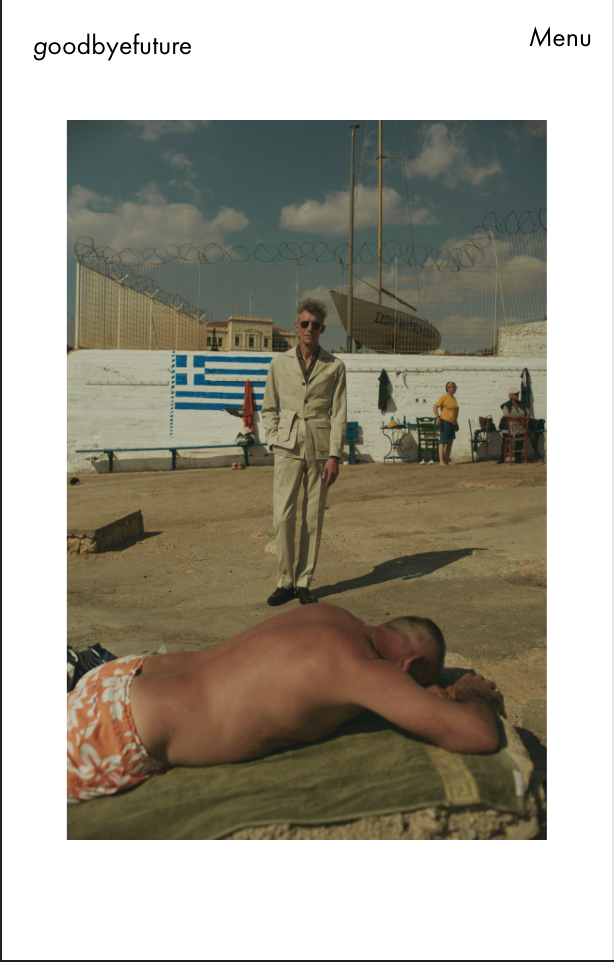
Whenever I navigate to another link from my header menu it fades out for a second and it really doesn’t feel good, it feels like a slow website. Is there any way to prevent this from happening?
M
Max.Weinland
@Max.Weinland
Posts
-
Header menu always fades out when I navigate to another link -
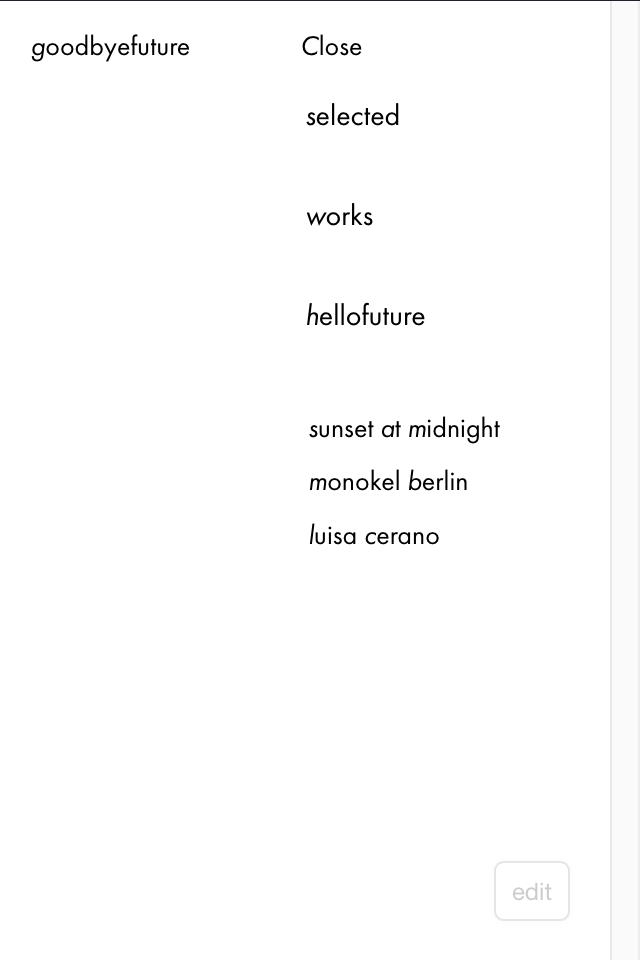
several styling issues with mobile and desktop menuI’ve updated the site. You should be able to see it now. It currently looks like this, I’ve removed the lines:
-
Audio in the background video@arminunruh Hey Armin, I am trying to do the same thing, activate the audio for a row background video. I have the latest version of lay theme and this checkbox for »mute« doesn’t show …
-
several styling issues with mobile and desktop menu»Close«/»Menu« should sit at the same vertical line as the menu points and the same horizontal line as the site title. It should also sit in the same kind of box as the menu points with equal spacing etc.
-
several styling issues with mobile and desktop menu -
several styling issues with mobile and desktop menu -
several styling issues with mobile and desktop menuHello again,
I am having different issues with menu styling.
First issue: On the landing page of the website (https://goodbyefuture.com/) the menu is set to white to be visible against the background video. If you hover over menu points they become all caps (intended) but turn from white to black (not intended). The general setting in the customizer says, hover color for menu items is black (globally, intended except for the landing page). Does the customizer setting override the specific page settings/css and if so, what can I do about it?
Second issue: Menu styling and position. I am using menu style 1. I use the word menu instead of a burger icon. I want the word to be on the same horizontal line as the site title and to align left at 50% width. When it drops down, I want the word menu to appear like the first menu item and to have a vertical spacing between them that looks consistent with the words menu. I know I can’t do that with just the customizer, obviously. How should I approach this?
Thanks for your help,
Max -
custom carousel cursors with formatted textHello Navy Seals.
I am looking for a way to turn the custom cursors on the carousel into formatted text. The image solution does not work well, this way the text is never really the same size as the other texts on the website, which is supposed to only have two text sizes. I want the previous cursor to say previous and the next cursor to say next, all in my default text format. I can’t find a way to do it within laytheme. Is there a way?
:-*
Max -
Active Menu Point styling with text formats?NICE! I have also decided to go a different route this time. But seeing it on the horizon is cool …
-
Splitscreen website for mobileHello, despite @Armin-Unruh not recommending split screen websites for mobile, I am working on one and I think it’s exactly right for what I am trying to achieve. Except it doesn’t seem to work as far as I see it. As soon as the breakpoint for mobile is reached, the right side content (start page) is displayed above the left side content (footer). For desktop, I have set the scrollable columns to a quarter of the total window width each. For the mobile version, I want each column to make up half the window width. That part works. Just the stacking instead of parallel scrollability is a problem. How do I fix this?
Much love,
MaxThe page is:
https://formfollowscapital.net/ -
Active Menu Point styling with text formats?How do I style active menu points with text formats in css? I made a text format specifically to use for active menu points and can’t just apply it within the customizer.
Also wouldn’t that be a great standard feature for it?
-
Is it possible to generate an »Info«-Button to blend in/blend out carousel caption?I wonder if it’s possible to hide a carousel’s caption by default and instead have a button in place of the caption that can be clicked to fade in the caption.
mrrpringle had a similar question here:
http://laythemeforum.com/topic/3716/show-hide-chunk-of-text
and I wonder if this is applicable to carousels. -
Thumbnail grid with varying and controllable thumbnail sizes@Richard-Keith do you know if we could find a solution using a child theme?
-
Thumbnail grid with varying and controllable thumbnail sizes@saschatoussaine Something like that, exactly.
-
Thumbnail grid with varying and controllable thumbnail sizesDear Richard, thanks for the response. I am already in contact with a developer. The central issue I want to solve is for my client to be able to decide on the project level, what size (maybe introduce three selectable sizes) the project’s thumbnail should have in a thumbnail grid. The goal is to have a varying thumbnail grid like in the screenshot attached, without having to manually layout thumbnail rows. The client wants to update his website quickly and »on the go«. Does that seem possible at all with some additional code?
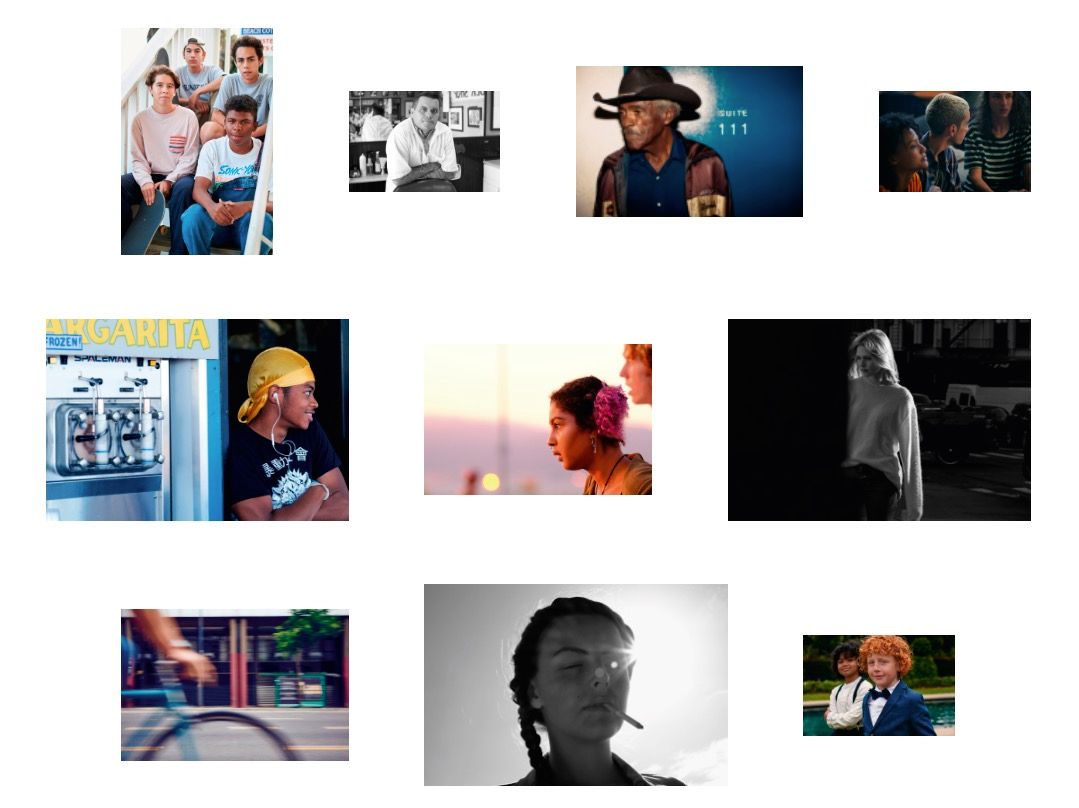 image url)
 -
Thumbnail grid with varying and controllable thumbnail sizesHey there! I’m working on a photographer’s portfolio site and would love to have varying and controllable thumbnail sizes in the overview with out having to manually »layout« line by line and having to rearrange everything once I add another project. Is this somehow possible with what lay theme has to offer by default or would this need some extra work? I imagine it could be done by finding a way to determine a thumbnail’s size on the individual project level. Looking forward to an exchange about this.
-
Weird Gridder bug won’t let me upload project thumbnails -
Weird Gridder bug won’t let me upload project thumbnails@Max-Weinland @mariusjopen @arminunruh Do you guys know anything? My client can’t make an urgent update to their website like this and I would like to let her know what’s up and when things can get moving again …
Thanks!
-
Weird Gridder bug won’t let me upload project thumbnailsHey! There’s this weird bug that won’t let me upload project thumbnails in a category. I can upload anything else, just project thumbnails won’t work. This is what the browser console gave me:
Uncaught TypeError: Cannot read property 'length' of null
at t.render (gridder.app.min.js?ver=3.3.4:1)
at Ne (react-dom.min.js?ver=3.3.4:103)
at Bh (react-dom.min.js?ver=3.3.4:103)
at Lj (react-dom.min.js?ver=3.3.4:231)
at $h (react-dom.min.js?ver=3.3.4:137)
at Fj (react-dom.min.js?ver=3.3.4:137)
at We (react-dom.min.js?ver=3.3.4:132)
at react-dom.min.js?ver=3.3.4:60
at unstable_runWithPriority (react.min.js?ver=3.3.4:25)
at pb (react-dom.min.js?ver=3.3.4:59)Have you guys got any idea what could be wrong? I can give you access to the WP-Admin Panel if you need …
Thanks in advance!
Max