Skip to content
  • Recent
  • Tags
  • Popular
  • Users
  • Search
Skins
  • Light
  • Brite
  • Cerulean
  • Cosmo
  • Flatly
  • Journal
  • Litera
  • Lumen
  • Lux
  • Materia
  • Minty
  • Morph
  • Pulse
  • Sandstone
  • Simplex
  • Sketchy
  • Spacelab
  • United
  • Yeti
  • Zephyr
  • Dark
  • Cyborg
  • Darkly
  • Quartz
  • Slate
  • Solar
  • Superhero
  • Vapor

  • Default (No Skin)
  • No Skin
Collapse

Lay Theme Forum

P

paulcalver

@paulcalver
Unfollow Follow
About
Posts
54
Topics
19
Shares
0
Groups
0
Followers
0
Following
0

Posts

Recent Best Controversial

  • Fullscreen Slider nav and lightbox on/off
    P paulcalver
    Bug Reports

    Hi, not sure if this is too niche circumstance to be a bug?

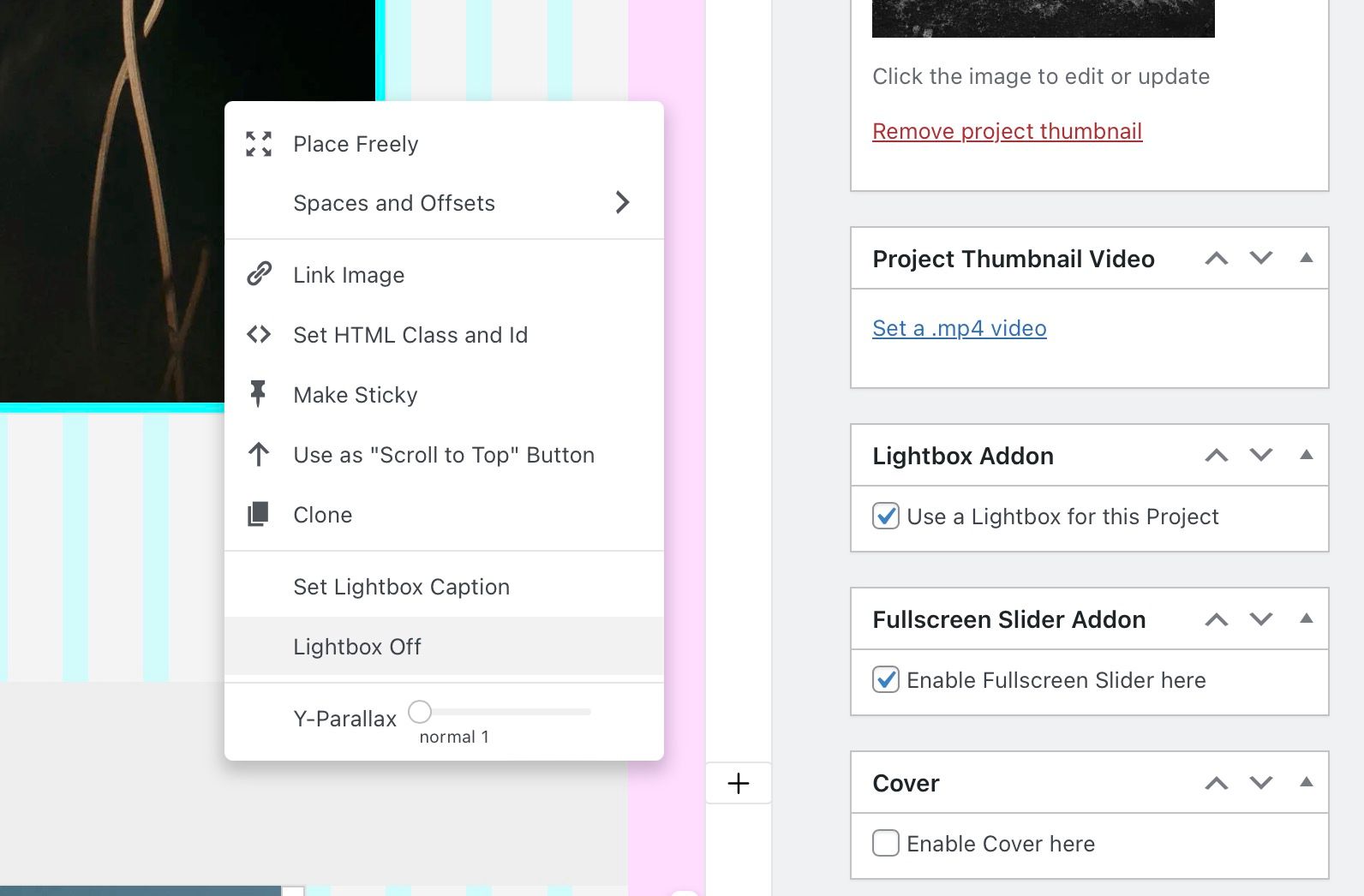
    I notice that when using the Fullscreen Slider with "Use lightbox for this project" turned on, but some of the images individually selected as "Lightbox Off", clicking on those images doesn't scroll you down to the next page, as the arrow cursor is suggesting it should, you have to click in the blank areas around the images (or of course scroll manually with your trackpad etc...)

    What do you think, fixable or too niche?

    Thanks as always, Paul.

    Video here if helpful
    ScreenShot 2024-09-20 at 13.29.47.jpg


  • Dynamic text box in the footer to displays current project title.
    P paulcalver
    General Discussion

    Thanks @arminunruh. I gave that a try but it's doesn't seem to work, any other ideas? Thanks for any help. Paul.


  • Dynamic text box in the footer to displays current project title.
    P paulcalver
    General Discussion

    Hi, 3 years on and I'm looking for some help to update this a little. is there a way to add the dynamic project title into a menu item at all. So it appears last on the list of the third menu and is blank when you are on a page (meaning, only filled out when viewing a project).


  • element grid, same height layout, poor image quality in Safari
    P paulcalver
    Bug Reports

    Thank you, I’ll update asap and let you know. Really appreciate you looking at this.


  • element grid, same height layout, poor image quality in Safari
    P paulcalver
    Bug Reports

    Thanks for checking. I'm still seeing soft images after cache clear. Occasionally they look okay, but if you hit refresh, they always go soft. What happens in your browser when you hit refresh, do they change for you too @alasdair17


  • same-height element grid images load blurry on mobile device
    P paulcalver
    Bug Reports

    Wondering if this was resolved, I'm having a similar issue on desktop browser, chrome fine, safari blurry.


  • element grid, same height layout, poor image quality in Safari
    P paulcalver
    Bug Reports

    Hi, I'm using the element grid, same height layout style. It's working fine in Chrome, but in Safari, the thumbnails appear lower quality, fuzzy. I dragged off the files and it's loading the same images, so must be something else happening, any ideas? Other layout types don't seems to be effected in the same way, only the same height option. Link and screen shots below:

    https://paulcalver.staging.tempurl.host/overview/

    Safari:
    ScreenShot 2024-09-12 at 09.58.27.jpg

    Chrome:
    ScreenShot 2024-09-12 at 09.58.32.jpg

    Thanks, Paul.


  • Dynamic background color fade when scrolling to certain ID on page
    P paulcalver
    General Discussion

    This is perfect, thank you!!


  • Dynamic background color fade when scrolling to certain ID on page
    P paulcalver
    General Discussion

    Was a solution ever worked out for this @Tim-B


  • Looking to emulate the navigation seen on this site with Lay
    P paulcalver
    Connect and find Help

    You think it might be possible with some custom code, and if so any recommendations of people to reach to. Happy to pay 😄


  • Looking to emulate the navigation seen on this site with Lay
    P paulcalver
    Connect and find Help

    Oh sorry, no I'm looking for a way to have the grid of thumbnails that when clicked scroll you up (or down) to a carousel that shows you that image larger, like in this link https://williamgreen.co.uk/overview


  • Carousel intro
    P paulcalver
    Feedback

    I'd still love to see this @arminunruh :).


  • Looking to emulate the navigation seen on this site with Lay
    P paulcalver
    Connect and find Help

    I'm looking to emulate the navigation seen on this page / site:

    https://williamgreen.co.uk/overview/

    Wondering if it's possible to custom code Lay to do this using an element grid or carousel as the base?

    Thanks,
    Paul.


  • Carousel intro
    P paulcalver
    Feedback

    A polite bump on this, any plans for it's implementation @arminunruh :)


  • How to enable google to see all images within a project?
    P paulcalver
    General Discussion

    Hi, thanks for the ALT tag info, yes I have this all setup already.

    What I'm trying to achieve though is google knowing which page / project on my site the images appear on. So when you google my name and a project title, all of the images appear and all link to that page. See below how my agents site looks for example in google when you search - Paul Calver SOAR

    ScreenShot 2024-05-03 at 14.02.05.jpg

    Where as for my results, you only get one image per project, the featured image?

    ScreenShot 2024-05-03 at 14.02.27.jpg

    So I'm still looking for a way to solve this if you have any thoughts? Although the sitemap.xml isn't needed necessarily, it's a good insight into how the data is seen.

    Thanks, Paul.


  • How to enable google to see all images within a project?
    P paulcalver
    General Discussion

    Hi,

    I'm working through my site to improve the SEO. My site is a photo portfolio site, so is 99% images, as you might expect. With regards to SEO, it seems the sitemap.xml created via yoast only recognises the featured image from the project, so list only 1 image, and as a result that's all google etc can see.

    How do I help the sitemap and google see all of my images in each post?

    https://paulcalver.cc

    Thanks for any help, Paul.


  • fade in / out hidden menus
    P paulcalver
    General Discussion

    This works perfectly, thank you very much :)

    The code I used to display the second menu on the mobile site is:

    .second_menu{
    display: none !Important;
    }
    body.slug-portraits .second_menu{
    display: block !Important;
    }
    body.slug-sport .second_menu{
    display: block !Important;
    }
    body.slug-lifestyle .second_menu{
    display: block !Important;
    }
    
    #menu-item-1648 {
        text-align: center;
    }
    #menu-item-1649 {
        text-align: center;
    }
    #menu-item-1650 {
        text-align: center;
    }
    

  • fade in / out hidden menus
    P paulcalver
    General Discussion

    On another (hopefully small ask), on my mobile site, I have this second menu as well. However I'm not sure how I make the current 'active' page to also be highlighted somehow in the second menu. I see if I make all of the menu's 'desktop style' the underline system kicks in, but if I want to use a mobile style burger menu for the main menu, the second menu is left just as text. I've used CSS to positioning it, but not sure on the current page / link being highlighted.

    Tried this so far, but no luck:

    #headerNav nav .active a:visited, #portraits nav .active a:visited{
     color:red !important;
    }
    

    Screenshot of the mobile page:

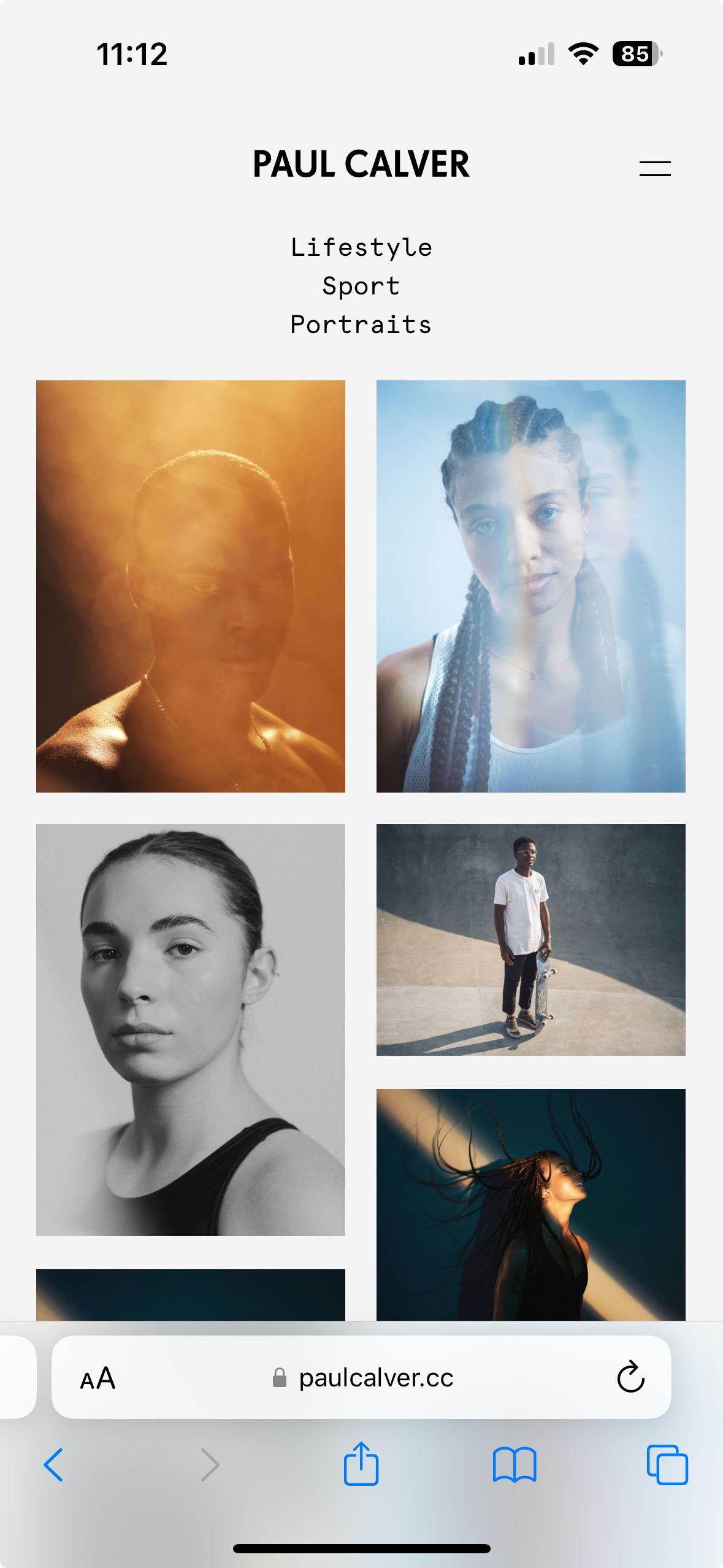
    PAUL CALVER x Portraits.jpeg

    Thanks again for any help :)


  • fade in / out hidden menus
    P paulcalver
    General Discussion

    Very nice, thank you :)

  • Login

  • Don't have an account? Register

  • Login or register to search.
  • First post
    Last post
0
  • Recent
  • Tags
  • Popular
  • Users
  • Search