Skip to content
  • Recent
  • Tags
  • Popular
  • Users
  • Search
Skins
  • Light
  • Brite
  • Cerulean
  • Cosmo
  • Flatly
  • Journal
  • Litera
  • Lumen
  • Lux
  • Materia
  • Minty
  • Morph
  • Pulse
  • Sandstone
  • Simplex
  • Sketchy
  • Spacelab
  • United
  • Yeti
  • Zephyr
  • Dark
  • Cyborg
  • Darkly
  • Quartz
  • Slate
  • Solar
  • Superhero
  • Vapor

  • Default (No Skin)
  • No Skin
Collapse

Lay Theme Forum

R

rotatingcorpse

@rotatingcorpse
Unfollow Follow
About
Posts
10
Topics
6
Shares
0
Groups
0
Followers
0
Following
0

Posts

Recent Best Controversial

  • Carousel not showing up
    R rotatingcorpse
    Bug Reports

    Hi, the Carousel shows up in the Gridder, but it doesn’t appear in the preview or on the published page. Also, in the Gridder it’s cropping the photos and not resizing them the way it normally does. It seems to affect only this specific installation, because on other installations it works fine. Do you know what could be causing this?

    Here’s the link to the page with the non-working carousel: http://wordpress.jakubcigler.archi/vaclavske-nasmesti/

    Thanks!


  • CTA button for multilingual
    R rotatingcorpse
    General Discussion

    Thanks Armin, the result is below and works!

    /* Style for Czech language button /
    html[lang="cs-CZ"] .call-to-action.cs-button,
    html[lang="cs-CZ"] .call-to-action.cs-button._BIG {
    position: fixed;
    top: 7px; /
    Distance from the top of the viewport /
    right: 10%; /
    Position relative to the horizontal center /
    z-index: 10;
    display: block; /
    Ensure the button is visible */
    }

    /* Hide the English button when Czech is active /
    html[lang="cs-CZ"] .call-to-action.en-button {
    display: none; /
    Hide the English button */
    }

    /* Style for English language button /
    html[lang="en-US"] .call-to-action.en-button,
    html[lang="en-US"] .call-to-action.en-button._BIG {
    position: fixed;
    top: 7px; /
    Distance from the top of the viewport /
    right: 10%; /
    Position relative to the horizontal center /
    z-index: 10;
    display: block; /
    Ensure the button is visible */
    }

    /* Hide the Czech button when English is active /
    html[lang="en-US"] .call-to-action.cs-button {
    display: none; /
    Hide the Czech button */
    }

  • CTA button for multilingual
    R rotatingcorpse
    General Discussion

    Re: call to action In the top bar

    Armin, is there a solution to use this with Polylang? I tried this, it works, but is sme
    for both languages...


  • Polylang not working
    R rotatingcorpse
    Bug Reports

    Solved, you are right... Just duplicate the project or page, switch language, change texts, assign string and thats it. However, thank you :)


  • Polylang not working
    R rotatingcorpse
    Bug Reports

    Hello Armin,

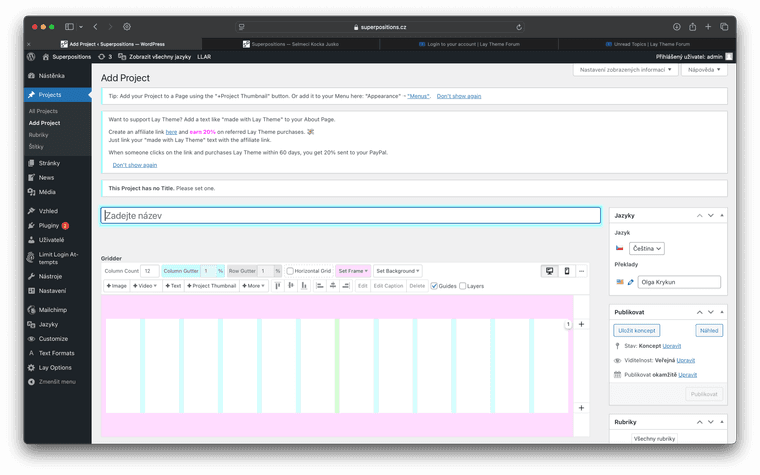
    When I try to translate the page or project with polylang, the new language page appears to be completely blank in gridder (no elements, text frames, nothing...). The Polylang is installed correctly.

    Screenshot 2024-11-13 at 18.58.27.png


  • news order bug on back button
    R rotatingcorpse
    Bug Reports

    Hi @Armin-Unruh, can you please help me solving this little bug? On the frontpage, there is the news section with two news tiles - when you scroll down: https://capture.dropbox.com/IxzGnlOy3RUXSRH4

    https://cetep.eu

    When I click the tile, I go to the news detail - everything fine. But when I click back button in the browser (safari), the news order is messed up and I have to reload the page. Do you have any idea what to do with it? Thank you very much!

    Richard


  • Overlay feature: text instead of icon and z-index
    R rotatingcorpse
    General Discussion

    @paola-ming said in Overlay feature: text instead of icon and z-index:

    Hello @arminunruh,

    Thank you very much for this feature, works great.

    I have two questions, first is it possible to choose text instead of an icon? Let's say I call the overlay with a link "Read" on a grid and want to "Close" it with text too?

    Second question concerns the z-index of the overlay, is it possible the overlay not to cover the site title/menu?

    Thanks!

    Hi! Yes, I would also appreciate the possibility of using the text instead of the image. Also, regarding the image: Would be nice to set the size and padding in %, not only in px.


  • On Scroll image size transistion
    R rotatingcorpse
    General Discussion

    Hi everybody - dont you know if it is possible to achieve something like this: https://sameold.com with some simple js or css? Image size change while scrolling. Thanks!


  • editor mode / lock elements positions
    R rotatingcorpse
    Feedback

    @arminunruh Armin, that would be absolutly fantastic <3 I would pay again for this feature! :)


  • editor mode / lock elements positions
    R rotatingcorpse
    Feedback

    Since the integration of the e-shop and other features that make Lay Theme much more than "just" a portfolio builder, it has become a fantastic (almost) universal tool. It is applicable to a wider range of clients. This field could be expanded much more if there was an option to lock down control over the position and size of elements. Some sort of editor mode. It would be great if the editor could only change the text content of given fields in a page, or change photos in carousels and such. Then the only thing missing from perfection would probably be the ability to clone entire rows and elements. Can you imagine integrating such a feature, for example in the form of an add-on? Thanks!

  • Login

  • Don't have an account? Register

  • Login or register to search.
  • First post
    Last post
0
  • Recent
  • Tags
  • Popular
  • Users
  • Search