Skip to content
  • Recent
  • Tags
  • Popular
  • Users
  • Search
Skins
  • Light
  • Brite
  • Cerulean
  • Cosmo
  • Flatly
  • Journal
  • Litera
  • Lumen
  • Lux
  • Materia
  • Minty
  • Morph
  • Pulse
  • Sandstone
  • Simplex
  • Sketchy
  • Spacelab
  • United
  • Yeti
  • Zephyr
  • Dark
  • Cyborg
  • Darkly
  • Quartz
  • Slate
  • Solar
  • Superhero
  • Vapor

  • Default (No Skin)
  • No Skin
Collapse

Lay Theme Forum

T

Toby

@Toby
Unfollow Follow
About
Posts
153
Topics
42
Shares
0
Groups
0
Followers
0
Following
0

Posts

Recent Best Controversial

  • Burger menu bar
    T Toby
    General Discussion

    Hi Armin

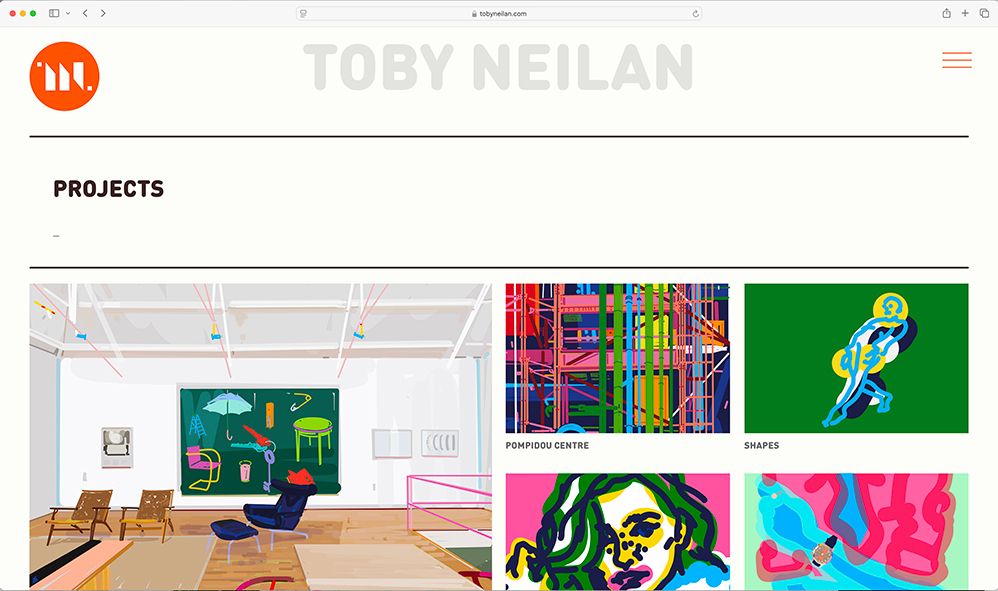
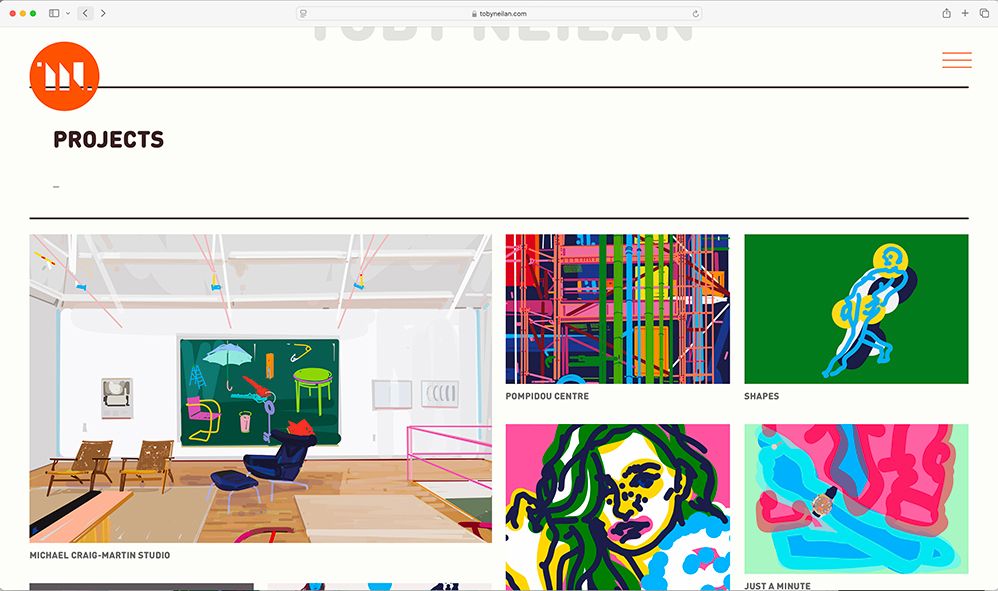
    I recently updated the theme and I've just noticed that my overlay burger menu no longer appears on my homepage, my projects page, commission page or profile page .(However it does appear on my artworks page.)

    When I go into the backend and edit the pages where the the menu burger doesn't appear, by simply clicking on update the menu bar reappears. yet the following day if I visit my site the same pages no longer show the burger bar!?

    Can you help?

    www.tobyneilan.com

    Thanks Toby


  • navbar colour change
    T Toby
    General Discussion

    ah of course! well spotted.

    Thanks as always


  • navbar colour change
    T Toby
    General Discussion

    www.tobyneilan.com - white band along top of navbar viewed in mobile.

    www.tobyneilan.com/projects - project description not working on mouseover

    EDIT Re project description.

    Had to click on each project in the back end and click on the project description box (which had the project text in already) and then update each page, and then it reappeared on the front end!

    is it possible to display project desc 'always on' on mobile but on 'mouseover' hover on desktop?


  • navbar colour change
    T Toby
    General Discussion

    HI Armin

    I have two pages on my site which have two different colours to the rest of my site - "profile page " and "showreel page" (set as my front page.)

    When viewing on a mobile I've changed the profile navbar colour with the following css.

    body.slug-profile .navbar {
    border-bottom-color: #e8e9e8;
    background-color: #e8e9e8;
    }

    which works - However when I apply the same code to the showreel page It doesn't work, I'm left with an unwanted white band - see attachment.

    body.slug-showreel .navbar {
    border-bottom-color: #1d241b;
    background-color: #1d241b;
    }

    any suggestions to why?

    Thanks Toby

    edit Also just spotted project Description "show on mouseover" has stopped working!

    front page.jpg


  • text in background
    T Toby
    General Discussion

    Thanks Armin good to know


  • text in background
    T Toby
    General Discussion

    UPDATE:

    I added

    postion: absolute;

    to the code and this worked - but I had to adjust the set frame top on the project page to match rest of site layout (home page) and on one specific project page ( Rogers' Home ) when I had to duplicate that project and rename as old css was still active on that page despite deleting css! (odd!)


  • text in background
    T Toby
    General Discussion

    Hi Armin

    I've just spotted that after the viewer has clicked on a project then opts to click back on the back arrows on the finder window (in both safari and Firefox) the page reloads higher up the page see screen grabs.

    ( if the visitor hits / clicks my sitetitle the positioning is correct!)

    www.tobyneilan.com

    HOMEPAGE_01.jpg HOMEPAGE_02.jpg


  • text in background
    T Toby
    General Discussion

    Great - Thanks Armin

    Toby


  • text in background
    T Toby
    General Discussion

    HI

    I'm looking to add some text Ie: my name at the top of my webpage see image attached
    is this possible?

    maybe an option to have a site title and a site image?

    Cheers
    Toby

    www.tobyneilan.com

    BACKGROUND IMAGE copy.jpg


  • carousel images have disappeared after update
    T Toby
    General Discussion

    @arminunruh Thanks resolved, had to update my css coding

    Cheers
    Toby


  • carousel images have disappeared after update
    T Toby
    General Discussion

    @arminunruh

    I've reverted back to old version until I get the time to look at my css, However I also noticed when I increased the viewing window ( in chrome) the carousel image enlarged / zoomed into a huge size
    and when css was turned off the mobile site had duplicated my project posts!?


  • carousel images have disappeared after update
    T Toby
    General Discussion

    @arminunruh

    Oh - Odd as it worked fine in Google Chrome!


  • carousel images have disappeared after update
    T Toby
    General Discussion

    @arminunruh

    Thanks Armin - info has been sent.


  • carousel images have disappeared after update
    T Toby
    General Discussion

    HI

    I've just updated all plugins and the theme and the carousel images are no longer visible on safari.

    Also the set frame is also not working on my iPhone 14 pro ( all carousel images appear full bleed to edge of screen )

    www.tobyneilan.com


  • scroll element transitions mobile
    T Toby
    Bug Reports

    Great - Thanks Armin


  • scroll element transitions mobile
    T Toby
    Bug Reports

    Just updated to latest lay theme version and have now noticed the activated scroll element on a row that has text allocated, is scrolling up multiply times at great speed too.

    I'm viewing this on an apple iphone14 Pro

    www.tobyneilan.com


  • thumbnail grid categories fixed.
    T Toby
    General Discussion

    @arminunruh

    Thanks Armin - have it working.

    btw I did read the link but i'm the daft student who's changes the navbar to static and fails!!

    Thanks again
    Toby


  • thumbnail grid categories fixed.
    T Toby
    General Discussion

    @arminunruh

    Hi Armin

    I Could only find these posts

    http://laythemeforum.com/topic/7217/category-filter-position?_=1680510893228

    http://laythemeforum.com/topic/6399/category-filter-position/4?_=1680510893231

    but they don't help with positioning of the categories text above the navbar.

    I don't understand why a fixed .lay-hr at a z-index at 20

    can appear above the navbar

    but a fixed .lay-thumbnailgrid-filter at a z-index at 99 is still hidden below said navbar!?

    Cheers
    Toby

  • Login

  • Don't have an account? Register

  • Login or register to search.
  • First post
    Last post
0
  • Recent
  • Tags
  • Popular
  • Users
  • Search