Yes! 🤜🏼🤛🏼
X
XLD
@XLD
Posts
-
Carousel editor: drag preview thumbnails stay on screen after reordering -
Carousel editor: drag preview thumbnails stay on screen after reorderingHey,
when I reorder images in the Carousel editor via drag and drop, the drag preview thumbnail is not removed after dropping. Each drag leaves a small thumbnail floating over the UI. (Five drags = five leftover thumbnails).
Deactivating other plugins and custom code has no effect.
Lay Theme Version is 11.8.2, Carousel version is 3.3.2.
macOS Sequoia 15.8.1
Safari Version 27.0 (20625.1.29.18.28)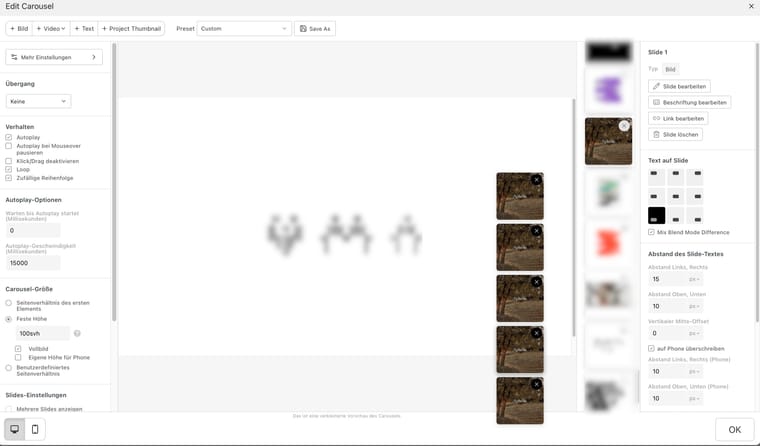
-
Sound effectOne more question:
How can I avoid audio latencies caused by low bandwidth?
Is it possible to preload the sounds? -
Sound effectFantastic!
Thanks a lot for the quick response, Armin. -
Sound effectHi,
is it possible to add a Sound Effect (.mp3) to an Expand/Collapse Row link?
Thanks in advance!
-
Project INdex > Active TEXT ColorPerfect! Thanks a lot…
-
Project INdex > Active TEXT Color@arminunruh Hi Armin,
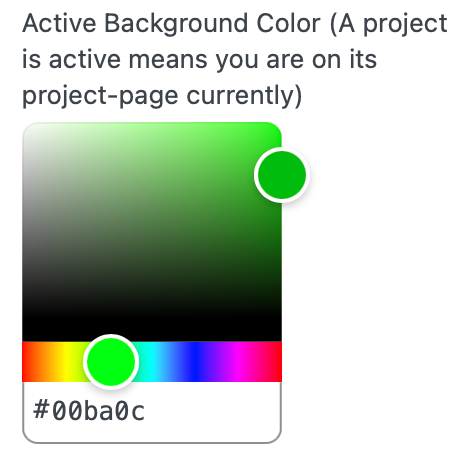
no, I mean the »active« state within the »project index«.
("A project is active means you are on its project-page currently")At the moment there is only an option to change the »Active Background Color«
I would like to change the »Text color« only.
-
Project INdex > Active TEXT ColorHey,
is it possible to change the TEXT color of active projects (instead of the BACKGROUND color)?
Thanks in advance!
-
Carousel content hidden@arminunruh
Works perfect now – thanks! -
Carousel content hidden@XLD Hi Armin,
Site isn't online yet.
Let m know if Victor789's link doesn´t provide clarification… -
Carousel content hiddenHey,
seems like carousel contents are not displayed after the last update in the following set up:
Fullscreen Slider, Browser Height for Row Height, Fill slides, Loop, 100vhContent is missing with "Transition: none"
Content appears with "Transition: slide" -
Text colour according to background contrastThank you for your reply and the solutions provided.
Just in case you got me wrong:
I created a one row layout with a fullscreen carousel (fixed height: 100vH, filled slides) and text elements "on image".Now I'm trying to change these elements (e.g. the site title) on a specific carousel slide (2) like this:
.slug-fullscreen
.lay-carousel-slide:nth-child(2)
.sitetitle span{
color: white !important;
}Does this make any sense?
-
Text colour according to background contrast@XLD said in Text colour according to background contrast:
Hi @arminunruh,
did you have a chance to think about the above issue?
Thanks in advance! -
Text colour according to background contrast -
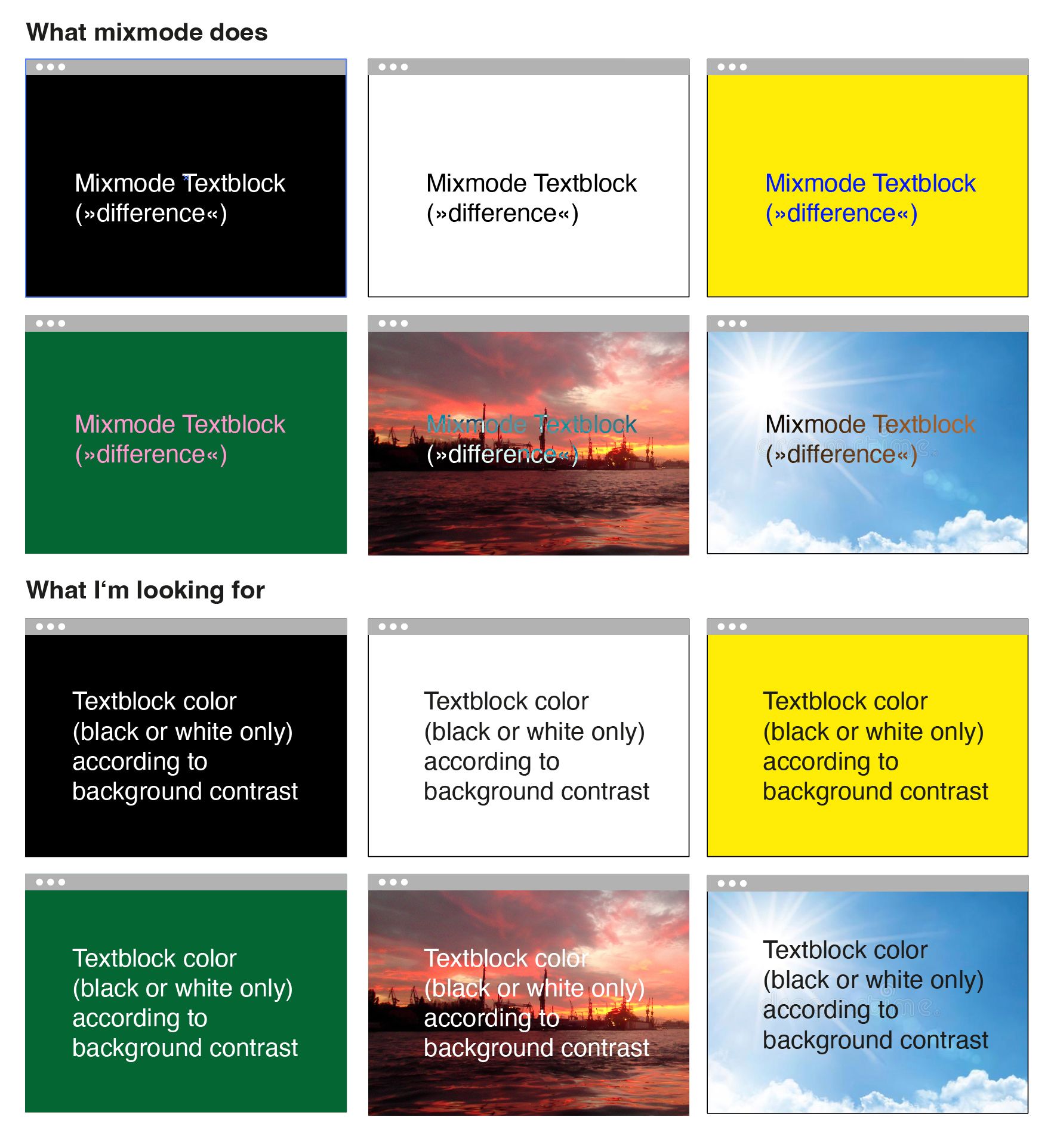
Text colour according to background contrastMix blend works great on plain and high contrast backgrounds.
But gets close to illegible when it comes to photos (s. screenshot). -
Text colour according to background contrastHi Armin,
numbers, captions and text blocks are all on top of the carousel with mix blend mode on (difference).
This works great on plain and calm backgrounds.
But gets quite messy in terms of readability when it comes to detailed photos (s. screenshot).Just wondered if there's a smarter "global" solution than targeting each illegible element…

-
Text colour according to background contrastDear support team,
I'm using fullscreen images (Carousel Addon).
Is it possible to display texts (Menus, Text blocks, Captions, Numbers,…) on top of these images according to the contrast of the background?In terms of:
Dark images > White Text
Bright images > Black TextWould be fantastic if you could provide a solution for this.
Thanks in advance! -
Thumbnail Grid Layout changeHi,
currently I’m using the thumbnail grid with 1 thumbnail per column.
Now I would like to add an option to my page layout, that changes the Thumbnail Grid „Layout Type“.
Like a „view all projects at a glance / Index“ button.
Example:
In default mode it would be
„Top aligned“
1 Column
1% Column Gutter
8% Row GutterAfter the „Click“ it would be
„Masonry“
4 Columns
1% Column Gutter
8% Row GutterIs this possible?
Best,
A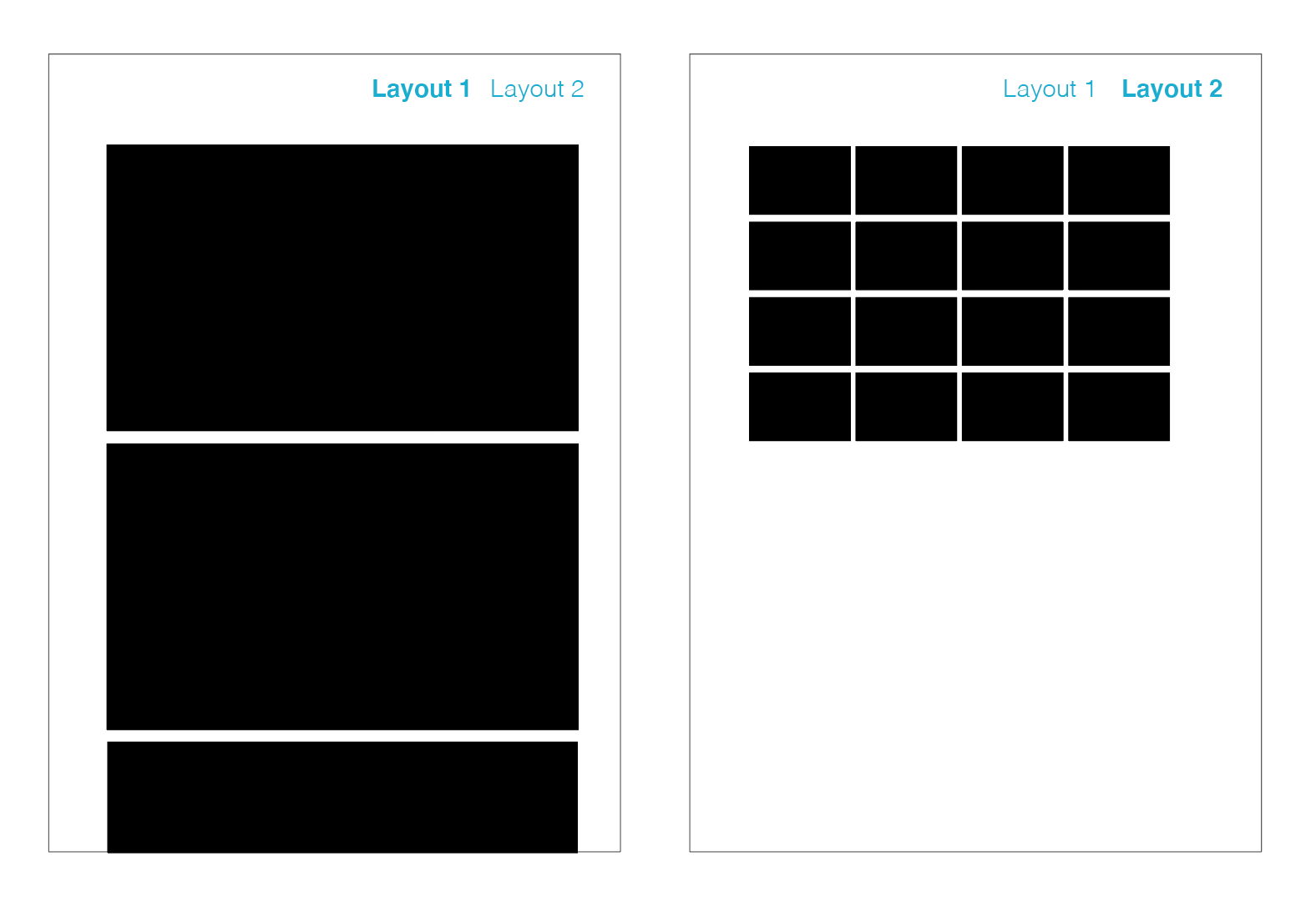
 <
<