Skip to content
  • Recent
  • Tags
  • Popular
  • Users
  • Search
Skins
  • Light
  • Brite
  • Cerulean
  • Cosmo
  • Flatly
  • Journal
  • Litera
  • Lumen
  • Lux
  • Materia
  • Minty
  • Morph
  • Pulse
  • Sandstone
  • Simplex
  • Sketchy
  • Spacelab
  • United
  • Yeti
  • Zephyr
  • Dark
  • Cyborg
  • Darkly
  • Quartz
  • Slate
  • Solar
  • Superhero
  • Vapor

  • Default (No Skin)
  • No Skin
Collapse

Lay Theme Forum

  1. Home
  2. General Discussion
  3. Row Video Background from Vimeo?

Row Video Background from Vimeo?

Scheduled Pinned Locked Moved General Discussion
13 Posts 3 Posters 432 Views 2 Watching
  • Oldest to Newest
  • Newest to Oldest
  • Most Votes
Reply
  • Reply as topic
Log in to reply
This topic has been deleted. Only users with topic management privileges can see it.
  • D Offline
    D Offline
    Dawid
    wrote last edited by
    #4

    bump bump ;)

    1 Reply Last reply
    0
    • arminunruhA Offline
      arminunruhA Offline
      arminunruh
      Global Moderator
      wrote last edited by
      #5

      oh didn't see your last message!

      noo, thats not possible, browsers dont allow videos to autoplay when they are not muted

      1 Reply Last reply
      0
      • D Offline
        D Offline
        Dawid
        wrote last edited by
        #6

        @arminunruh ok, I understand. And if I insert a Vimeo video normally (not as a “Row Background Video”), can I use CSS to set the video to fill the entire browser window? (e.g., 100vw, 100vh)

        1 Reply Last reply
        0
        • arminunruhA Offline
          arminunruhA Offline
          arminunruh
          Global Moderator
          wrote last edited by
          #7

          mmh good question! i havent tried that but im not sure how well that works!

          1 Reply Last reply
          0
          • D Offline
            D Offline
            Dawid
            wrote last edited by
            #8

            @arminunruh Sounds good :) My client would really like his projects to open in full screen with the option to turn on sound. They don't have to start automatically—we can use the video player that comes with LayTheme. I've temporarily used “Row Video Background,” but if the video player could be stretched to fill the entire browser window, that would be great and would solve all the problems.

            Here you can see the website:
            https://warsawproduction.com/

            PS

            I think this small feature could potentially open LayTheme up to websites for production houses and video artists ;)

            1 Reply Last reply
            0
            • arminunruhA Offline
              arminunruhA Offline
              arminunruh
              Global Moderator
              wrote last edited by arminunruh
              #9

              i see!

              im going to release a new update now.
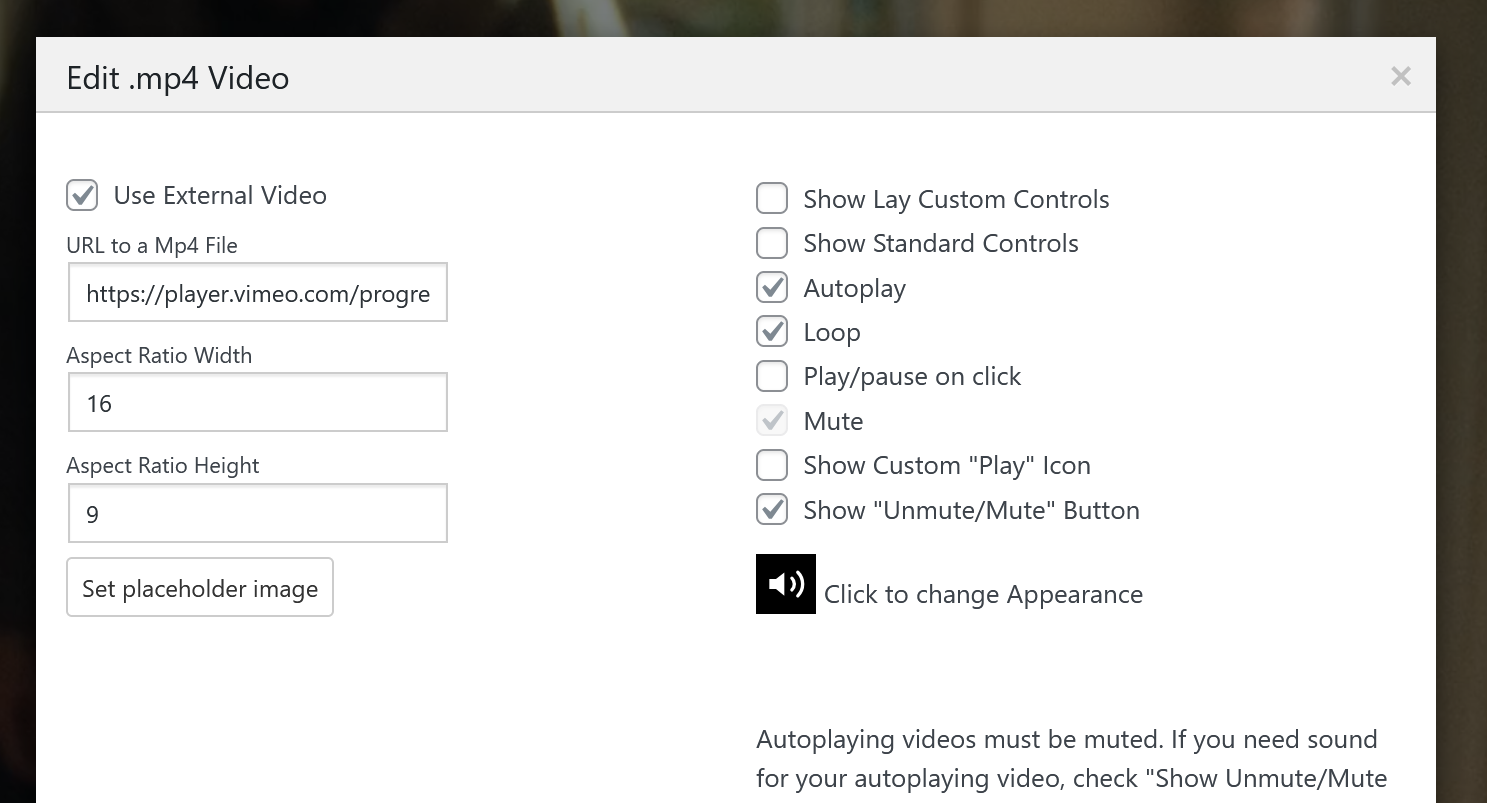
              after you updated, create a .mp4 video element (+video -> +mp4 video)

              like this:
              7414b694-e61c-473e-a9e6-46fd0b3d32ff-image.png

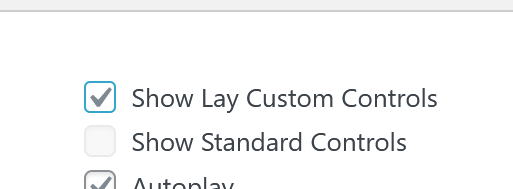
              or use:
              lay custom controls:
              6882707f-be74-4b7b-a47c-be274c11e38f-image.png

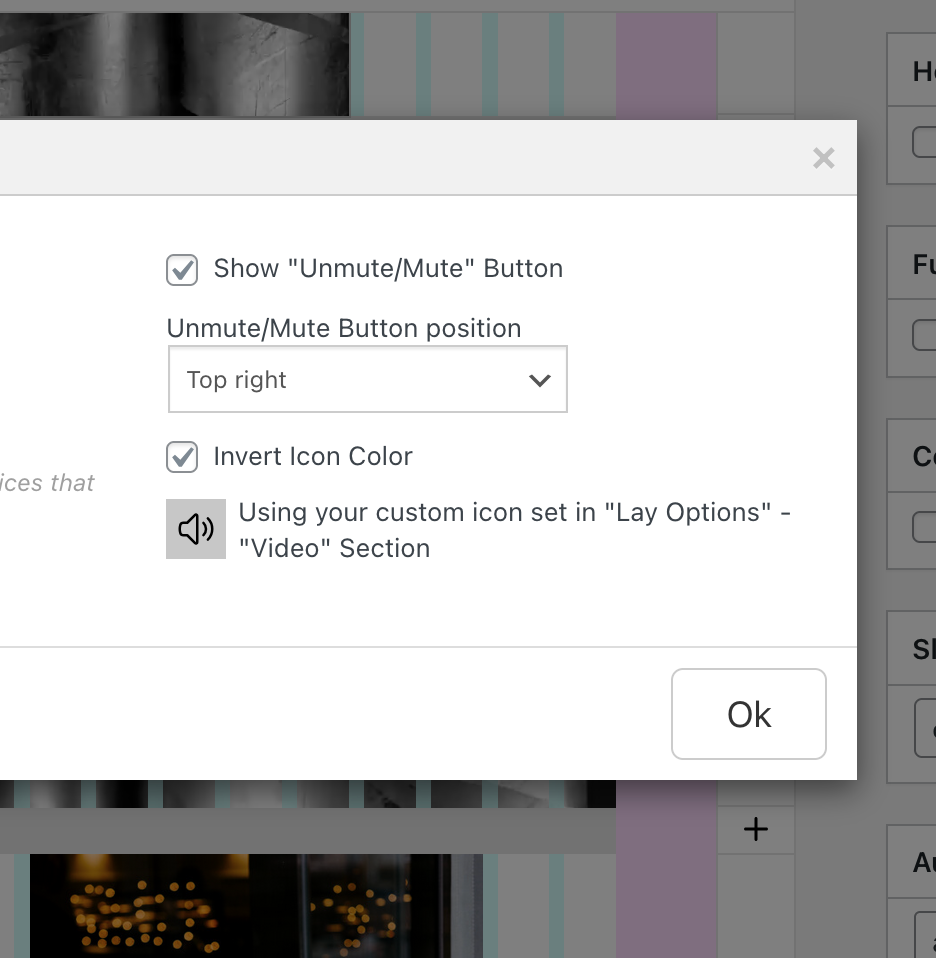
              now in the gridder, select the video and in the sidebar check fixed height and set it to 100svh:
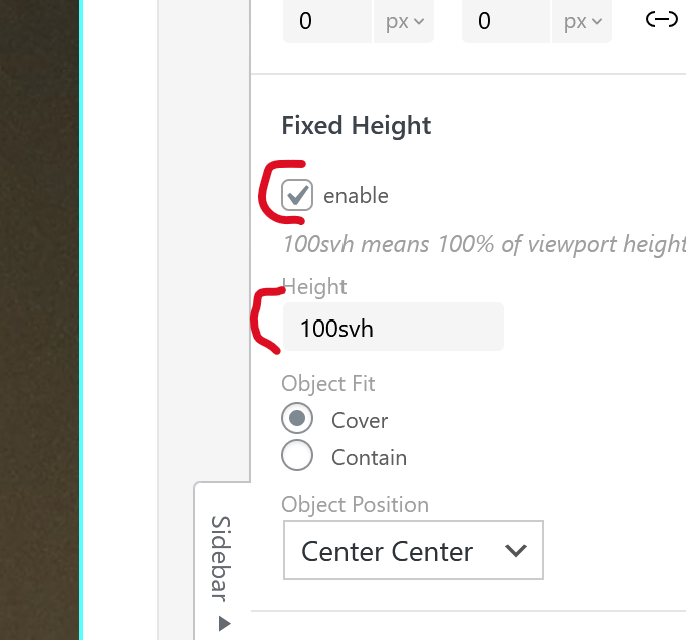
              b74147f0-6578-47cf-9d51-c886148e107a-image.png

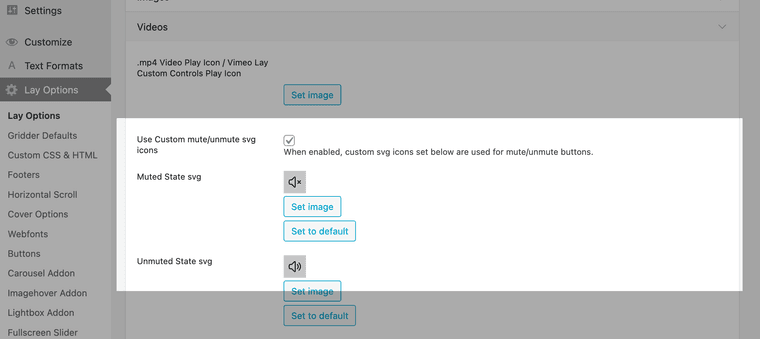
              if you right click the row or the bar next to the row, you can also set the row to be browser height:
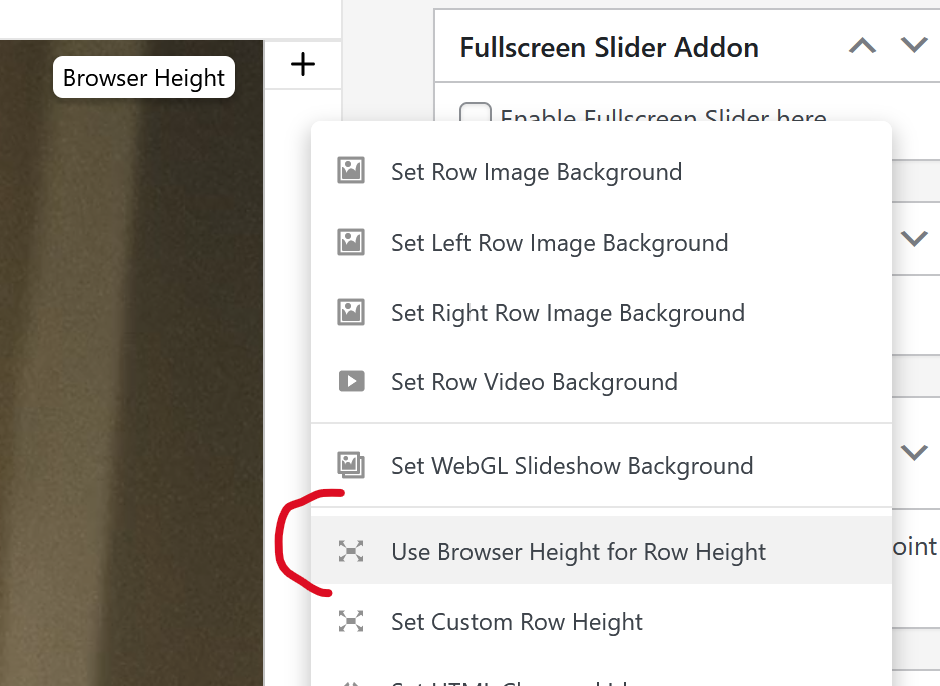
              ac8e008f-fcd6-4d58-a199-6812949bf40e-image.png

              if you do, then you can insert texts on top of the video too

              G 1 Reply Last reply
              0
              • D Offline
                D Offline
                Dawid
                wrote last edited by
                #10

                Wow! Amazing work bro! <3 Thank you very very much! :)

                1 Reply Last reply
                0
                • arminunruhA arminunruh

                  i see!

                  im going to release a new update now.
                  after you updated, create a .mp4 video element (+video -> +mp4 video)

                  like this:
                  7414b694-e61c-473e-a9e6-46fd0b3d32ff-image.png

                  or use:
                  lay custom controls:
                  6882707f-be74-4b7b-a47c-be274c11e38f-image.png

                  now in the gridder, select the video and in the sidebar check fixed height and set it to 100svh:

                  b74147f0-6578-47cf-9d51-c886148e107a-image.png

                  if you right click the row or the bar next to the row, you can also set the row to be browser height:
                  ac8e008f-fcd6-4d58-a199-6812949bf40e-image.png

                  if you do, then you can insert texts on top of the video too

                  G Offline
                  G Offline
                  Giusepe
                  wrote last edited by
                  #11

                  @arminunruh This solution is just what i was looking for! I followed every step you mentioned here but the video appears empty on the gridder, and doesnt show on the page... What could be the problem? Thanks for everything!!

                  1 Reply Last reply
                  0
                  • arminunruhA Offline
                    arminunruhA Offline
                    arminunruh
                    Global Moderator
                    wrote last edited by
                    #12

                    do u have a link?

                    1 Reply Last reply
                    0
                    • arminunruhA Offline
                      arminunruhA Offline
                      arminunruh
                      Global Moderator
                      wrote last edited by
                      #13

                      and are u sure u entered the right url?

                      image.png

                      it shouldnt be a embed url, but if u have a vimeo pro account, you should be able to get a streaming link or download link of the video that looks similar to:

                      https://player.vimeo.com/progressive_redirect/playback/1126128470/rendition/1080p/file.mp4?loc=external&log_user=0&signature=ee8134cc70b92de5d4917e390d7877728073cc02d9132aee4b2768c9c1ffd517

                      1 Reply Last reply
                      0
                      Reply
                      • Reply as topic
                      Log in to reply
                      • Oldest to Newest
                      • Newest to Oldest
                      • Most Votes


                      I also code custom websites or custom Lay features.
                      💿 Email me here: 💿
                      info@laytheme.com

                      Our Web Development company: 100k.studio

                      Want to tip me? https://www.paypal.com/paypalme/arminunruh

                      Before you post:
                      1. When using a WordPress Cache plugin, disable it or clear your cache.
                      2. Update Lay Theme and all Lay Theme Addons
                      3. Disable all Plugins
                      4. Go to Lay Options → Custom CSS & HTML, click "Turn Off All Custom Code", click "Save Changes"

                      This often solves issues you might run into

                      When you post:
                      1. Post a link to where the problem is
                      2. Does the problem happen on Chrome, Firefox, Safari or iPhone or Android?
                      3. If the problem is difficult to explain, post screenshots / link to a video to explain it
                      Online Users
                      A
                      ashy
                      Forgot your key, lost your files, need a previous Lay Theme or Addon version? Go to www.laykeymanager.com
                      laytheme.com
                      • Login

                      • Don't have an account? Register

                      • Login or register to search.
                      • First post
                        Last post
                      0
                      • Recent
                      • Tags
                      • Popular
                      • Users
                      • Search