Skip to content
  • Recent
  • Tags
  • Popular
  • Users
  • Search
Skins
  • Light
  • Brite
  • Cerulean
  • Cosmo
  • Flatly
  • Journal
  • Litera
  • Lumen
  • Lux
  • Materia
  • Minty
  • Morph
  • Pulse
  • Sandstone
  • Simplex
  • Sketchy
  • Spacelab
  • United
  • Yeti
  • Zephyr
  • Dark
  • Cyborg
  • Darkly
  • Quartz
  • Slate
  • Solar
  • Superhero
  • Vapor

  • Default (No Skin)
  • No Skin
Collapse

Lay Theme Forum

  1. Home
  2. General Discussion
  3. Can I put images within the Text Area?

Can I put images within the Text Area?

Scheduled Pinned Locked Moved General Discussion
texttext editorimagesareaimage
6 Posts 3 Posters 2.2k Views 2 Watching
  • Oldest to Newest
  • Newest to Oldest
  • Most Votes
Reply
  • Reply as topic
Log in to reply
This topic has been deleted. Only users with topic management privileges can see it.
  • 9
    9
    90s
    wrote on last edited by
    #1

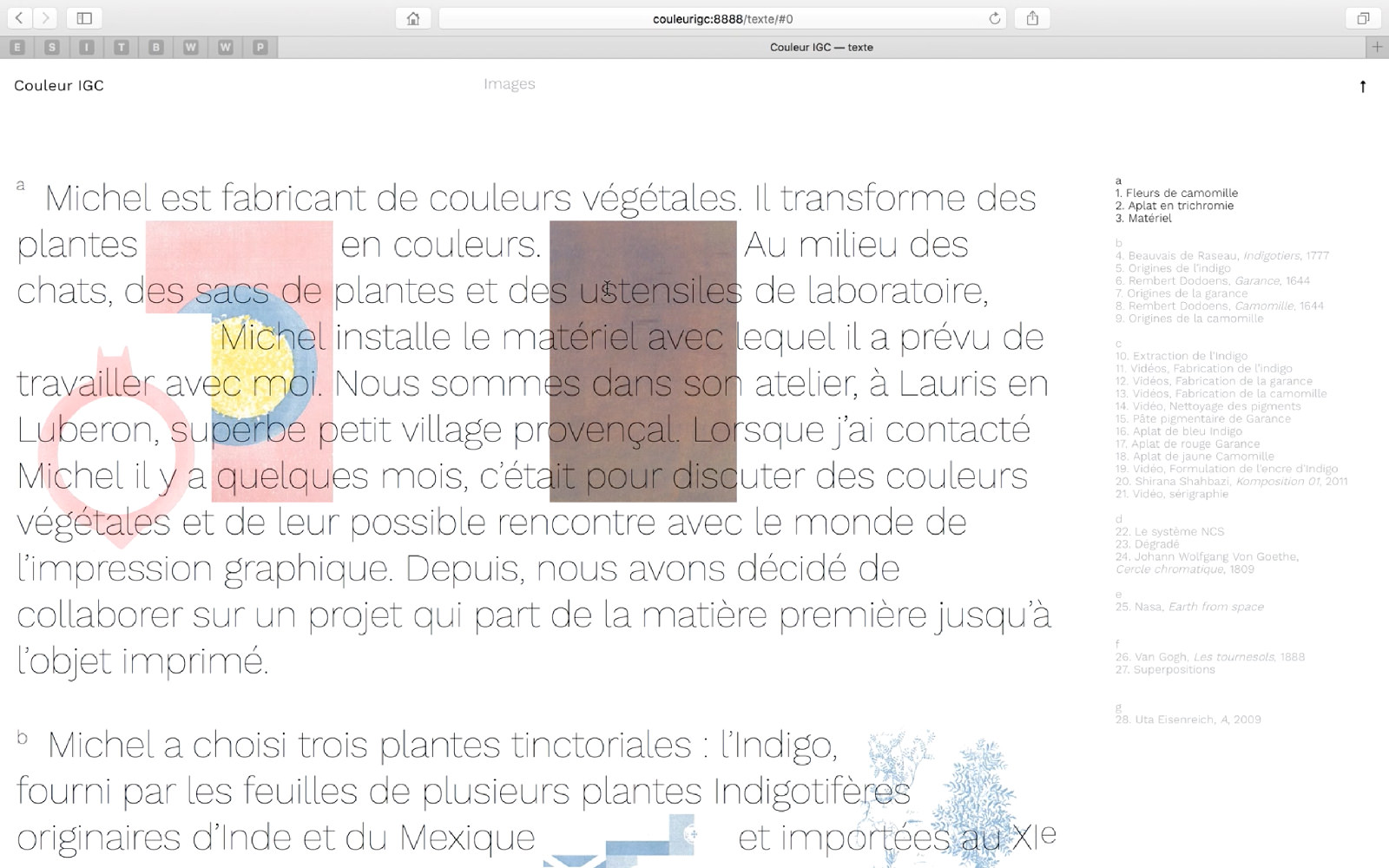
    I would like to do something like this —> www.hansbroek.com <— and put images between words.
    Can you help me? :)

    I'm quite new to the web site coding world, so I'll be very grateful if you'll explain all the steps to do it.
    Thanks you so much!

    PS: i know that a similar topic already exists, but it didn't help me :(

    1 Reply Last reply
    0
    • arminunruhA
      arminunruhA
      arminunruh
      Global Moderator
      wrote on last edited by
      #2

      Oh, hmmm, thats not super easy to do

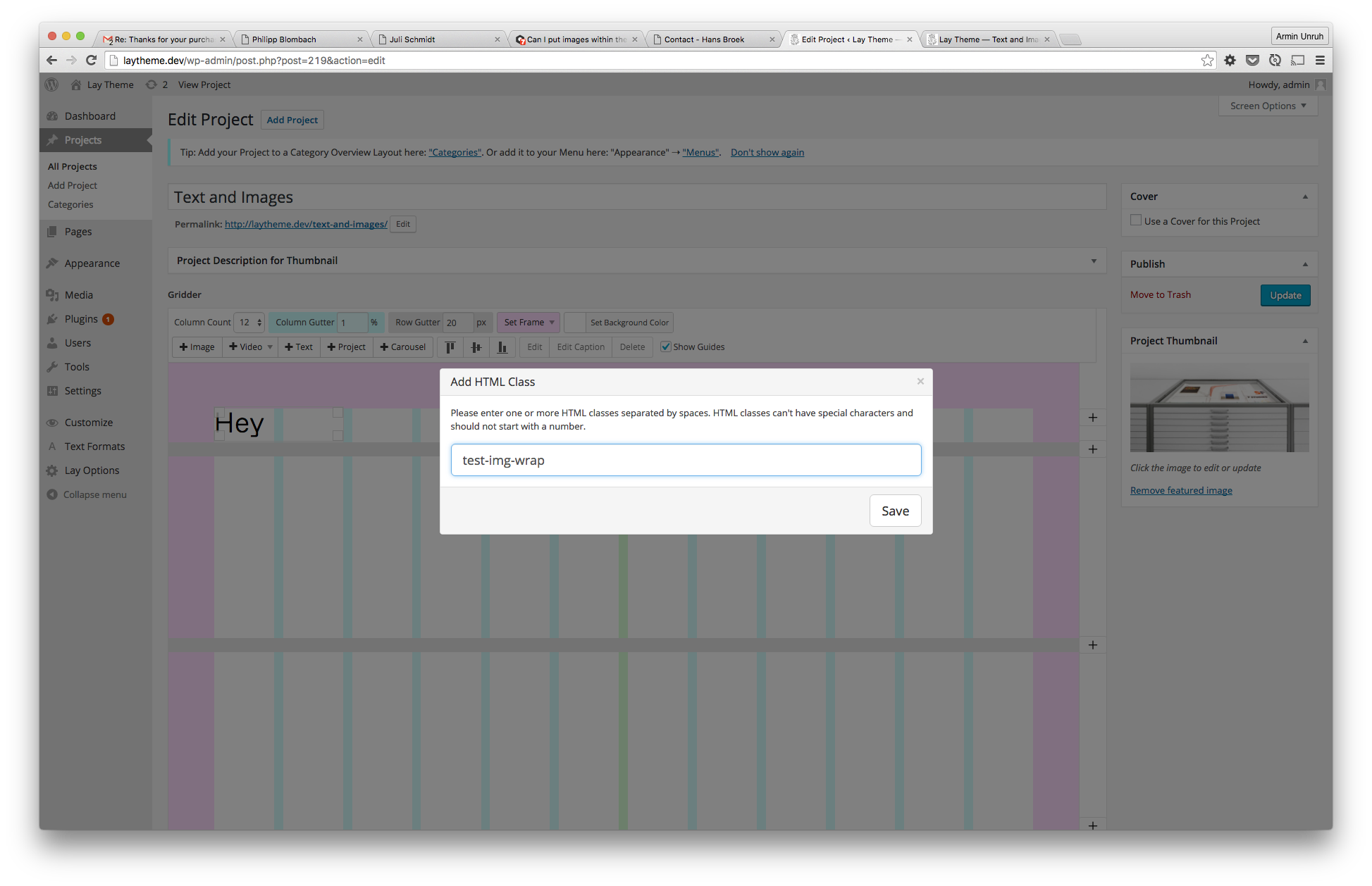
      Create a new text, just write "Hey".
      Give the textfield a class "test-img-wrap" using the "class" button (here's where to find the class button: http://laytheme.com/documentation.html#custom-css-styling )
      Screen Shot 2016-05-02 at 10.57.56.png

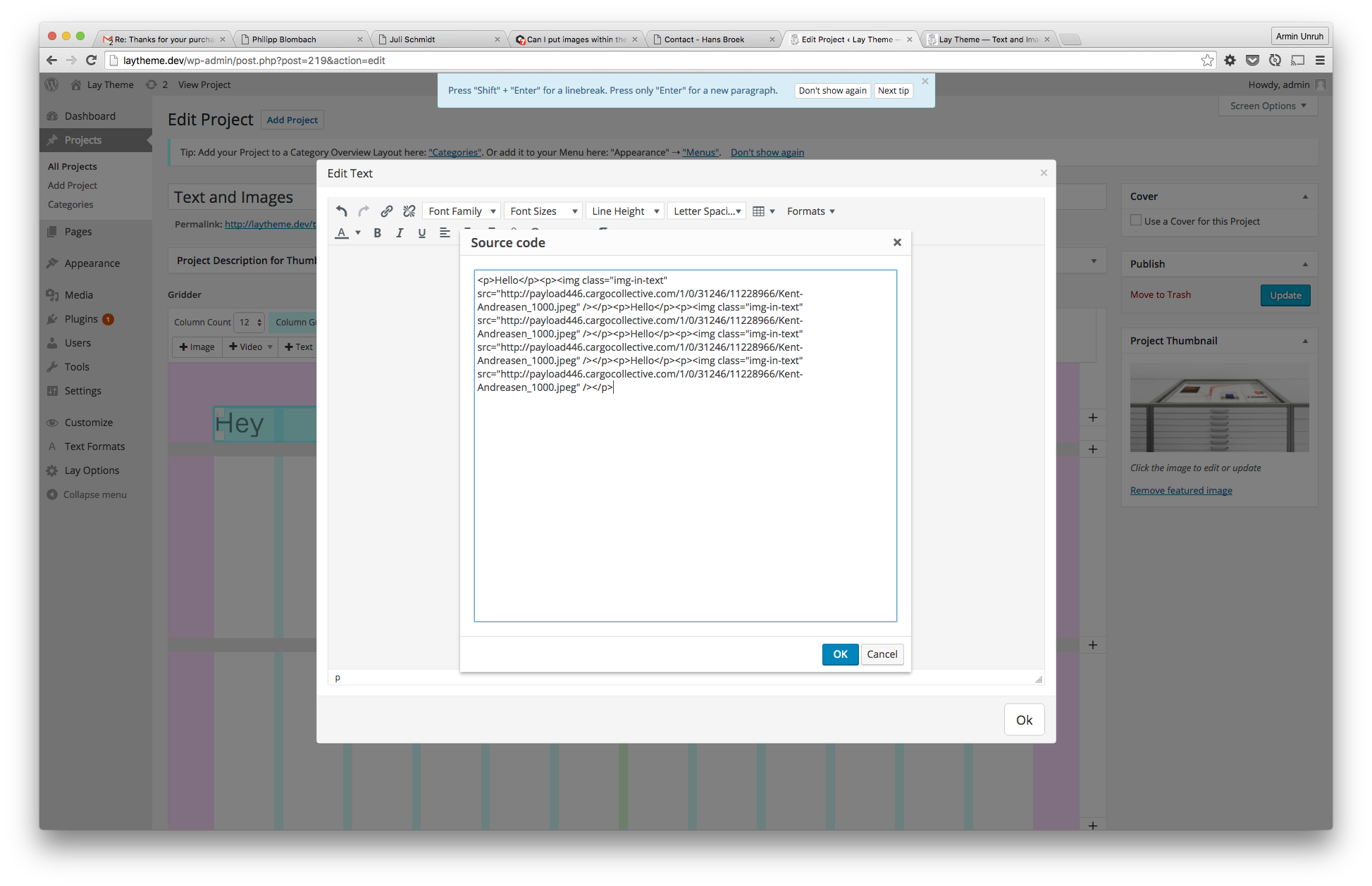
      Now edit the text and put text and images into a textfield using the <> code button. I'm using the class "img-in-text" for every image

      <p>Hello</p><img class="img-in-text" src="https://upload.wikimedia.org/wikipedia/en/d/d4/Mickey_Mouse.png" /><p>Hello</p><img class="img-in-text" src="https://upload.wikimedia.org/wikipedia/en/d/d4/Mickey_Mouse.png" /><p>Hello</p><img class="img-in-text" src="https://upload.wikimedia.org/wikipedia/en/d/d4/Mickey_Mouse.png" /><p>Hello</p><img class="img-in-text" src="https://upload.wikimedia.org/wikipedia/en/d/d4/Mickey_Mouse.png" />
      

      Screen Shot 2016-05-02 at 10.58.12.png

      Now put some CSS into "lay-options" -> "custom css":

      .col img.img-in-text{
          display: inline-block;
          height: 100px;
          width: auto;
          position: relative;
      }
      
      .test-img-wrap p{
          display: inline-block;
          vertical-align: middle;
      }
      

      And thats what it looks like:

      Screen Shot 2016-05-02 at 11.08.42.png

      1 Reply Last reply
      0
      • S
        S
        samuel_gadea
        wrote on last edited by
        #3

        Hello !
        Thank's for this tutorial.
        I have a question.
        Is it possible to use the lightbox plugin with img in the text ?
        I can not make it work.

        (sorry for my bad english)

        Samuel

        1 Reply Last reply
        0
        • arminunruhA
          arminunruhA
          arminunruh
          Global Moderator
          wrote on last edited by
          #4

          Hey Samuel, your english is great, don't worry. Unfortunately the lightbox works only with images that you add using the '+image' button.

          1 Reply Last reply
          0
          • S
            S
            samuel_gadea
            wrote on last edited by
            #5

            Hey !
            I managed to use lightbox plugin in the text after few hours of work. I've fiddling "app-min.js" and the plugin is almost OK. You can see the result on youtube. The website is not currently online.
            Thanks anyway for your answer.

            Samuel

            co.jpg

            1 Reply Last reply
            0
            • arminunruhA
              arminunruhA
              arminunruh
              Global Moderator
              wrote on last edited by
              #6

              Oh wow great job!

              1 Reply Last reply
              0

              Hello! It looks like you're interested in this conversation, but you don't have an account yet.

              Getting fed up of having to scroll through the same posts each visit? When you register for an account, you'll always come back to exactly where you were before, and choose to be notified of new replies (either via email, or push notification). You'll also be able to save bookmarks and upvote posts to show your appreciation to other community members.

              With your input, this post could be even better 💗

              Register Login
              Reply
              • Reply as topic
              Log in to reply
              • Oldest to Newest
              • Newest to Oldest
              • Most Votes


              Online Users
              L
              lstark
              Forgot your key, lost your files, need a previous Lay Theme or Addon version? Go to www.laykeymanager.com
              laytheme.com
              • Login

              • Don't have an account? Register

              • Login or register to search.
              • First post
                Last post
              0
              • Recent
              • Tags
              • Popular
              • Users
              • Search