SOLVED! :-D
Aleksandar
Posts
-
Pill Menu with Many Items. Scrollable? -
Pill Menu with Many Items. Scrollable?Hi Armin,
Awesome, thanks for the quick update! The scroll function is working now. š
I just noticed that the bottom border is missing now. It looks like the box is being cut off at the bottom? I havenāt changed anything in the settings.
LG
Aleks -
Pill Menu with Many Items. Scrollable?Hey Armin!
Great, thank you for your quick reply. And looking forward to the update. :-DLg
Aleks -
Pill Menu with Many Items. Scrollable?Hi Armin,
Iām currently building a one-page website for a friendās PhD thesis and I'd really like to use the Pill Menu.
The problem is that I have 7 menu items, so the pill becomes too long and the last few items arenāt visible anymore. At the moment I can only access the first four.
Is there any way to make the Pill Menu horizontally scrollable, or have it automatically shift as you scroll through the page so the active menu item always stays visible?
Just for context: the Pill Menu is only meant as the primary navigation. There's also an overlay menu that lists all sections of the thesis, so users can still access everything from there.
All best
Aleks -
News orderMega!! Super! Merci! :-D
-
News orderHello Armin,
I have a question regarding the news order.
For projects, itās possible to control the position of the thumbnails by changing their order in the backend via drag and drop. This works as expected.
The drag-and-drop function is also available for news items, but changing the order in the backend doesnāt seem to affect their order in the frontend. Is the frontend order determined solely by the publication date, or is there a way to manually change the position and order of news items in the overview as well?
All best
Aleks -
Overlay on mobile devicesMay I ask how?! :-D
-
Standard WooCommerce tabs -> accordion?Wau!! Didnāt know there are WooCommerce Settings in Customize! Was doing everything manually with CSS! Haha! Thank you!!
-
Standard WooCommerce tabs -> accordion?Hi Armin,
Iām creating a variable product in WooCommerce because I offer different sizes. For a regular product, the description appears directly beneath the āAdd to Cartā button. But as soon as it becomes a variable product, the standard WooCommerce tabs turn into an accordion. How can I skip this accordion? I just want the description to appear as plain text, like it did before.
Hereās a product example:
-
link in product descriptionThank you. :-)
-
link in product descriptionHi Armin,
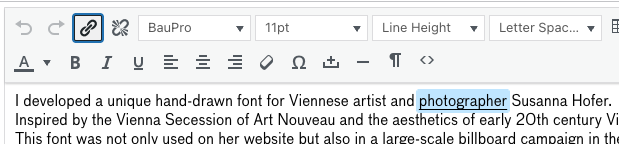
Iād really like to be able to add a link directly in the product description. The small chain icon is visible in both the main product description and the short description, but it doesnāt actually let me define a link.
In the main product description, thereās still an HTML source view where I can manually insert a link, but it would be much better if both fields allowed links to be added directly through the standard toolbar buttons.

All best
Aleks -
Long loading time.thank you!
"you mean project overview page in wp-admin?"
yes, this one! -
Long loading time.Hi Armin,
The page is taking quite a long time to load. :-/
Iām wondering what could be causing this. The projects overview page has around 200 project pages. And on the backend projects overview page, all pages are now displayed at once, whereas before there were page numbers. Could this be caused by a plugin, or is it part of the new LayThemes update?
Unfortunately, sometimes a 500 error also appears. Could it be possible that the issue is caused by the client entering content incorrectly? For example, if they copy-paste text and it creates messy HTML.
I hope I can find a solution.
All best
Aleks -
Project thumbnails same heightHey Armin, thank you very much! Last CSS version is completely fine! Thank you very much! And YES, next time I'm posting a link. :-)
Merry Christmas and guten Rutsch! :-D
-
Project thumbnails same heightHi Armin,
maybe this has already been asked and answered somewhere. If so, Iād appreciate a link.
Otherwise, my question is:
how can I make all project thumbnails the same height, even if the titles have different lengths? Sometimes the titles are one line, sometimes two lines, which makes the thumbnails different heights. Since Iām using a background color for the entire project thumbnail, it would be great if they were all the same height.
Is there a way to do this with custom CSS? I just canāt figure it out. Iāve tried all sorts of things, but nothing seems to work. :-/
All best
Aleks -
"load more" button for projectsOk ok! I totally understand. š Only do things that reach a broader audience. š But thank you for having a look.
Actually I did something similar for my shop:
https://aleksandartodorovic.com/shop/Every row is a different project/product category. It works perfectly. š
-
"load more" button for projects@arminunruh said in "load more" button for projects:
its actually the first time someone ever asked for this :O
Iām usually quite good at that! š¤£šµāš« Thanks for clearing up.
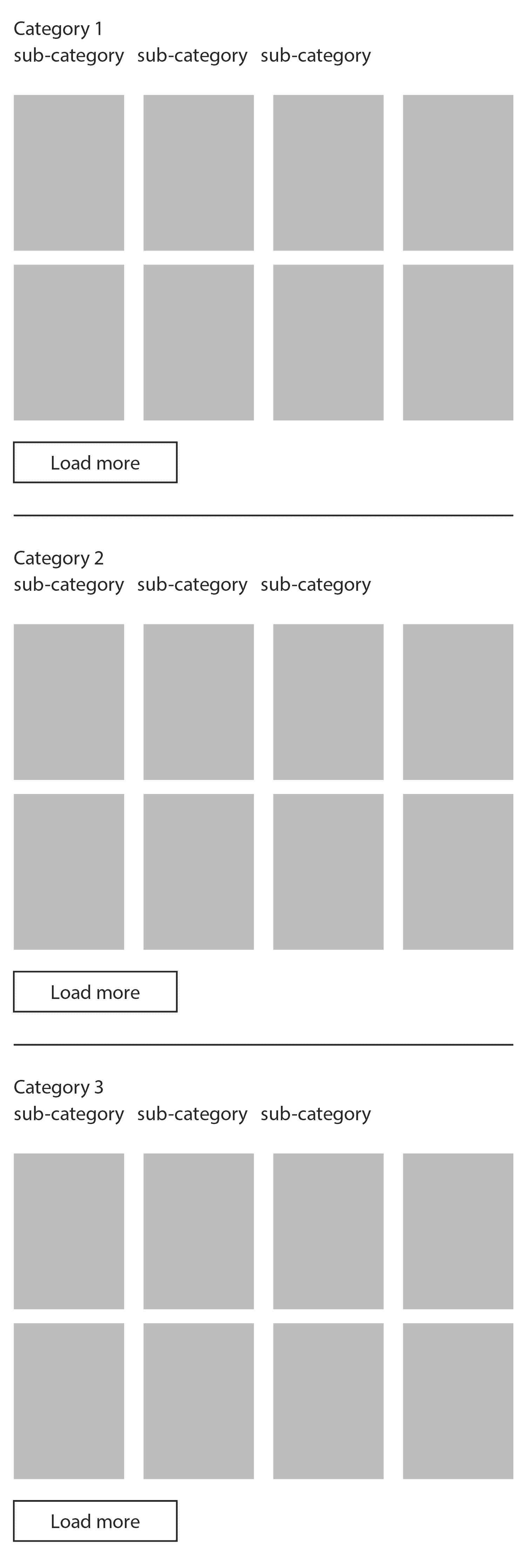
Nevertheless I thought Iād just share my idea: basically, itās a refined selection for the user, sorted by categories, which are then divided into additional sub-categories. Itās a more defined way of structuring things to create a kind of overview page or index that gives a nice, clear snapshot of everything.

-
"load more" button for projectsHey Armin! Thanks for the update, really appreciate how quickly you pulled this off. š
Now I have a quick question: Iām trying to show multiple Projects Thumbnail sections on one page with āLoad Moreā buttons. Could it be that āLoad Moreā canāt be used multiple times on the same page? Some are showing up some donāt. š§
Also, I was wondering if itās possible to add AND and OR options for the category filter as well, similar to what already exists for tags.
And last but not least, (just a suggestion), since potentially there could be a lot of projects, it would be amazing to have a small search field that visually matches the filter bubbles. The more projects there are, the more useful a quick search becomes. šµāš«š
All best
Aleks -
Can't save Webfont (link tag)Hola Armin,
Iām trying to add some web fonts from Adobe Fonts using a link tag, but the changes wonāt save. Uploading fonts works fine, tho.
All best
Aleks -
gridder disappearsHi Armin,
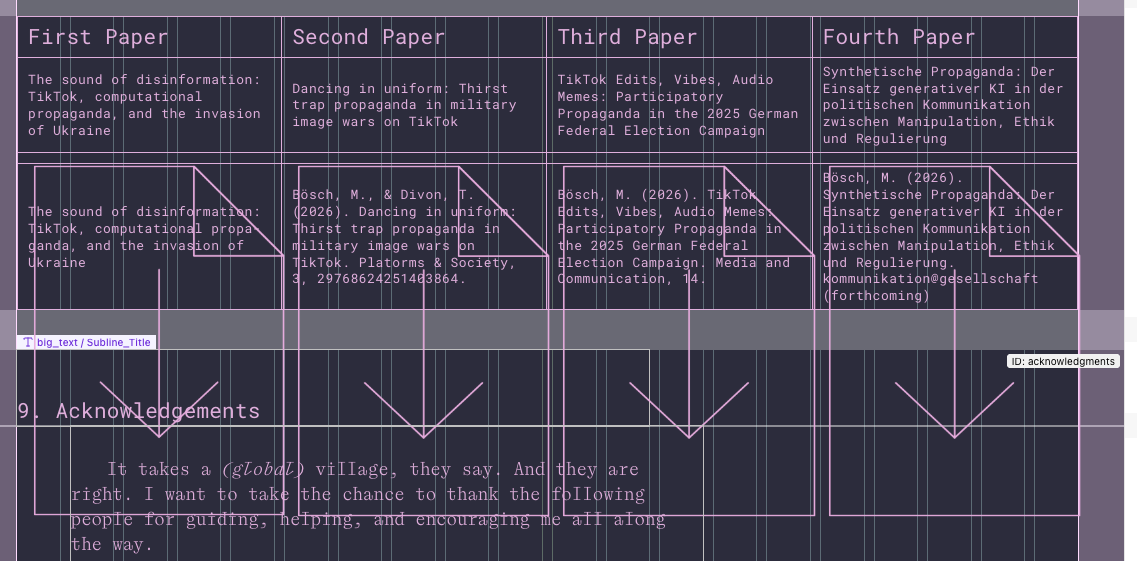
I tried editing some text in the gridder, but as soon as I double-click it, the gridder disappears. It becomes completely invisible. When I refresh the page, it shows up again. Is this a bug?The page has almost no plugins.
All best
Aleks