Hello everyone, store notice is working fine on desktop but not displaying at all on mobile
www.nostudio.shop
Please advise
Thank you
G
georgiaharizani
@georgiaharizani
Posts
-
Store notice not working on mobile -
Flying Sidecart bug?Ok so I solved it :D
.lay-cart-icon-wrap {
visibility: hidden;
display: none;
width: 0;
margin: 0;
padding: 0;
}Input in Custom CSS for Mobile Version, hides the icon completely, the solution for adding the cart to the menu as a custom link works for desktop and mobile, disable ajax plugin (no flying cart unfortunately).
-
Flying Sidecart bug?Hi everyone,
I also have the same problems as @davidd www.georgiaharizani.com
I want to entirely remove the icon from mobile (it doesn't work at all-cannot be clicked) and also I have the CartCart issue on both desktop and mobile when adding the page to the menus.I found a possible solution for the CartCart problem @Richard @emgeoffice
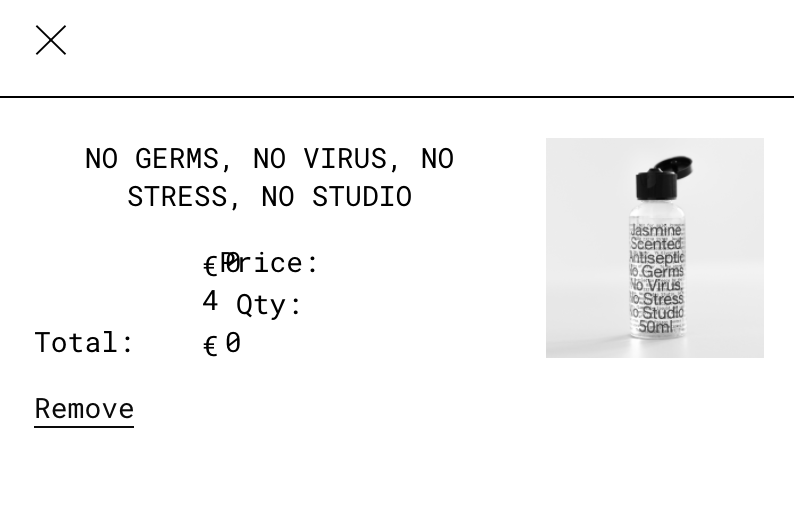
On both menus I added the cart URL as a custom link. So I named it Cart and linked it to georgiaharizani.com/cart. It displays properly on desktop and mobile + it works.I now only have the following problem : flying cart text looks all mumbled up (see attached screenshot) on desktop.
It would be great if those issues could be resolved as they are vital to a shops' operation.
Thank you so much Lay Theme team for the great work and constant support.
-
Graphic Design PortfolioHello everybody, I recently designed my portfolio website for my graphic design practice on Lay Theme. In love with the environment and the capabilities, thank you so much to the team. I used the carousel and image hover add ons with which I am very satisfied. I'm also slowly starting to work on the e-shop. Would definitely recommend it, easy to use and highly customizable.
Best, Georgia -
Newsletter signup form@Richard-K Hi Richard! Thank you for getting back. I've managed to integrate the form on desktop in a way that suits my design, you can see it here https://georgiaharizani.com/news.
However on mobile, I can't style the form. Styling it using the free plugin Ninja Forms Styler lite which has a mobile section doesn't change anything on the mobile layout. Therefore when viewed on mobile (the majority of my audience) you will see all elements (text mostly) are very big.Haven't managed to solve that, any insight you may have is much appreciated.
In the future I will purchase the Ninja Form Styler to do it properly.
Thanks again,
Georgia -
Nav bar-Menu color change according to page colorHi Richard,
Just any project really. I would like to change the background for example here: https://georgiaharizani.com/2021-weekly-index to black and have menu buttons and text be white.
An ideas?
Thanks <3 -
Newsletter signup formForgot to give you the site here.
It's georgiaharizani.com. -
Newsletter signup formHi @Richard-K and thank you for getting back.
So I've managed to create a form for email signup and I can view addresses in the stored submissions (that way I don't have to pay for MailChimp just yet).
However I haven't figured out how to make the form appear above elements in the info page rather than below them and also how to make it go away once it's been filled or discarded.
Furthermore, I can't find how to style the form (make fonts match the website, change button etc.)
Any help is much appreciated.
Thank you,
Georgia -
Newsletter signup formHello everyone, admins,
Has anyone managed to add a newsletter signup form to their lay theme website?
Does Mailchimp work?
A found a thread about this but it is quite old.Thanks in advance,
Georgia Harizani -
Mobile menu not accepting new webfontMenu in mobile doesn't follow new webfont.
Hello admins and everyone,
I have changed the font on my website from Helvetica to Roboto Mono via webfonts.
Everything has changed but the Menu buttons on mobile remain in Helvetica.
Any ideas?Thank you,
Georgia
georgiaharizani.com -
Nav bar-Menu color change according to page colorHello everyone,
Is there a way to have my menu background color change with the page background color?
My main site has a white background so the menu is white.
https://georgiaharizani.com/3651-calendar
On the projects page I have a project with an all black background and I would like for the menu to be black (with white letters).
The code below works for changing the nav bar color but not the buttons, so they cant be seen atm.
Thank you,
Georgia