Skip to content
  • Recent
  • Tags
  • Popular
  • Users
  • Search
Skins
  • Light
  • Brite
  • Cerulean
  • Cosmo
  • Flatly
  • Journal
  • Litera
  • Lumen
  • Lux
  • Materia
  • Minty
  • Morph
  • Pulse
  • Sandstone
  • Simplex
  • Sketchy
  • Spacelab
  • United
  • Yeti
  • Zephyr
  • Dark
  • Cyborg
  • Darkly
  • Quartz
  • Slate
  • Solar
  • Superhero
  • Vapor

  • Default (No Skin)
  • No Skin
Collapse

Lay Theme Forum

R

rioma7

@rioma7
Unfollow Follow
About
Posts
24
Topics
8
Shares
0
Groups
0
Followers
0
Following
1

Posts

Recent Best Controversial

  • How to set up an index of text instead projects
    R rioma7
    General Discussion

    @arminunruh

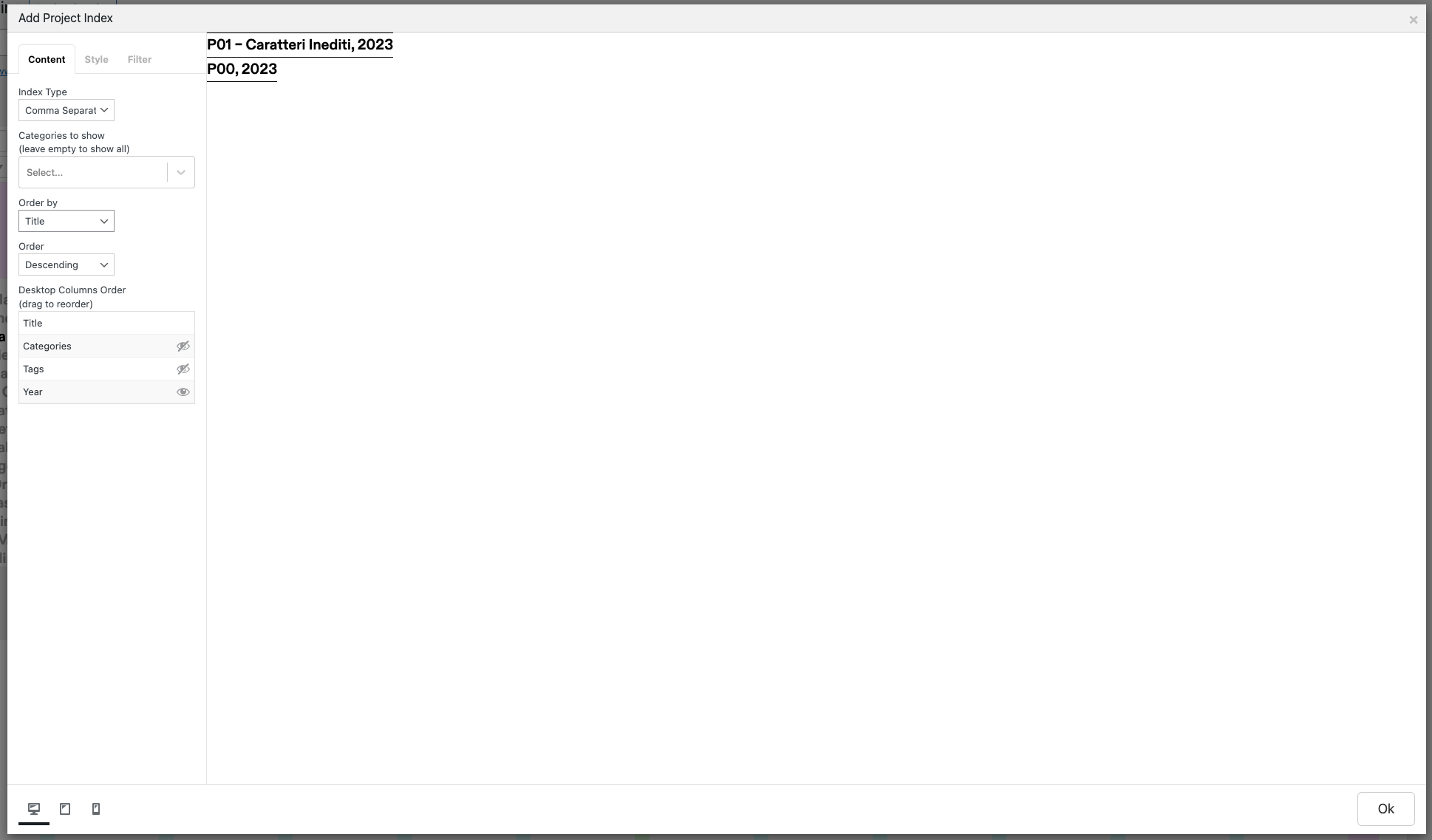
    How could I create an index of information and not of projects if I don't want to use the Element Grid?
    The reason why I am not using the Elements Grid and I am asking for the PROJECTS INDEX is because the projects index has different features as the filters, the years, etc.

    Is it more clear now?

    Thanks in advance
    Mario


  • How to set up an index of text instead projects
    R rioma7
    General Discussion

    @arminunruh Thanks Armin but I would like to do it on desktop using the project index, is that possible? thanks


  • How to set up an index of text instead projects
    R rioma7
    General Discussion

    @arminunruh I did it now using the ELEMENT GRID but the translation to the mobile version it's vertically not horizontally as we meant the hierarchy.

    Screenshot 2023-02-17 at 17.11.27.png


  • How to set up an index of text instead projects
    R rioma7
    General Discussion

    @arminunruh Thanks but it doesn't work! It shows me anyway the Titles of the projects I have in my website!

    Screenshot 2023-02-16 at 10.56.27.png


  • How to set up an index of text instead projects
    R rioma7
    General Discussion

    @alasdair17 Thanks but I need the structure of project index, especially for the mobile version. Because if I do like you said then the mobile visualisation would be vertically and not horizontally, as I need.


  • How to set up an index of text instead projects
    R rioma7
    General Discussion

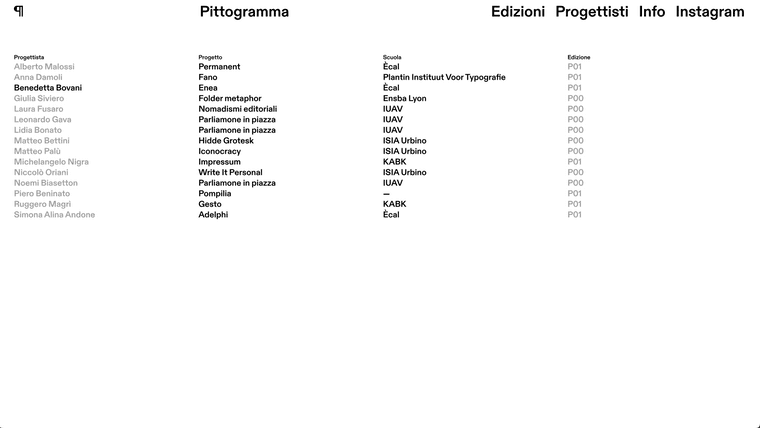
    Hey guys I was wondering how can I set up an index of text boxes instead of projects. I tried with ELEMENT GRID is not possible to have horizontal line dividing the rows and also the mobile visualisation is too confused.

    Thanks in advance


  • Two text boxes, one row
    R rioma7
    General Discussion

    Hello everyone, I was wondering if there is a possibility to have two different text boxes on the same raw.

    Please look to the right column which have two different text boxes in the Figma screenshot below

    01_editions.png


  • Project Index preview not showing after being inserted in the page
    R rioma7
    Addons

    Same here! I have the exact same problem. I tried to update everything again, also reinstalling wordpress but still.


  • Project Index BUG
    R rioma7
    General Discussion

    Hi there,

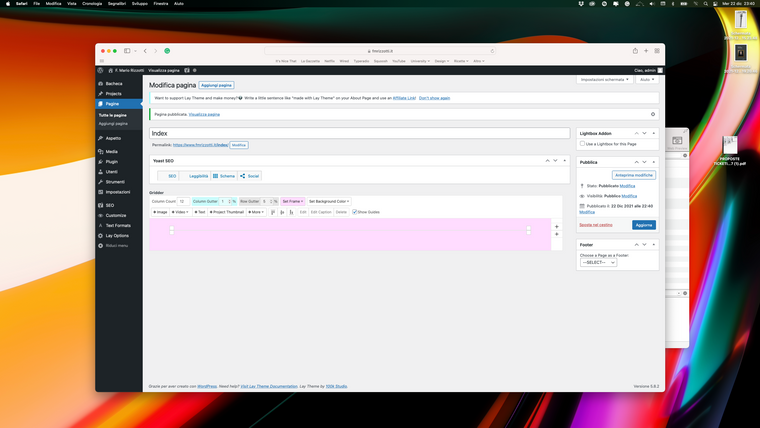
    I am trying to set up my project index but as soon as I confirm all the settings and I try to place it on the page, then the result is just a line that I cannot control. I tried to empty the caches but nothing changed, also tried to do it with Safari instead of Chrome but still and in the end sometimes it happens that the page cannot be found.

    Do you have any advice?
    Thanks

    Schermata 2021-12-22 alle 23.40.51.png


  • Hide columns
    R rioma7
    General Discussion

    Any updates about it?

    Thanks


  • Hide columns
    R rioma7
    General Discussion

    @Richard it's www.fmrizzotti.it


  • Hide columns
    R rioma7
    General Discussion

    Hey guys, anyone has a solution? Thanks


  • Hide columns
    R rioma7
    General Discussion

    Dear everyone,

    I need your help because I cannot find a solution.
    So, here is my website and as you can see, in the project "section" there are 4 columns (project, field, place, and year). The problem is that I would like to hide the 3 columns (field, place, and year) on the mobile version.
    To do that I added on the custom CSS for mobile this code:

    .column-wrap:nth-child(2) { display: none}
    

    but it doesn't work, I know it's just for the second column but neither for that one is working.

    So, can anyone please suggest me something else?

    Thanks


  • Different link color footer with background
    R rioma7
    General Discussion

    @edgrbnz said in Different link color footer with background:

    #footer-region a {
    color: #FF0000;
    }

    #footer-region a:hover {
    color: #00FFFF;
    }

    Thanks guys


  • Different link color footer with background
    R rioma7
    General Discussion

    Dear Laytheme,

    I am having a problem with the footer link's color.
    I created a new TEXT FORMAT with the right color but the footer has the same color of the default link's color so, the links in the footer are not visible expect when you go hover.

    Here is the link of it: https://www.pittogramma.xyz/manifesto/

    What should I write in the Custom HTML&CSS to make those links greeny as the normal text?

    Thanks in advance


  • Added font does not display
    R rioma7
    Bug Reports

    The website is not available at the moment but it doesn't on the website either.


  • Added font does not display
    R rioma7
    Bug Reports

    Dear all,

    I have a problem with a couple of fonts.
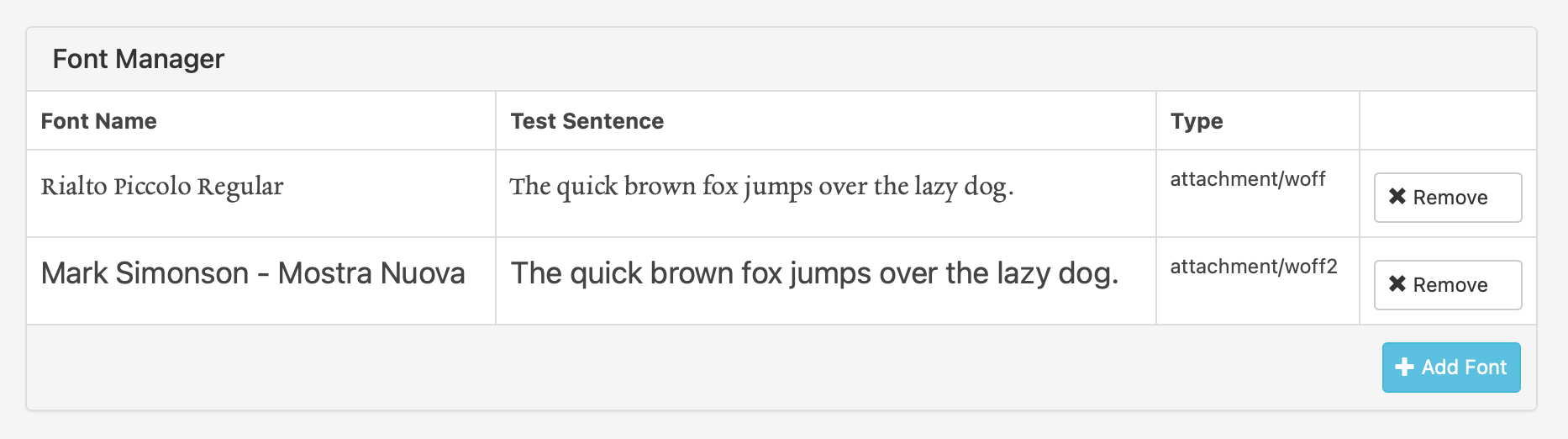
    I uploaded 2 fonts in .woff and .woff2 and, they don't appear properly but they look like a random font.

    Schermata 2020-11-26 alle 17.13.21.png

    as you can see here: https://www.fonts.com/font/mark-simonson-studio/mostra-nuova?QueryFontType=Web&src=GoogleWebFonts , the font is totally different.

    I already tried to clean the cache but doesn't work.

    Best, Mario


  • Overlay button
    R rioma7
    General Discussion

    I have solved this request by myself but if someone is interested, here is the code I used.

    Custom CSS

    body {
        position: relative;
    }
    #buttonCta {
        position: fixed;
        z-index: 999;
        border-radius: 70px;
        background-color: #0000FF;
        border: 5px solid #F0FCD2;
        text-align: center;
        padding: 12px 25px;
        cursor: move;
    }
    
    #buttonCta     a {
        
            font-family: SpaceMono-Regular;
            color: #F0FCD2;
            text-align: center;
            text-transform: uppercase;
            font-size: 60px;
            cursor: pointer;
     }
     
    #buttonCta:hover {
            background-color: #F0FCD2;
            border: 5px solid #0000FF;
        }
    
        
        #buttonCta:hover a {
            color: #0000FF;
        }
    
     @media only screen and (max-width: 601px) {
           #buttonCta {
            display: none;
           }
        }


    CUSTOM HEAD CONTENT (JAVASCRIPT)

    <script type="text/javascript">
    document.addEventListener('DOMContentLoaded', () => {
    const cta = document.getElementById("buttonCta");
    
    if((window.innerWidth > 601) && cta) {
        var randomtop = Math.floor(Math.random() * 70);
        var randomleft = Math.floor(Math.random() * 70);
        cta.style.top = `${randomtop}vh`;
        cta.style.left = `${randomleft}vw`;
        dragElement(cta);
    }
    
    console.log(window.innerWidth > 601, cta)
    
    function dragElement(elmnt) {
      var pos1 = 0, pos2 = 0, pos3 = 0, pos4 = 0;
    
        elmnt.onmousedown = dragMouseDown;
    
      function dragMouseDown(e) {
        e = e || window.event;
        e.preventDefault();
        // get the mouse cursor position at startup:
        pos3 = e.clientX;
        pos4 = e.clientY;
        document.onmouseup = closeDragElement;
        // call a function whenever the cursor moves:
        document.onmousemove = elementDrag;
      }
    
      function elementDrag(e) {
        e = e || window.event;
        e.preventDefault();
        // calculate the new cursor position:
        pos1 = pos3 - e.clientX;
        pos2 = pos4 - e.clientY;
        pos3 = e.clientX;
        pos4 = e.clientY;
        // set the element's new position:
        elmnt.style.top = (elmnt.offsetTop - pos2) + "px";
        elmnt.style.left = (elmnt.offsetLeft - pos1) + "px";
      }
    
      function closeDragElement() {
        /* stop moving when mouse button is released:*/
        document.onmouseup = null;
        document.onmousemove = null;
      }
    }
    });
    </script>


    CUSTOM HTML TOP

    <div id="buttonCta">
        <a href="LINK">TEXT ON THE BUTTON</a>
    </div>
    

  • Hide menu bar from home page only
    R rioma7
    General Discussion

    @Richard-Keith Dear Richard,

    I have the menu bar on my website but, I don't want to have it on my homepage. that's it. Actually, I cant share the website cause is not published yet. Is this a problem?

    best


  • Imagehover on Element Grid + Lightbox on Carousel
    R rioma7
    Addons imagehover carousel plugin lightbox element grid

    @Richard-Keith thanks Richard. I'll try!

  • Login

  • Don't have an account? Register

  • Login or register to search.
  • First post
    Last post
0
  • Recent
  • Tags
  • Popular
  • Users
  • Search