Hey,
I have an issue when sharing a project on facebook that the image of the project is not being displayed on facebook. Is there an easy fix for this?
The website is: https://klangzeitort.de/
Thank you very much!
Best greetings,
Robert
Hey,
I have an issue when sharing a project on facebook that the image of the project is not being displayed on facebook. Is there an easy fix for this?
The website is: https://klangzeitort.de/
Thank you very much!
Best greetings,
Robert
Thank you very much Richard!
The permalinks functions in the settings helped me with the problem I had.
For the second part with the "active link state" I attached a video to illustrate more clearly what I am after.
In the video you can see that when I click on the menu point that it becomes underlined (active) but when I enter a project the menu point loses its underline. How can I make it stay underlined. My goal to make it easier to navigate through the different sections of the site for visitors by showing them in which section the current project that they look at is in.
https://www.youtube.com/watch?v=s7o5e5EoNhE
Best greetings,
Robert
Hello Keith,
thank you for your answer!
actually the permalink function above the gridder is not helping because the "/" turn into "-" when I hit ok. So it is not possible to create a link path like that.
What I am looking for is probably too basic to be seen as a problem but I will explain it again:
On the website I am working on ( http://ilinanna.com/ ) there is a menu on the top left. Each menu point shows different projects on the right side (project thumbnails). The permalink turns into "ilinanna.com/regie" for example. If you now klick on a project tumbnail on the right I want the permalink to become "ilinanna.com/regie/project_xy" and not "ilinanna.com/project_xy". How can I do that? Do I have to change the structure of the site and work with the categories or anything like that?
And the second question just aims at having an active link state staying active when being on a project_xy because the link path runs over one of the menu points in which the project is in.
Thank you very much in advance!
Have a nice day,
Robert
Hey guys,
I have a general question. How do I setup link paths. For example I have a page with projects on it. When I klick on the project the link path becomes www.website.com/project how can I make it so that when you klick on the project the permalink becomes www.website.com/page/project ? (this is probably very basic but I have just realized that I dont know how to do it)
Connected to that question: Will active menu points stay in their "active" state when the longer link path goes to a project that is within the page that has the active menu point?
I hope my question is clear enough.
Hello,
on a website I am working on I added a little one-page menu which is not a "real" wordpress menu but just plain text with anchors and hashes for the one-pager. (I added a fixed position to it also) http://klangzeitort.de/boris-brumnjak
The connections all work fine but I cant get them to scroll smoothly with the code from armins github https://gist.github.com/aunruh/7d06859bedcf0ce780e05e73659f8c48
I am guessing it has to do with the menu not being a normal wordpress menu but cant figure out the solution.
Can you please help me with this?
Thanks in advance and I appreciate the help!
Best greetings,
Robert
Dear Marius,
the problem was happening on all of the three browsers: safari, firefox and chrome. BUT – now everything works on google chrome. Miracles happen!
Thank you for your patience.
Best!
Robert
Thank you Marius,
but its still the same for me … that doesnt make things easier.
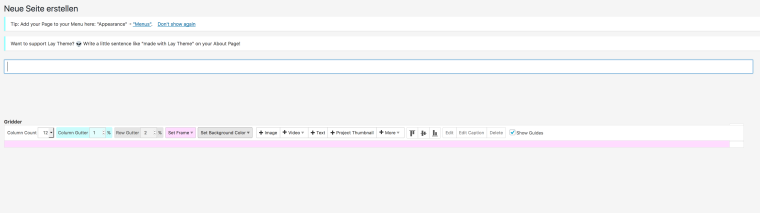
The problem even occours on different computers to me. Anohter thing I found is that when I make the screen very vide, the bottom of the gridder peaks out like on the picture. And after reinstalling laytheme the gridder works, but only one single time and after that its back to its weird hiding mode.
Do you have any other ideas?
Best,
Robert
Hello,
I cant use the gridder anymore because it is hiding behind the menu bar in a very weird way (See screenshot). Ive tried resizing my screen and ive also tried it on a bigger screen and it doesnt help. All gridder plug-ins are installed and updated to the newest version.
What should I do?
Greetings,
Robert
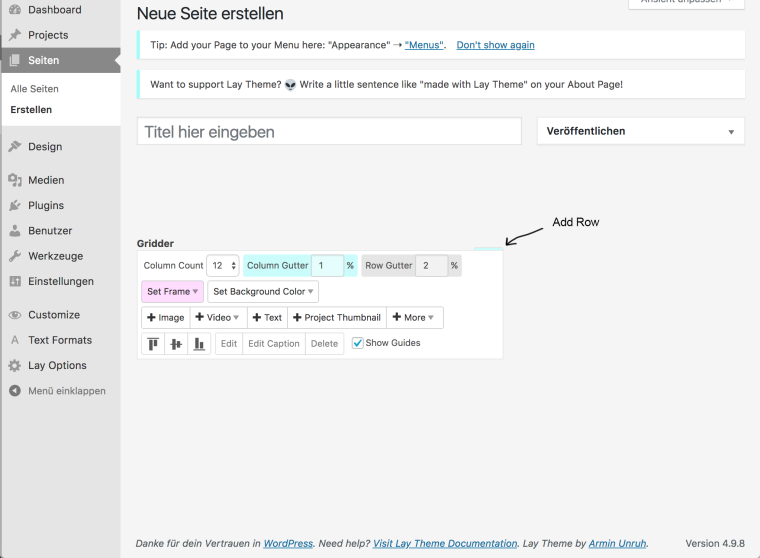
Is there any way to change the default white background color of a new project to black? Maybe somewhere in the Editor?
Best,
Robert
Hello,
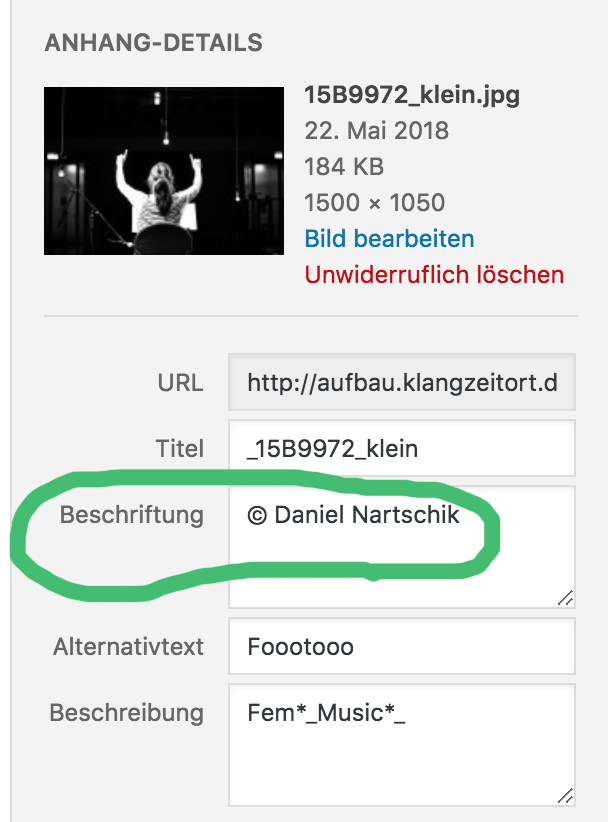
is it possible to make the description of an uploaded picture visible in the frontend? To credit copyright-owner of the taken picture.
Thank you and best greetings,
Robert
Hello,
since the last update from wordpress the website I am working on at the moment only displays the following text: , 'description' => wp_user_request_action_description( $request_data->action_name ), 'manage_url' => $manage_url, 'sitename' => get_option( 'blogname' ), 'siteurl' => home_url(), 'admin_email' => $admin_email, ); /* translators: Do not translate SITENAME, USER_EMAIL, DESCRIPTION, MANAGE_URL, SITEURL; those are placeholders. / $email_text = __( 'Howdy, A user data privacy request has been confirmed on ###SITENAME###: User: ###USER_EMAIL### Request: ###DESCRIPTION### You can view and manage these data privacy requests here: ###MANAGE_URL### Regards, All at ###SITENAME### ###SITEURL###' ); /* * Filters the body of the user request confirmation email. * * The email is sent to an administrator when an user request is confirmed. * The following strings have a special meaning and will get replaced dynamically: * * ###SITENAME### The name of the site. * # […]
The text continues longer but I think this is enough for now.
I tried renaming the plugins-folder and also replaced the lay-theme folder on my FTP but it did not help.
I cant even get to the admin panel. It also just shows the text above.
How can this be fixed?
Very thankful in advance,
Robert
Thank you anyway as always! I actually managed to solve it like that :)
Thank you Marius!
Another quick one: I want to link a category on a page with a thumbnail image. How can i make the category-title of that category visible on the thumbnail so that it has the same style like thumbnail-titles on all my other project-thumbnails. Is that understandable?
(I imagine i would give the category image a class and add the thumbnail wrap-style to it?)
Thank you very much in advance,
Robert
Hey there, i have read the previous topic about this problem but I want to know now if this also works for projects that have a certain category.
Greetings,
Robert
Hello,
I purchased lay theme for my website www.radzie.de about 2 years ago with my e-mail adress robert.radzie@web.de (maybe also with robert.radzie@gmail.com).
back in the day it did not work when I entered it and now i completely lost it. Can I get a new one can you reset the key somehwow? That would be great!
Thank you.
Best greets,
Robert
Hello,
is there any way to make projects delete themselfes after a certain date?
Or even better, that the project moves itself onto another page at a certain date?
I ask because I want to automate an event schedule with "past" and "future" events (projects)
I know that this might be a little advanced, but I am looking forward to any kind of advice!
Greetings,
Robert
Thank you very much Marius!! I think that will help.
Another quick question though, is there a way to give the text on a project thumbnail (the project title) a dropshadow? And how can I see the class of such elements so that in the future maybe I can figure this stuff out by myself with my mediocre css skills …
Thank you once again,
Robert
Thanks for the info. I figured it out with the footer feature that i was not aware of :)
Hey,
is there a way to invert the mouseover blur + darken effect of a project thumbnail?
Like that the defaut state of the thumbnail is blurry and darkened and on mouseover the blur disappears and it gets bright and normal.
Any ideas?
Thank you in advance!
Best wishes,
Robert