ok armin no problem. I put a quick animation for closing and it goes very quickly now
Thanks!
R
ok armin no problem. I put a quick animation for closing and it goes very quickly now
Thanks!
R
Hello,
I'm using a page as overlay and I configured the settings for mobile as this
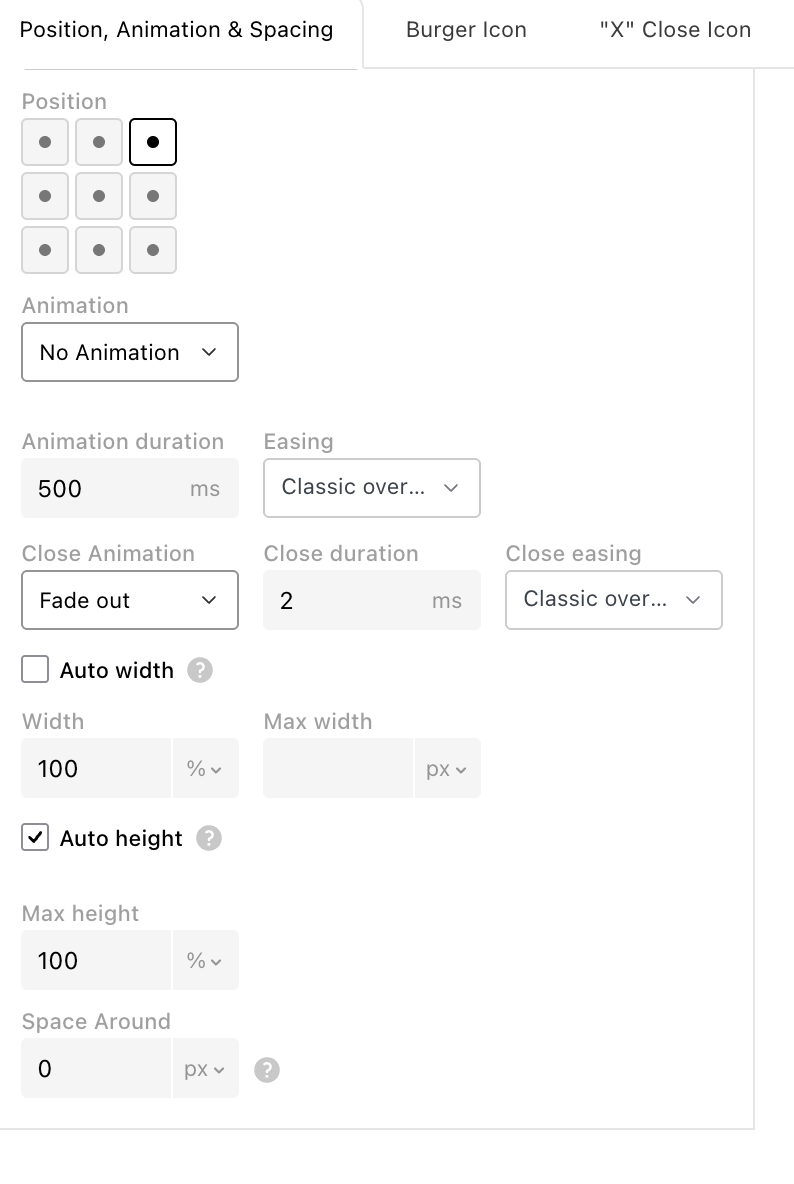
I used just one row with 100svh
When I open the overlay the website makes all the viewport orange, that is good.
But when I close it the mobile still displays orange bars on top and bottom, as here.
How can i solved this? I tried to play with animation for closing but it doesn't change.

Hello there! Still me, trying to push and discover Laytheme possibilities ;)
I was wondering if there's the possibility to use an accordion inside a caption: es for a carousel, having a caption with a read more or even on a lightbox.
Do you think it's possibile? Should I code something as HTML and insert it as a caption or it's some java that need to be added to the code?
Thanks
R
ok thanks for the insight
Hello there,
I was wondering if anyone tried a free hosting for Laytheme and if something like the free plan of https://www.infinityfree.com/ can support laytheme and its plugins.
Is it worth trying? Any others suggestions?
Thanks
R
looking forward this develop actually ! Any news?
I was also wondering how she could achieve accordion with hover here https://valeriefrossard.com/fr/ is made with laytheme!
Hello there,
this opens up to a broader discussion than laytheme, but I was wondering if anyone got the same issue.
When I google my name it shows my website, but it also shows different sitelinks below, that kind of sucks, also because it shows page name I used for homepage in italians etc.
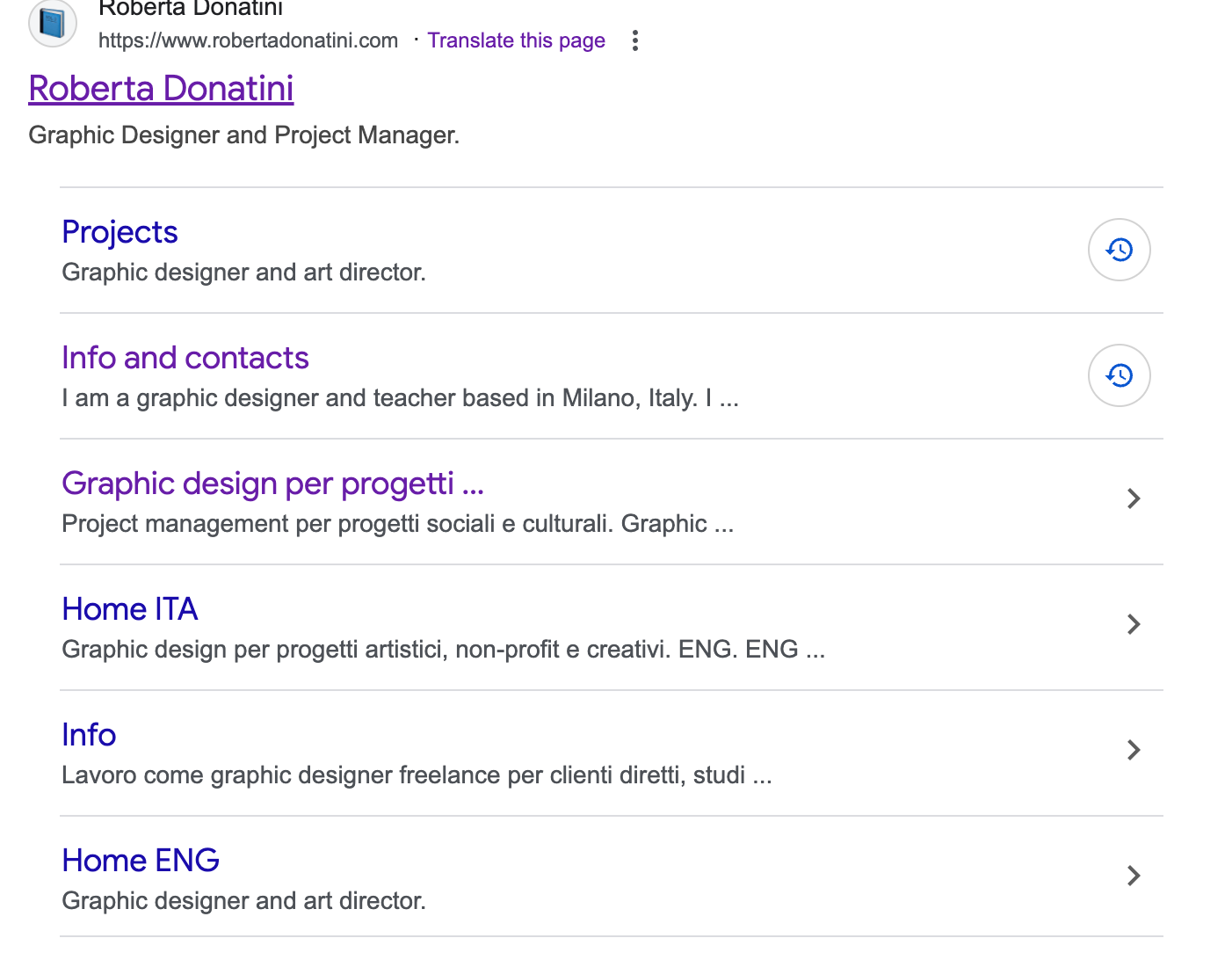
I googled how to hide those, and apparently there is not a clear strategy about this.
I read about giving to Google Search Console a certain site map, or we can delete the page from the site or use a noindex tag. Since I'm not an expert: do you think that providing a site map with only 1 homepage or using the noindex tag <meta name="robots" content="noindex"> will make my whole website disappear?
I'm trying to figure out if there are other ways of taking care of those links, since it sucks they are automatically generated and so poorly controllable.
Thanks for the help
Roberta
So, Polylang works. I have one menu ita eng + a second menu ita eng. The problem was, I wanted to have on certain pages of mobile menu 2 and not menu one: i wasn't able to do it. The only way I could work around it was to create just 1 menu, assign classes and hide certain elements on certain pages (+ polylang translate them)
Ehi! Apparenlty the solution of CSS classes worked!
It was just a matter of Wordpress cache not updating the menu. I used "WP Fastest Cache" to clear it and the change appeared.
So the solution was: assigning css classes to elements of the menu, just use one menu and hide some elements on certains page and other elements on others.
Dear @arminunruh
I'm trying to display a second menu on mobile on certain pages.
I tried the following:
.slug-progetti_gd_ita .menu-1
{
display: none!important;
}
.slug-progetti_gd_ita .menu-2
{
display: block!important;
}
Also this:
.slug-progetti_gd_ita nav.primay
{
display: none!important;
}
.slug-progetti_gd_ita second.menu
{
display: block!important;
}
I also tried to create just one menu and give CSS classes to some pages and hide them like this, as you suggested here
.slug-progetti_pm_ita .menugd1 {
display: none !important;
}
But nothing changes.
Do you think there's a solution? I’m trying to find a workaround since I have built a double website, with 2 different menus
www.robertadonatini.com/homepage_ita
I also answered to your recent email, but I think this is the topic where I can continue the discussion
Thanks a lot
thanks armin!
Hello there! I'm trying to fix a problem in displaying new menu.
Basically i have a new website that is still on developing (the site title on mobile still refers to the old website)
www.robertadonatini.com/homepage_ita
For desktop I hide the menu For mobile I used 2 menu, since Polylang had a bug and on one page it was not working, so for that specific page I used another menu that looks the same, but has a custom link in the language section (italiano).
And coded the following
.slug-progetti_pm_eng .menu-1{
display: none!important;
}
.slug-progetti_pm_eng .menu-2{
display: block!important;
}
And it worked.
Starting from this code I was wondering how to change the menu in mobile part and set a third menu.. Since the website is divided in two, it has to be different links inside.
I tried
.slug-progetti_gd_ita .menu-1{
display: none!important;
}
.slug-progetti_gd_ita .menu-3{
display: block!important;
}
but it doesn't work. How can i address the menu "Menu GD - ita" ? and if i add a fourth menu? I already changed the laytheme option > Menu Amount > 4
Thanks a lot
Roberta
Hello, I re-open this thread because I see tag order don't work for me.
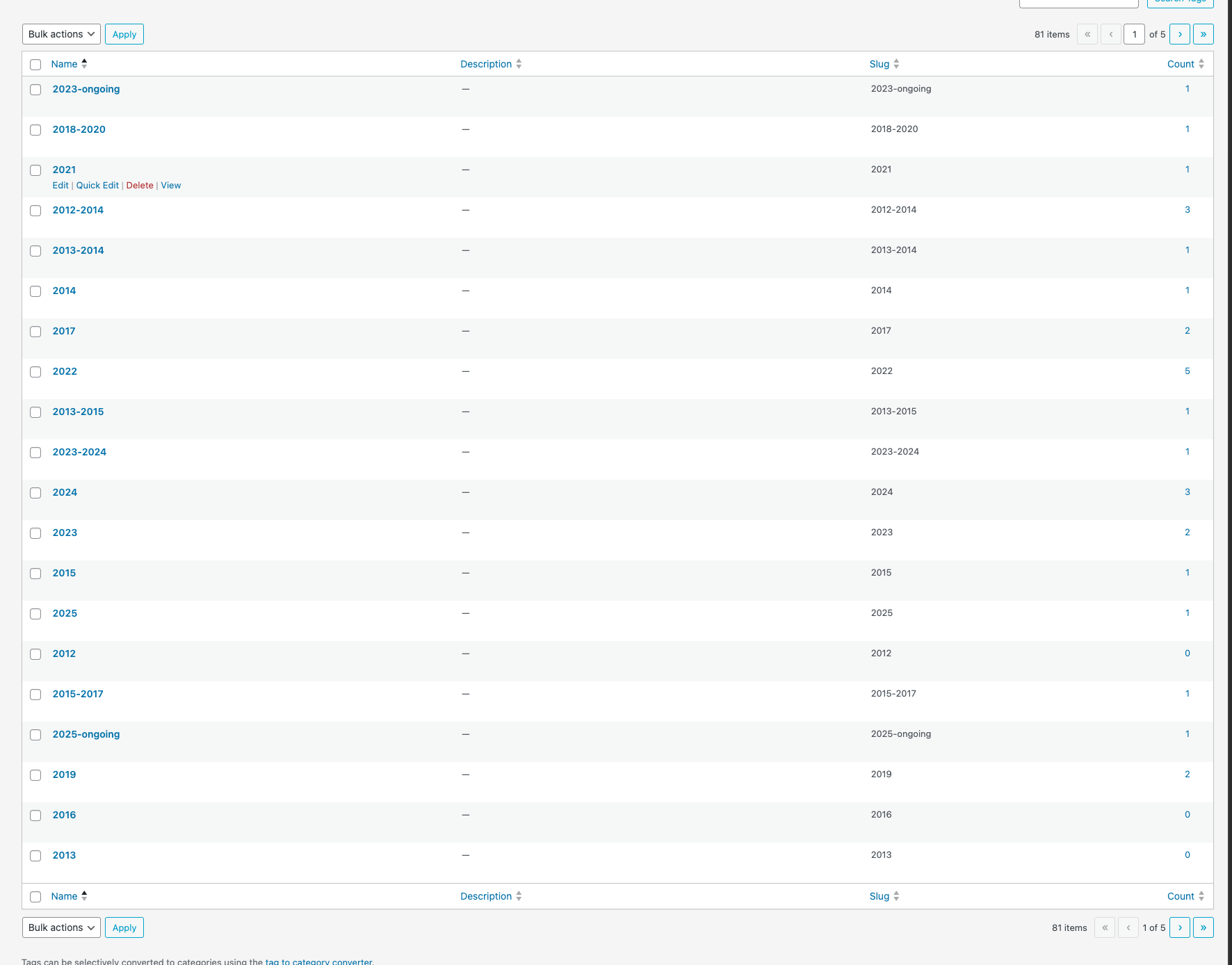
I've got a lot of tags, and when I tried to re-order them (having numbers before words) it works only on certain number values, and not with others, even if in the tags page numbers appears as first.
Here a pic of how I sorted them, but still in this page they appears sometimes in the middle of 3 tags line https://landcho.eu/all-projects/
I used this code in custom head content:
<script defer>
if (window.location.pathname.includes("all-projects")) {
document.addEventListener("DOMContentLoaded", function () {
const thumbnails = document.querySelectorAll(".below-image");
  thumbnails.forEach(function (thumb) {
    const tags = thumb.querySelectorAll(".thumbnail-tags span");
    if (!tags.length) return;

    const tagArray = Array.from(tags);

    // Ordina: numerici prima, poi alfabetici
    tagArray.sort((a, b) => {
      const aIsNumber = /^\d/.test(a.textContent.trim());
      const bIsNumber = /^\d/.test(b.textContent.trim());

      if (aIsNumber && !bIsNumber) return -1;
      if (!aIsNumber && bIsNumber) return 1;
      return a.textContent.localeCompare(b.textContent);
    });

    const tagContainer = thumb.querySelector(".thumbnail-tags");
    if (tagContainer) {
      tagContainer.innerHTML = "";
      tagArray.forEach(tag => tagContainer.appendChild(tag));
    }
  });
});
}
</script>
but it works only when I refresh the page, not when I arrive there directly.
Any suggestions for how to fix it? @arminunruh maybe?
Thanks!
Roberta
Thank you that's great!
no problem, i'll find another solution graphicallly. could be useful in future, thanks for the help!
yes i'd love to have the tags and the title beneath the carousel grid as they appear in thumbnail, for the effect black and white i think i'll sort it out
Hello there!
Still me fighting with code and insulting chatgpt.
I was wondering if I could use a Carousel slide with mouse scroll or with horizontal scroll showing project thumbnails as here.
wip.landcho.eu/all-projects-copy
And activate the visualization of the project titles and the project tags, as here while using thumbnails normally
https://wip.landcho.eu/#projects
Or if the only way is to write them in "Edit Caption" cause 1. it's a long way to do it 2.the formatting is weird and I can really fix the line height using 2 text formats
website user casetta
password cibocinese
Thanks in advance for your help
Roberta
it works! thanks